
- 0
- 2,358 words
best budgeting appsEvery year, browsers become smarter, websites become faster, and online services become more convenient. Unfortunately, cybercriminals evolve just as quickly. Over the past 15 years of working in cybersecurity and testing hundreds of browser security extensions, I’ve learned one important lesson: your browser is one of the most targeted applications on your computer.
Most people believe installing antivirus software is enough. In reality, many cyberattacks begin inside the browser. Phishing websites, malicious advertisements, fake browser notifications, hidden cryptocurrency miners, invasive trackers, and fraudulent extensions are now among the biggest online threats. Even experienced users can occasionally click a convincing phishing link or unknowingly install an extension requesting excessive permissions.
That is why I recommend combining reliable antivirus software with carefully selected browser security extensions. This layered approach has consistently provided the strongest protection during my security audits for businesses and while helping individuals secure their personal devices.
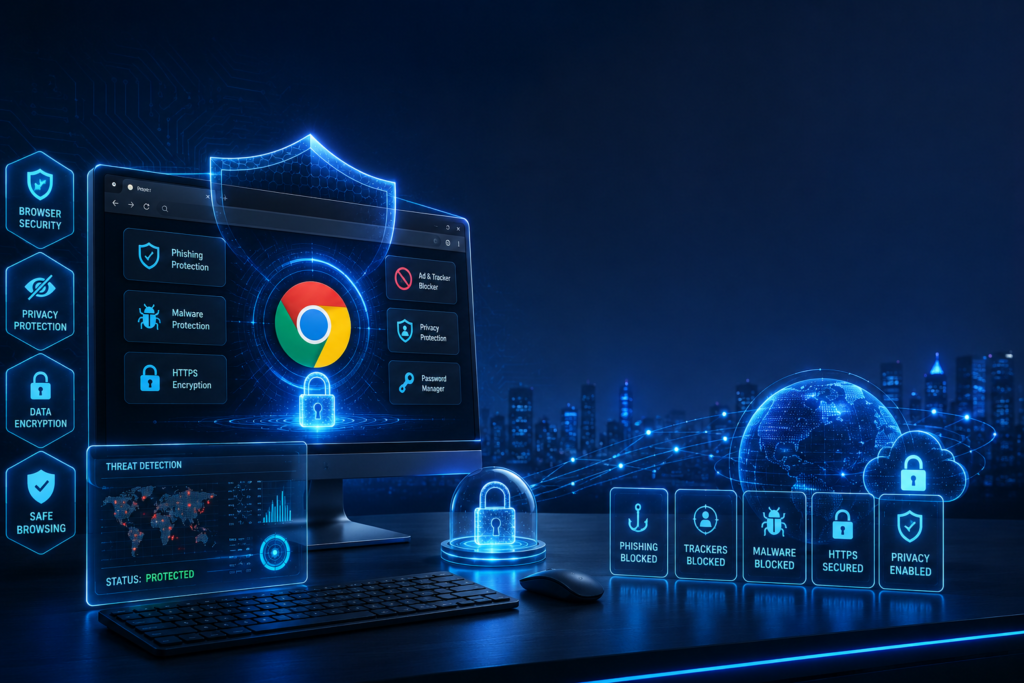
Today’s Chrome security extensions, browser privacy extensions, and advanced browser security tools do much more than block advertisements. They actively detect phishing websites, prevent malicious downloads, stop trackers from collecting your browsing habits, encrypt sensitive information, manage passwords securely, and warn you before visiting dangerous websites.
One mistake I repeatedly see is users installing dozens of random extensions because they assume more protection equals better security. My experience has shown the opposite. Every extension adds another layer of code to your browser. Poorly developed extensions may introduce privacy risks, consume excessive memory, or even become security vulnerabilities themselves. Choosing a few trusted privacy browser extensions is far more effective than filling your browser with unnecessary add-ons.
Throughout this guide, I’ll share not only the best browser security extensions available in 2026 but also practical lessons I’ve learned from years of testing browser security in real-world environments. Whether you’re a student, remote worker, small business owner, or IT professional, these recommendations can significantly improve your online safety without slowing down your browsing experience.
Why Browser Security Extensions Matter in 2026
Cybersecurity has changed dramatically over the last decade. While operating systems and browsers now include stronger built-in protections, attackers have become far more sophisticated. Today’s threats rely on deception rather than technical complexity. Instead of hacking your computer directly, criminals often try to trick you into giving away passwords, installing malware, or revealing sensitive financial information.
This is where trusted browser security extensions become an essential part of your digital security strategy.
During penetration testing engagements over the years, I have seen phishing campaigns bypass traditional antivirus solutions because users willingly entered their credentials into fake websites. Antivirus software cannot always stop human error, but quality Chrome security extensions often recognize fraudulent domains before users even interact with them.
Browser-Based Threats Continue to Increase
Modern attacks include:
- AI-generated phishing websites
- Fake online shopping stores
- Malicious browser notifications
- Hidden cryptocurrency mining scripts
- Browser fingerprinting
- Advertising trackers
- Session hijacking
- Credential theft
- Fake login pages
- Supply-chain attacks through malicious browser extensions
Many of these attacks happen entirely inside your browser, making specialized browser security tools more valuable than ever.
Privacy Has Become a Bigger Concern
Privacy is no longer only about hiding browsing history. Every website collects information such as:
- Device characteristics
- Screen resolution
- Browser version
- Installed fonts
- IP address
- Geographic location
- Browsing behavior
- Advertising identifiers
Combined together, these details create a unique digital fingerprint.
High-quality browser privacy extensions reduce this exposure by blocking trackers before they can collect your information. Over the years, I have tested numerous tracker blockers, and the difference is remarkable. Websites load faster, advertisements become less intrusive, and users regain much greater control over their personal data.
Businesses Need Browser Protection Too
One misconception is that browser security only matters for individual users. In reality, businesses face even greater risks.
Employees frequently access:
- Cloud storage
- Microsoft 365
- Google Workspace
- Banking portals
- CRM systems
- HR platforms
- Customer databases
Compromising just one browser session can expose an organization’s entire network.
For this reason, many organizations now deploy enterprise-approved browser security extensions alongside endpoint protection and multi-factor authentication.

Browser Security Supports Zero Trust
Zero Trust has become one of the leading cybersecurity strategies in 2026. Instead of automatically trusting users or devices, every request is continuously verified.
Reliable privacy browser extensions contribute to this approach by:
- Blocking malicious websites
- Preventing credential theft
- Identifying suspicious links
- Detecting unsafe downloads
- Warning users about fake login pages
- Protecting browsing sessions
When combined with strong passwords, passkeys, MFA, and antivirus software, these browser security tools significantly reduce the risk of successful cyberattacks.
How Browser Security Extensions Protect Your Privacy
Many users install browser security extensions without understanding how they actually work. From my experience testing security products across Chrome, Firefox, Edge, and Brave, the best extensions quietly operate in the background, continuously analyzing websites, scripts, downloads, and trackers before they can compromise your privacy.
Unlike traditional antivirus software that mainly scans files after they reach your computer, browser security tools work proactively. They examine web pages as they load, monitor suspicious activity, and block threats before they have a chance to execute.
Real-Time Phishing Protection
One of the most valuable features offered by modern Chrome security extensions is phishing detection.
Whenever you visit a website, these extensions compare the domain against constantly updated databases of known malicious sites. Some advanced tools even use artificial intelligence and behavioral analysis to detect newly created phishing pages that have not yet appeared on public blocklists.
In my own testing, this feature has prevented accidental visits to fake banking and cloud login pages multiple times. Even experienced professionals can occasionally click a convincing link, making real-time protection an essential safety net.
Tracker and Advertising Blocking
Many websites contain dozens of third-party trackers that monitor your browsing habits, collect analytics, and build advertising profiles.
Trusted browser privacy extensions automatically block:
- Advertising trackers
- Cross-site tracking cookies
- Social media trackers
- Fingerprinting scripts
- Hidden analytics requests
Besides improving privacy, blocking unnecessary trackers often results in noticeably faster page loading and reduced bandwidth usage.
Safe Download Monitoring
Cybercriminals frequently disguise malware as software updates, PDFs, invoices, browser updates, or productivity tools.
Modern browser security tools inspect download sources and alert users when files originate from suspicious or known malicious websites. This additional verification layer helps prevent ransomware and spyware infections before they begin.
Password and Credential Protection
Credential theft remains one of the most common attack methods.
Many leading Chrome security extensions integrate with password managers or provide alerts when passwords appear in known data breaches. Others warn users before entering credentials on suspicious or fake websites, significantly reducing the risk of account compromise.
Secure Browsing with HTTPS Enforcement
Although most websites now support HTTPS, some still allow unsecured HTTP connections.
Several privacy browser extensions automatically force encrypted HTTPS connections whenever available, ensuring your data remains protected while browsing, shopping, or logging into online accounts.
Permission Monitoring
One lesson I’ve learned over the years is that not every browser extension deserves your trust. Some extensions request unnecessary permissions, such as reading all browsing activity or modifying website content without a legitimate reason.
Reliable browser security extensions can help identify excessive permissions, allowing users to remove potentially risky add-ons before they become a security problem.
By understanding how these tools work behind the scenes, users can make informed decisions about which browser security extensions, browser privacy extensions, and browser security tools deserve a place in their browser.
Top Browser Security Extensions for 2026
After testing dozens of browser security solutions over the last 15 years, I’ve found that the best browser security extensions share three qualities: they provide strong protection, respect user privacy, and have a proven track record of regular updates. Rather than installing every security extension you come across, I recommend choosing a small set of trusted Chrome security extensions and browser privacy extensions that complement each other without overlapping too much.

Why It Stands Out
If I could install only one browser security extension, this would be near the top of my list. While many people think of it as simply an ad blocker, it also serves as an excellent privacy and security tool by blocking malicious advertisements, tracking scripts, and unwanted third-party requests.
During my testing, I noticed that websites loaded faster while exposing significantly fewer tracking connections. It also reduced the chances of accidentally clicking malicious advertisements that often appear on compromised websites.
Key Features
- Blocks intrusive advertisements
- Stops malicious advertising networks
- Prevents online tracking
- Improves browsing speed
- Low resource usage
- Open-source development
Pros
- Excellent performance
- Lightweight
- Easy to configure
- Strong privacy protection
- Regular updates
Cons
- Advanced settings may confuse beginners
- Some websites require manual exceptions
Best For
- Everyday users
- Students
- Remote workers
- Privacy-conscious users
Pricing
Free
Personal Experience
After years of testing different browser privacy extensions, I consistently return to uBlock Origin Lite because it balances security, privacy, and browser performance exceptionally well. I’ve seen browsing sessions become noticeably faster while reducing exposure to malicious advertising campaigns.
Bitwarden Password Manager
Why It Stands Out
Passwords remain one of the weakest points in online security. Even with passkeys becoming more common, many websites still rely on traditional credentials. Bitwarden has become one of my favorite browser security tools because it encourages strong password habits without sacrificing convenience.
Over the years, I’ve seen countless security incidents caused by password reuse. A password manager dramatically reduces this risk.
Key Features
- Secure password vault
- Password generator
- Auto-fill credentials
- Cross-platform synchronization
- Passkey support
- End-to-end encryption
Pros
- Strong encryption
- Open-source
- Affordable premium plan
- Supports passkeys
- Easy migration
Cons
- Initial setup takes time
- Some advanced features require Premium
Best For
- Families
- Professionals
- Businesses
- Anyone managing multiple online accounts
Pricing
- Free plan available
- Premium plan available

Personal Experience
Whenever I conduct security audits, reused passwords are among the most common issues I encounter. Since adopting Bitwarden across my own devices, managing hundreds of unique passwords has become effortless. Combined with other Chrome security extensions, it provides an important layer of account protection.
Malwarebytes Browser Guard
Why It Stands Out
Malwarebytes Browser Guard goes beyond advertisement blocking by actively identifying phishing websites, online scams, fake technical support pages, and malicious domains before they can cause harm.
During testing, it consistently blocked fake shopping websites and fraudulent download pages that many browsers failed to flag immediately.
Key Features
- Blocks phishing websites
- Prevents scam pages
- Stops malicious advertisements
- Protects against browser-based malware
- Blocks trackers
Pros
- Excellent phishing protection
- Easy installation
- Lightweight
- Beginner-friendly
- Frequent threat database updates
Cons
- Some aggressive blocking on certain websites
- Smaller feature set compared to full antivirus products
Best For
- Online shoppers
- Banking users
- Remote employees
- Families
Pricing
Free
Personal Experience
One lesson I’ve learned over the years is that phishing attacks often look incredibly convincing. Malwarebytes Browser Guard has successfully intercepted fake banking pages and suspicious download portals during my testing, making it one of the browser security extensions I frequently recommend.
Privacy Badger
Why It Stands Out
Developed by privacy advocates, Privacy Badger focuses on protecting users from invisible tracking rather than simply blocking advertisements. It automatically learns which trackers follow you across websites and blocks them without requiring complicated configuration.
Unlike many traditional browser privacy extensions, Privacy Badger adapts based on tracking behavior instead of relying solely on predefined filter lists.
Key Features
- Automatic tracker detection
- Blocks third-party trackers
- Prevents behavioral profiling
- Lightweight
- Easy setup
Pros
- Excellent privacy protection
- Automatic learning
- Open-source
- Minimal maintenance
- Works alongside other browser security tools
Cons
- Not designed as an ad blocker
- May require occasional site adjustments
Best For
- Privacy enthusiasts
- Journalists
- Researchers
- Users concerned about online tracking
Pricing
Free
Personal Experience
Privacy has become just as important as malware protection. After incorporating Privacy Badger into my daily workflow, I noticed a significant reduction in cross-site tracking requests. It pairs exceptionally well with other privacy browser extensions and complements broader browser security tools without slowing down browsing.
Choosing the Right Combination
One of the biggest mistakes I see users make is installing ten or fifteen browser security extensions that perform the same task. This can reduce browser performance and even create conflicts.
Instead, I recommend a layered approach:
- uBlock Origin Lite for ad and tracker blocking.
- Bitwarden Password Manager for secure passwords and passkeys.
- Malwarebytes Browser Guard for phishing and scam protection.
- Privacy Badger for enhanced privacy against trackers.
This combination provides strong protection while keeping your browser fast and responsive. In my experience, these Chrome security extensions, browser privacy extensions, and browser security tools work well together without unnecessary overlap.

Final Verdict
Choosing the right browser security extensions is one of the simplest and most effective ways to strengthen your online security in 2026. While modern browsers include built-in protections, they aren’t designed to stop every phishing attempt, malicious advertisement, tracker, or privacy threat you may encounter every day. Adding a carefully selected set of Chrome security extensions, browser privacy extensions, and trusted browser security tools creates an extra layer of defense that significantly reduces your risk of becoming a cybercrime victim.
Remember that no privacy browser extensions or browser security tools can replace safe browsing habits. Always verify website URLs before entering sensitive information, enable multi-factor authentication wherever possible, keep your browser and extensions updated, and install extensions only from official browser stores developed by reputable publishers. Even the best browser security extensions work most effectively when combined with smart online behavior.
As browser-based threats continue to evolve with AI-powered phishing attacks, sophisticated tracking techniques, and increasingly convincing scams, staying proactive is more important than ever. Regularly review your installed Chrome security extensions, remove those you no longer use, and ensure your browser privacy extensions receive frequent security updates.
Author

razakh6402@gmail.com
Related Posts
Passkeys: How Passwordless Authentication Is Replacing Passwords in 2026
- 0
- 2,452 words
If you’ve ever forgotten a password, reset the same account multiple times, or worried that your login credentials were exposed in a...
Read out all
Cybersecurity Checklist: Essential Small Business Cybersecurity Guide (2026)
- 0
- 2,462 words
Cyberattacks are no longer a problem reserved for large enterprises. Over the last 15 years, I’ve worked with startups, retail stores, healthcare...

Secure Cloud Storage: Best Secure Cloud Storage Services for Business & Personal Use (2026 Guide)
- 0
- 2,443 words
Whether you’re backing up family photos, sharing confidential client documents, or managing sensitive business files, choosing the right secure cloud storage service...
AI Scams: How to Protect Yourself from AI-Powered Scams in 2026 (Expert Guide)
- 0
- 1,918 word
Artificial intelligence has transformed the way we work, communicate, and manage our finances. Unfortunately, cybercriminals have embraced the same technology to create...
Read out all
Future of Cybersecurity: Top Cybersecurity Trends 2026, AI Innovations, and Predictions for the Next Decade
- 1
- 2,173 words
Twenty-five years ago, cybersecurity focused primarily on protecting desktop computers, on-premises servers, and corporate networks. Firewalls, antivirus software, and perimeter defenses formed...
Home Network Security Guide: 25 Expert Strategies to Build a Secure Home Network in 2026
- 0
- 1,999 word
Home network security is no longer optional. https://www.effectivecpmnetwork.com/zwmk61nzik?key=c215b6a50560356c577d53e1d461ad7a Twenty-five years ago, most households connected a single desktop computer to the internet. Today,...
Read out all