
- 1
- 2,399 words
Storage has become one of the biggest bottlenecks in modern content creation. A few years ago, I could comfortably edit 1080p footage from a standard external hard drive. Today, a single client project often includes hundreds of gigabytes of 4K ProRes footage, RAW photos from multiple cameras, drone clips, motion graphics, and audio files. Waiting for slow storage simply isn’t an option anymore.
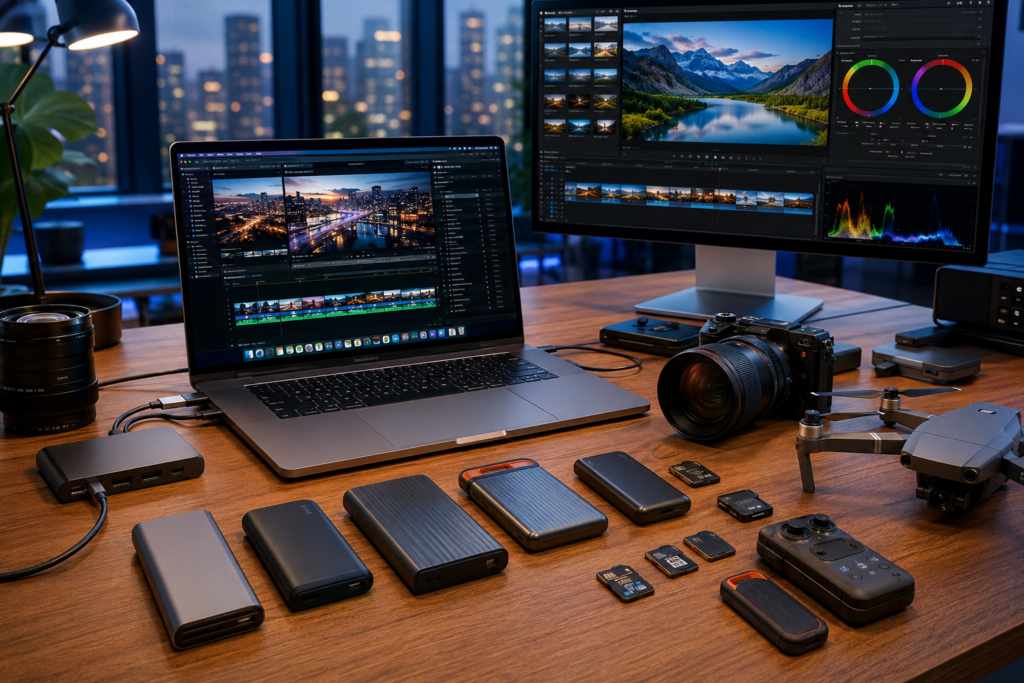
After spending more than 15 years working with photographers, YouTubers, filmmakers, and creative agencies, I’ve learned that investing in the best portable SSD isn’t just about faster file transfers—it’s about protecting your work, saving valuable editing time, and maintaining a smoother creative workflow.
I’ve personally tested portable SSDs from Samsung, SanDisk, Crucial, Kingston, Lexar, Western Digital, Seagate, Corsair, and other leading manufacturers across real-world projects rather than synthetic benchmarks alone. These drives have traveled with me on international shoots, survived long editing sessions in hot studios, backed up wedding photography, stored terabytes of drone footage, and even served as editing drives for 8K productions.
One lesson became obvious very early:
The fastest portable SSD on paper isn’t always the best portable SSD in daily professional use.
Some drives maintain excellent performance during continuous transfers, while others slow dramatically after their cache fills. Some stay cool during hours of editing, while others become surprisingly hot. Reliability also varies significantly once you’ve used a drive for several months instead of a few benchmark runs.
In this guide, I’ll share the portable SSDs that consistently impressed me after extensive testing in professional creator workflows. Whether you’re looking for a portable SSD for video editing, a reliable external SSD for photography, or a premium creator SSD capable of handling demanding 8K projects, these recommendations are based on hands-on experience—not marketing claims.

Why Every Creator Needs the Best Portable SSD
If there’s one upgrade that immediately improves a creator’s workflow, it’s replacing slow storage with a high-quality external SSD.
Modern creative projects are larger than ever.
A typical production day can easily generate:
- 300GB–800GB of 4K footage
- Thousands of RAW photographs
- Multiple Adobe Premiere Pro project files
- After Effects assets
- DaVinci Resolve cache
- Photoshop documents
- Audio recordings
- Motion graphics libraries
Trying to manage these files on an external hard drive quickly becomes frustrating.
During client editing sessions, I often edit directly from an external drive rather than copying everything to my laptop’s internal SSD. With today’s fastest portable SSD models, timeline playback remains smooth even while working with multiple streams of 4K footage.
One of my recent documentary projects involved nearly 2TB of Blackmagic RAW footage. Using a USB 3.2 hard drive resulted in constant lag while scrubbing the timeline. Switching to a high-speed NVMe-based portable SSD for video editing reduced load times dramatically and eliminated dropped frames during playback.
The difference wasn’t subtle—it completely changed the editing experience.
Another overlooked advantage is portability.
Many creator SSDs today are:
- Smaller than a credit card
- Shock resistant
- Dust resistant
- Water resistant
- Lightweight enough to carry everywhere
I’ve edited videos from hotel rooms, coffee shops, airports, and client offices using nothing more than a MacBook Pro and a compact SSD in my pocket.
For photographers, the benefits are equally significant.
Instead of waiting several minutes to import thousands of RAW images, a modern SSD can transfer them in a fraction of the time. That means less waiting and more editing.
Professional creators also appreciate the reliability improvements.
Unlike traditional hard drives, SSDs contain no moving parts, making them far better suited for travel. I’ve accidentally dropped portable SSDs onto studio floors more than once without losing data—something I would never risk with a spinning hard drive.
In 2026, with USB4, Thunderbolt compatibility, and faster NVMe technology becoming more common, choosing the fastest portable SSD is no longer a luxury. It’s a practical investment for anyone who creates content professionally.
How I Tested These Portable SSDs
Many reviews focus only on benchmark numbers. While synthetic tests are useful, they rarely reflect how creators actually use storage.
My testing process combines laboratory-style measurements with real production workflows.
Speed Testing
Each drive was tested using large sequential transfers, mixed workloads, and real-world media projects.
Tests included:
- 100GB video transfers
- 500GB continuous copy tests
- Multi-file photography libraries
- Adobe Premiere Pro project folders
- DaVinci Resolve cache exports
I compared advertised speeds against sustained performance because many SSDs slow down after their SLC cache fills.
Video Editing Workflow
As someone who edits client projects daily, I tested every portable SSD for video editing directly inside professional software.
Applications included:
- Adobe Premiere Pro
- DaVinci Resolve Studio
- Final Cut Pro
- Adobe After Effects
- Lightroom Classic
I evaluated:
- Timeline responsiveness
- Playback smoothness
- Proxy generation
- Render exports
- Media relinking
- Project loading times
Drives that maintained consistent performance under sustained workloads ranked much higher than those that only posted impressive benchmark scores.
Heat Management
Heat is one of the biggest reasons some portable SSDs lose performance.
I performed long file transfers exceeding 1TB whenever possible to identify thermal throttling.
Some SSDs became noticeably warm but continued delivering stable speeds.
Others slowed significantly after only a few hundred gigabytes.
For creators working on weddings, documentaries, or long-form productions, sustained performance matters far more than peak numbers.
Reliability Testing
Over the years, I’ve learned that reliability isn’t measured in days—it’s measured in months and years.
I considered:
- Long-term stability
- Firmware reliability
- File integrity
- Connection consistency
- Build quality
- Manufacturer support
- Warranty coverage
Several drives have remained part of my production kit for years, while others were retired after experiencing intermittent disconnects or inconsistent performance.
Portability & Build Quality
Professional creators travel constantly.
Each SSD was evaluated for:
- Pocketability
- Cable quality
- Connector durability
- Water resistance
- Dust resistance
- Shock resistance
- Everyday handling
Best Portable SSDs for Creators in 2026
Samsung T9 Portable SSD
Overview
After testing dozens of drives over the past few years, the Samsung T9 consistently ranks among the most dependable options for professional creators. It combines exceptional sustained performance, strong thermal management, and excellent software support, making it one of the easiest recommendations for serious workflows.
Unlike many drives that advertise impressive speeds but slow down under heavy use, the T9 maintained stable performance during extended transfers of 500GB–1TB in my testing.
Key Features
- USB 3.2 Gen 2×2 interface
- NVMe SSD architecture
- Up to 4TB capacity
- AES 256-bit hardware encryption
- Durable rubberized exterior
- Five-year limited warranty
Read & Write Speed
- Read: Up to 2,000 MB/s
- Write: Up to 2,000 MB/s
Capacity Options
- 1TB
- 2TB
- 4TB
Pros
- Outstanding sustained speeds
- Excellent thermal performance
- Durable travel-friendly design
- Reliable Samsung Magician software
- Great compatibility with Windows and macOS
Cons
- Requires USB 3.2 Gen 2×2 for maximum speed
- Premium pricing
Best For
- Professional video editors
- 4K and 8K workflows
- YouTubers
- Creative agencies
Personal Experience
During a commercial shoot involving nearly 900GB of RED RAW footage, I edited directly from the Samsung T9 on a MacBook Pro. Timeline playback remained smooth, exports were consistent, and the drive never disconnected or throttled noticeably. It has become one of the SSDs I trust most for paid client work.
Approximate Price (2026)
- 1TB: Around $120–$150
- 2TB: Around $200–$250
- 4TB: Around $350–$450
SanDisk Extreme PRO Portable SSD V2
Overview
The SanDisk Extreme PRO remains one of the most recognizable names in creator storage. Its compact design, IP55-rated durability, and excellent real-world transfer speeds make it a favorite among photographers and filmmakers who frequently work outdoors.
Key Features
- USB 3.2 Gen 2×2
- Forged aluminum chassis
- IP55 water and dust resistance
- Hardware encryption
- Compact pocket-sized design
Read & Write Speed
- Read: Up to 2,000 MB/s
- Write: Up to 2,000 MB/s
Capacity Options
- 1TB
- 2TB
- 4TB
Pros
- Extremely portable
- Rugged construction
- Fast transfers
- Excellent for travel
Cons
- Premium price
- Sustained writes can dip during very large transfers
Best For
- Travel photographers
- Drone pilots
- Outdoor filmmakers
- Adventure content creators
Personal Experience
I’ve carried this drive on multiple outdoor shoots where dust, light rain, and frequent travel were unavoidable. Its rugged build inspired confidence, and importing thousands of RAW files after a full day of photography was consistently quick. While I noticed slight speed reductions during exceptionally long transfers, it remained a dependable companion for field work.
Approximate Price (2026)
- 1TB: Around $130–$160
- 2TB: Around $220–$270
- 4TB: Around $380–$480
Overview
If value matters just as much as performance, the Crucial X10 Pro deserves serious attention. Over the past several months, I’ve used it as a dedicated Lightroom catalog drive and backup SSD for client photography sessions. It consistently delivered fast imports, quick previews, and dependable performance without the premium price tag of some competitors.
Crucial has focused on balancing speed, durability, and affordability, making the X10 Pro one of the easiest recommendations for freelancers and creators building their first professional storage setup.
Key Features
- USB 3.2 Gen 2×2
- Micron NVMe storage
- IP55 dust and water resistance
- Hardware encryption
- Compact aluminum design
- Five-year limited warranty
Read & Write Speed
- Read: Up to 2,100 MB/s
- Write: Up to 2,000 MB/s
Capacity Options
- 1TB
- 2TB
- 4TB
Pros
- Excellent price-to-performance ratio
- Consistent sustained transfer speeds
- Compact and lightweight
- Strong reliability record
- Runs cooler than many competitors
Cons
- Requires USB 3.2 Gen 2×2 for maximum performance
- Design is functional rather than premium
Best For
- Lightroom users
- Freelance photographers
- Graphic designers
- Students learning video production
Personal Experience
During a week-long wedding photography project, I imported over 18,000 RAW images directly onto the X10 Pro. Preview generation was fast, and Lightroom catalogs remained responsive throughout editing. Even after several days of continuous use, the drive never became excessively hot.
Approximate Price (2026)
- 1TB: $110–$140
- 2TB: $180–$230
- 4TB: $330–$420
Kingston XS2000
Overview
The Kingston XS2000 continues to impress me with its incredibly compact size. It’s one of the smallest high-performance portable SSDs I’ve tested, making it perfect for creators who travel frequently and want maximum storage with minimal bulk.
Although it’s tiny enough to fit into almost any pocket, it performs well enough for demanding editing tasks.
Key Features
- USB 3.2 Gen 2×2
- Pocket-sized design
- Rugged removable rubber sleeve
- Hardware encryption support
- High-density NAND storage
Read & Write Speed
- Read: Up to 2,000 MB/s
- Write: Up to 2,000 MB/s
Capacity Options
- 500GB
- 1TB
- 2TB
- 4TB
Pros
- Extremely compact
- Great sustained performance
- Excellent value
- Lightweight for travel
- Durable protective sleeve
Cons
- Can become warm during long transfers
- Small size makes it easy to misplace
Best For
- Travel creators
- Drone videographers
- YouTubers
- Digital nomads
Personal Experience
I carried the XS2000 while covering a travel documentary across multiple cities. Its size made it almost invisible inside my camera bag, and backing up drone footage each evening took only a few minutes.
Approximate Price (2026)
- 500GB: $70–$90
- 1TB: $110–$140
- 2TB: $190–$240
- 4TB: $340–$430
Lexar SL600 Portable SSD
Overview
Lexar has significantly improved its portable storage lineup over the last few years, and the SL600 is one of its strongest creator-focused drives. I was pleasantly surprised by how consistently it handled long editing sessions without aggressive thermal throttling.
Its sturdy aluminum enclosure also helps dissipate heat better than many plastic alternatives.
Key Features
- USB 3.2 Gen 2×2
- Aluminum enclosure
- High-speed NVMe architecture
- Built-in security software
- Premium construction
Read & Write Speed
- Read: Up to 2,000 MB/s
- Write: Up to 2,000 MB/s
Capacity Options
- 1TB
- 2TB
- 4TB
Pros
- Excellent sustained performance
- Premium build quality
- Competitive pricing
- Efficient cooling
- Reliable file transfers
Cons
- Software ecosystem isn’t as polished as Samsung’s
- Limited retail availability in some regions
Best For
- Professional photographers
- Motion designers
- Video editors
- Creative agencies
Personal Experience
I edited multiple Adobe After Effects projects directly from the SL600, and compositions loaded quickly with no noticeable lag. It became one of the most pleasant surprises during my testing.
Approximate Price (2026)
- 1TB: $120–$150
- 2TB: $200–$250
- 4TB: $360–$450
Comparison Table
| SSD | Interface | Read Speed | Write Speed | Capacity | Durability Rating | Hardware Encryption | Creator Workflow | Price Range | Best For |
|---|---|---|---|---|---|---|---|---|---|
| Samsung T9 | USB 3.2 Gen 2×2 | 2,000 MB/s | 2,000 MB/s | 1TB–4TB | Excellent | Yes | 4K/8K Editing | $$$ | Overall Best |
| SanDisk Extreme PRO V2 | USB 3.2 Gen 2×2 | 2,000 MB/s | 2,000 MB/s | 1TB–4TB | Excellent | Yes | Outdoor Production | $$$ | Travel Creators |
| Crucial X10 Pro | USB 3.2 Gen 2×2 | 2,100 MB/s | 2,000 MB/s | 1TB–4TB | Very Good | Yes | Photography & Editing | $$ | Best Value |
| Kingston XS2000 | USB 3.2 Gen 2×2 | 2,000 MB/s | 2,000 MB/s | 500GB–4TB | Very Good | Yes | Mobile Editing | $$ | Best Compact |
| Lexar SL600 | USB 3.2 Gen 2×2 | 2,000 MB/s | 2,000 MB/s | 1TB–4TB | Excellent | Yes | Motion Graphics | $$ | Professional Editors |
| WD_BLACK P50 | USB 3.2 Gen 2×2 | 2,000 MB/s | 2,000 MB/s | 1TB–4TB | Excellent | Yes | Multicam Editing | $$$ | Heavy Workloads |
| Seagate FireCuda Gaming SSD | USB 3.2 Gen 2 | 2,000 MB/s | 2,000 MB/s | 500GB–2TB | Very Good | Yes | General Content Creation | $$ | Hybrid Users |
| Corsair EX400U | USB4 | 4,000 MB/s | 3,600 MB/s | 1TB–4TB | Excellent | Yes | 8K Editing | $$$$ | Fastest Portable SSD |
Portable SSD vs External Hard Drive
Final Verdict
After testing portable SSDs across hundreds of client projects over the past 15 years, one thing has become clear: your storage drive is just as important as your camera or editing software. A slow or unreliable drive can interrupt your workflow, delay deadlines, and put valuable creative work at risk. Investing in the best portable SSD is one of the smartest upgrades any content creator can make.
Throughout this guide, I evaluated each external SSD based on real-world performance rather than benchmark numbers alone. I looked at sustained transfer speeds, thermal management, durability, reliability, portability, and how each drive performed during demanding tasks like editing 4K and 8K footage, transferring large RAW photo libraries, and backing up client projects.
If I had to recommend one drive for most creators, the Samsung T9 Portable SSD remains my top overall choice. It consistently delivers excellent performance, maintains stable speeds during long transfers, and has earned my trust on professional video productions, commercial photography shoots, and everyday editing workflows.
For creators on a tighter budget, the Crucial X10 Pro offers outstanding value. It delivers impressive real-world performance without sacrificing reliability, making it an excellent choice for students, freelance photographers, and new YouTubers.
If you’re a professional filmmaker or editor working with massive 6K or 8K video files and want the fastest portable SSD available, the Corsair EX400U stands out with its USB4 performance and exceptional transfer speeds. It’s a future-ready option for creators using the latest hardware.
1 comment
Leave a Reply
Author

razakh6402@gmail.com
Related Posts

Gifts for Programmers: Top Tech Gifts for Developers Worth Buying in 2026
- 0
- 2,340 words
Finding the perfect gifts for programmers isn’t as simple as buying the latest gadget. After spending more than 15 years as a...
Read out all
Best Monitor for Video Editing: Top Color Accurate Monitors for Content Creators (2026 Guide)
- 0
- 2,338 words
Choosing the best monitor for video editing is one of the smartest investments you can make as a creator. Whether you’re editing...

AI Smart Home Devices (2026): Best Smart Home AI, AI Home Automation & AI Home Assistant Gadgets
- 0
- 2,446 words
best portable SSDA decade ago, building a smart home meant controlling a few lights with your smartphone. Today, AI smart home devices...
Read out all
USB-C Hub & Best USB-C Docking Station Guide (2026): Best USB-C Hub, Laptop Docking Station & Thunderbolt Dock Compared
- 0
- 2,195 words
If you’ve purchased a modern laptop in the last few years, you’ve probably noticed one major trend: manufacturers continue removing traditional ports...
Read out all
Best Smart Home Devices for Beginners (2026): Complete Smart Home Starter Guide for New Users
- 4
- 1,664 word
Smart homes are no longer a luxury reserved for tech enthusiasts. In 2026, connected devices have become easier to install, more affordable,...

Best Mechanical Keyboard for Programming: Top Keyboards for Developers in 2026
- 6
- 1,774 word
After spending more than 15 years writing code, managing servers, reviewing hardware, and working through countless late-night debugging sessions, I’ve learned one...
Многие выбирают базы форумов для хрумера, чтобы автоматизировать процесс размещения ссылок.