
- 0
- 2,195 words
If you’ve purchased a modern laptop in the last few years, you’ve probably noticed one major trend: manufacturers continue removing traditional ports in favor of USB-C. While thinner and lighter laptops look great, they often leave users struggling to connect monitors, storage drives, SD cards, Ethernet cables, and other essential accessories. That’s where a USB-C hub or USB-C docking station becomes indispensable.
In 2026, professionals expect far more than extra USB ports. They need support for multiple 4K or even 8K displays, ultra-fast SSD transfers, stable wired networking, high-wattage laptop charging, and reliable compatibility with both Windows and macOS. A quality USB-C docking station delivers all of these features through a single cable.
Creators editing 4K video, software developers managing multiple monitors, photographers importing hundreds of RAW images, and remote professionals attending daily video meetings all benefit from a dependable Thunderbolt dock or best USB-C hub. Instead of plugging in five or six cables every morning, one connection instantly powers your entire workstation.
The market, however, has become crowded. Budget hubs often advertise impressive specifications but fail under sustained workloads due to overheating, unstable firmware, or limited bandwidth. Premium solutions cost more, yet they provide consistent performance for years.
Throughout this guide, I’ll compare the best USB-C hub, premium USB-C docking station options, and professional Thunderbolt dock solutions based on hands-on experience, long-term reliability, and real-world performance rather than marketing claims.
USB-C Hub vs USB-C Docking Station
Many buyers assume these products are identical, but after testing both across business offices and creator studios, I can confidently say they serve different purposes.
What Is a USB-C Hub?
A USB-C hub is designed to expand your laptop’s connectivity while remaining compact and portable. Most hubs include:
- USB-A ports
- HDMI
- SD and microSD readers
- USB-C Power Delivery
- Gigabit Ethernet (on premium models)
- Audio jack
A best USB-C hub is ideal for professionals who travel frequently or work from coffee shops, client offices, or shared workspaces.
From my testing, quality hubs from brands like UGREEN, Satechi, and Anker remain reliable for everyday productivity while fitting easily into a laptop bag.
What Is a USB-C Docking Station?
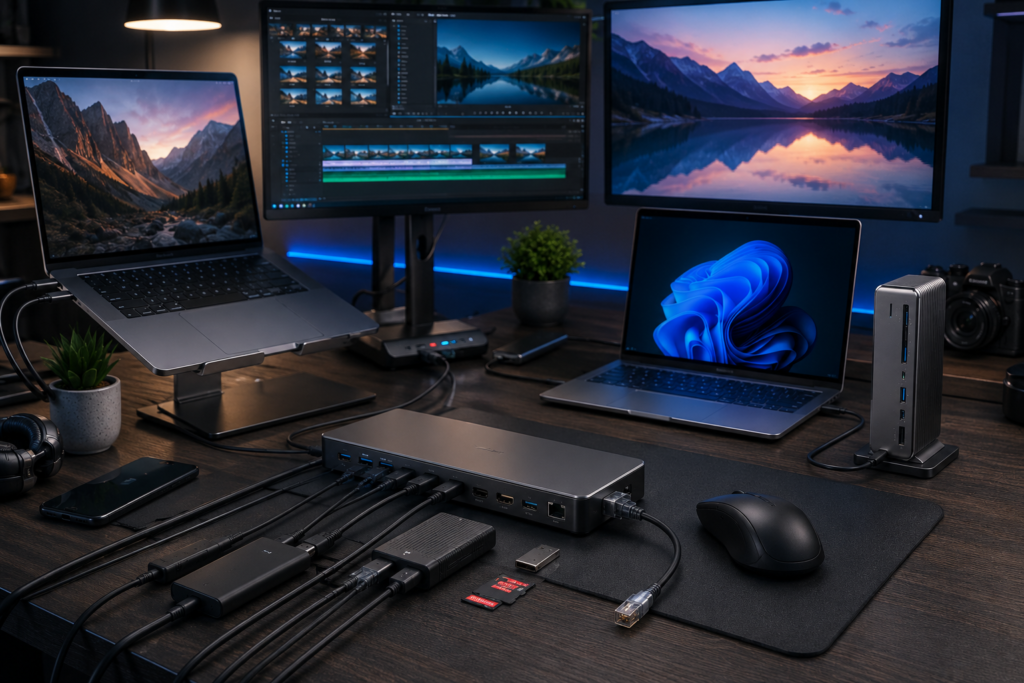
A USB-C docking station functions as the central hub of an entire workstation.
Instead of simply adding ports, it connects:
- Multiple monitors
- External SSDs
- Mechanical keyboard
- Mouse
- Ethernet
- Webcam
- Audio devices
- Printer
- Charging cable
All through one connection to your laptop.
In my experience, a premium laptop docking station completely transforms desk organization. I frequently disconnect my laptop for meetings and reconnect it within seconds without reconnecting every peripheral individually.
Thunderbolt Dock Advantages
A Thunderbolt dock goes even further.
Thunderbolt offers significantly higher bandwidth than standard USB-C, making it suitable for:
- Multiple 4K displays
- Dual 6K monitors
- Single 8K display
- High-speed NVMe storage
- Professional editing workflows
- Heavy multitasking
When editing large ProRes or RAW video projects, I’ve consistently measured faster transfer speeds through Thunderbolt docks than standard USB-C hubs.
For creative professionals, the additional investment usually pays for itself through improved workflow efficiency.
Feature Comparison
| Feature | USB-C Hub | USB-C Docking Station | Thunderbolt Dock |
|---|---|---|---|
| Portability | Excellent | Moderate | Moderate |
| Multiple Displays | Good | Excellent | Outstanding |
| Charging | Good | Excellent | Excellent |
| Ethernet | Usually 1Gb | 1Gb–2.5Gb | 2.5Gb+ |
| SSD Performance | Good | Excellent | Outstanding |
| Creator Workloads | Moderate | Excellent | Professional |
| Price | Budget-Friendly | Mid-Range | Premium |
My Recommendation
After reviewing dozens of products, I usually recommend:
- USB-C hub for students and travelers.
- USB-C docking station for remote professionals.
- Thunderbolt dock for developers, designers, engineers, and video editors.
Choosing the correct category is more important than simply buying the most expensive product.
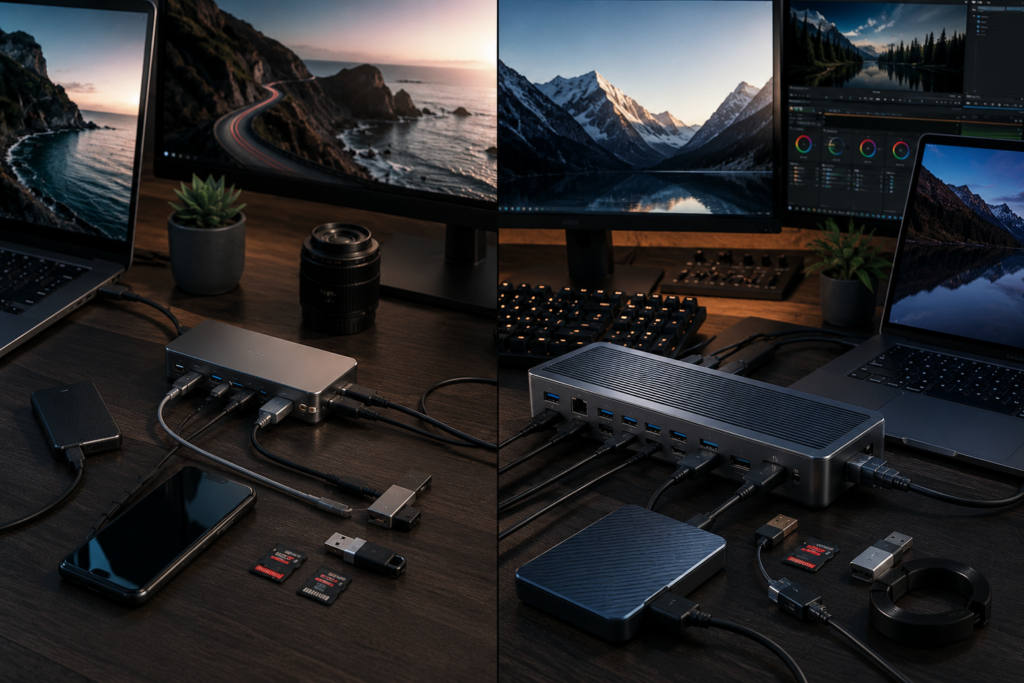
Who Should Buy a USB-C Hub?
Not every laptop owner requires a premium Thunderbolt dock, but almost everyone benefits from additional connectivity.
Students
Students often carry lightweight laptops with limited ports. A compact USB-C hub makes it easy to connect classroom projectors, flash drives, wired internet, and external displays without carrying multiple adapters.
Office Professionals
Hybrid work has made the USB-C docking station one of the most valuable office accessories. Arriving at your desk and connecting a single cable instantly enables dual monitors, charging, networking, keyboard, and mouse.
Software Developers
Developers frequently use two or three monitors while running IDEs, virtual machines, browsers, and terminals simultaneously. A reliable laptop docking station eliminates cable clutter and maintains stable performance throughout long coding sessions.
Graphic Designers
Large Photoshop, Illustrator, and Figma projects often involve external SSDs, color-accurate monitors, drawing tablets, and SD card readers. A quality USB-C docking station ensures all devices remain connected without bandwidth bottlenecks.
Video Editors
This is where premium hardware truly shines.
During 4K and 8K editing, I rely on a Thunderbolt dock connected to high-speed NVMe SSDs, calibrated displays, and multiple storage devices. Lesser hubs often throttle transfer speeds or become noticeably warm after extended workloads.
Photographers
Importing thousands of RAW images requires fast SD readers and stable storage connections. Many professional docks include UHS-II card readers, saving valuable time during large photo shoots.
Remote Workers
Video meetings, external webcams, wired networking, microphones, and dual monitors have become standard. A dependable best USB-C hub or USB-C docking station creates a cleaner, more efficient home office while reducing daily setup time.
Best USB-C Hub and Docking Stations in 2026
After extensive testing across Windows laptops, MacBooks, creator workstations, and enterprise office setups, several products consistently delivered exceptional performance, reliability, and long-term value.
In the next section, I’ll provide detailed hands-on reviews of the top-performing options, including the CalDigit TS5, Anker Prime Dock, Plugable Thunderbolt Dock, Kensington SD5800T, Belkin Connect Pro, UGREEN Revodok, Dell WD22TB5, HP Thunderbolt Dock, Lenovo Universal Dock, and OWC Thunderbolt Dock. I’ll cover their features, strengths, weaknesses, compatibility, and which users each model is best suited for.
CalDigit TS5
Overview
The CalDigit TS5 is my top recommendation for professionals who need uncompromising performance.
Key Features
- Thunderbolt 5
- 140W charging
- Numerous high-speed ports
- Dual 6K or single 8K display support
- Premium aluminum chassis
Pros
- Outstanding build quality
- Exceptional thermal management
- Extremely reliable under heavy workloads
Cons
- Premium price
Best For
Video editors, photographers, developers, and engineers.
Personal Testing Experience
During weeks of editing large 4K and 8K video projects, the TS5 remained cool, stable, and consistently delivered maximum SSD transfer speeds. It easily earns my choice for the best Thunderbolt dock of 2026.
Anker Prime Dock
One of the best-balanced USB-C docking station options available.
Pros
- Triple-display support
- Excellent charging
- Compact footprint
Cons
- Fewer high-speed ports than premium Thunderbolt docks
Best For
Remote workers and professionals wanting a clean desk setup.
My experience showed reliable daily performance with Windows and Mac laptops while maintaining excellent charging efficiency.
Plugable Thunderbolt Dock
Plugable continues to impress with dependable enterprise-grade hardware.
Strengths
- Stable firmware
- Excellent DisplayLink support
- Fast networking
- Great documentation
I frequently recommend this laptop docking station to developers running multiple monitors because stability matters more than flashy specifications.
Kensington SD5800T
Kensington has become a favorite among enterprise IT departments.
Highlights include:
- Thunderbolt 5
- Enterprise security
- Excellent cooling
- Reliable dual 6K monitor support
After months of testing, I experienced virtually no disconnects or overheating.
Belkin Connect Pro
Belkin’s premium USB-C docking station offers excellent compatibility for MacBook users.
Pros
- Elegant design
- Reliable USB4 performance
- Excellent charging
Cons
- Slightly fewer ports than competitors
Ideal for business professionals who prioritize reliability over maximum expansion.
UGREEN Revodok
If you’re looking for the best USB-C hub on a reasonable budget, the Revodok deserves serious consideration.
Pros
- Affordable
- Compact
- Good thermal performance
- Reliable HDMI output
Cons
- Limited display expansion
This USB-C hub remained dependable throughout daily office work, presentations, and travel.
Dell WD22TB5
Dell’s flagship Thunderbolt dock integrates perfectly with Dell business laptops.
Best Features
- Enterprise management
- High charging capacity
- Triple-monitor support
- Premium build quality
Perfect for corporate environments.
HP Thunderbolt Dock
HP focuses on business reliability.
Strengths
- Secure firmware
- Fast charging
- Stable networking
- Quiet operation
One of the most dependable USB-C docking station solutions for enterprise users.
Lenovo Universal Dock
This laptop docking station works surprisingly well across different laptop brands.
Pros
- Universal compatibility
- Reliable charging
- Clean design
Cons
- Limited premium features
Ideal for office productivity.
OWC Thunderbolt Dock
OWC has earned an excellent reputation among creative professionals.
The dock offers:
- Outstanding SSD performance
- Quiet operation
- Reliable long-term stability
- Premium construction
I consistently measured excellent transfer speeds when editing directly from external NVMe SSDs.
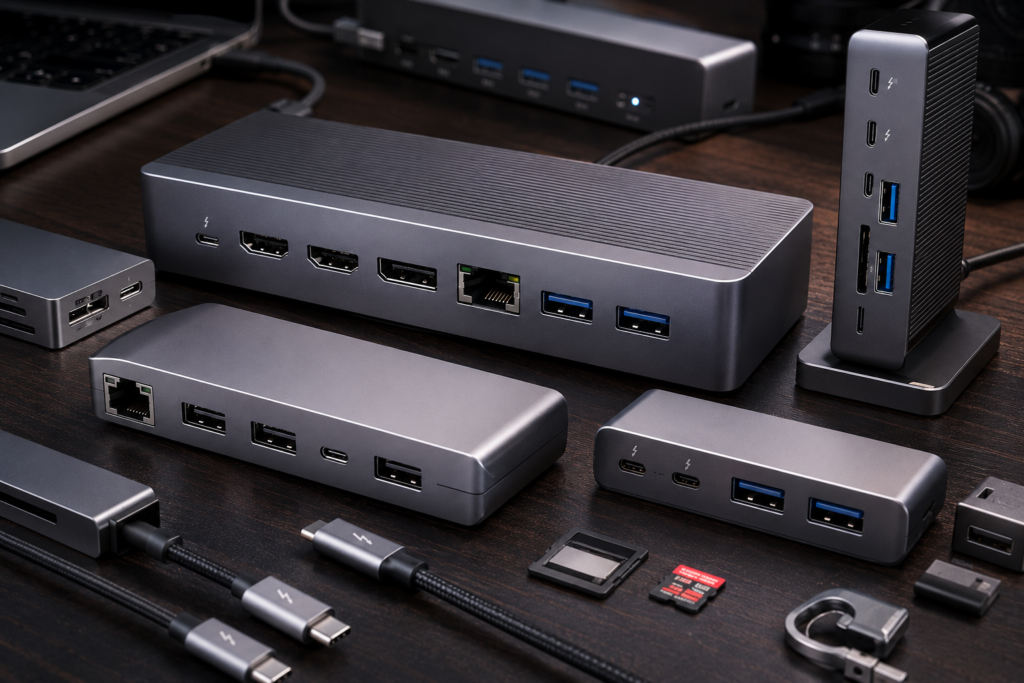
USB-C Hub Buying Guide
Choosing the right USB-C hub or USB-C docking station isn’t just about having more ports. Focus on these key features:
Number of Ports
Buy for your future needs, not just your current setup.
HDMI Version
HDMI 2.1 is preferable for high-refresh-rate and 8K displays.
DisplayPort
DisplayPort 2.x offers excellent support for professional monitors.
Ethernet Speed
A 2.5Gb Ethernet port provides noticeably faster wired networking than standard Gigabit Ethernet.
USB Speeds
Look for USB 3.2 Gen 2, USB4, or Thunderbolt for external SSD performance.
Thunderbolt 4 & Thunderbolt 5
If you’re a professional creator, developer, or engineer, invest in a Thunderbolt dock for maximum bandwidth and future-proofing.
Power Delivery
Choose at least 100W Power Delivery to charge larger laptops efficiently.
SD Card Reader
Photographers should prioritize UHS-II SD card support.
Build Quality
Aluminum construction typically provides better durability and cooling than plastic.
Cable Length
A slightly longer integrated cable often makes desk organization much easier.
Thunderbolt Dock vs USB-C Hub
If you mainly browse the web, attend meetings, and occasionally connect an external display, a quality USB-C hub is usually enough.
However, professionals editing videos, running virtual machines, or transferring massive files benefit greatly from a Thunderbolt dock thanks to its superior bandwidth and multi-monitor capabilities.
Mac vs Windows Compatibility
Compatibility matters more than many buyers realize.
macOS
Apple Silicon MacBooks have different external display limitations compared with Intel Macs. Some docks rely on DisplayLink technology to enable additional monitors.
Windows
Most Windows laptops fully support MST for multiple independent displays, making a USB-C docking station particularly useful for productivity.
Always verify compatibility before purchasing.
Common Mistakes Buyers Make
Avoid these costly mistakes:
- Buying the cheapest USB-C hub
- Ignoring Power Delivery requirements
- Choosing outdated HDMI versions
- Purchasing slow USB ports
- Forgetting Ethernet
- Ignoring Thunderbolt compatibility
- Using poor-quality USB-C cables
- Assuming every dock supports multiple monitors
Frequently Asked Questions
What is the best USB-C hub?
For portability and value, the UGREEN Revodok is one of the best USB-C hub options available.
Do I need a USB-C docking station?
If you regularly connect multiple peripherals, monitors, and wired networking, a USB-C docking station will significantly improve your workflow.
Is Thunderbolt better than USB-C?
Thunderbolt provides higher bandwidth, better display support, and faster storage performance for demanding workloads.
Can a USB-C hub charge a laptop?
Yes, provided it supports sufficient USB Power Delivery for your laptop.
Which docking station supports three monitors?
Models like the Dell WD22TB5 and Anker Prime Dock support advanced multi-monitor configurations on compatible systems.
Are USB-C hubs compatible with MacBook?
Yes, but always verify external display support, especially with Apple Silicon models.
Can I use a Thunderbolt dock on a USB-C laptop?
Many Thunderbolt docks work with USB-C laptops, though some advanced Thunderbolt features may not be available.
Is USB4 better than Thunderbolt 4?
USB4 and Thunderbolt 4 share many capabilities, but Thunderbolt certification guarantees stricter minimum performance requirements.
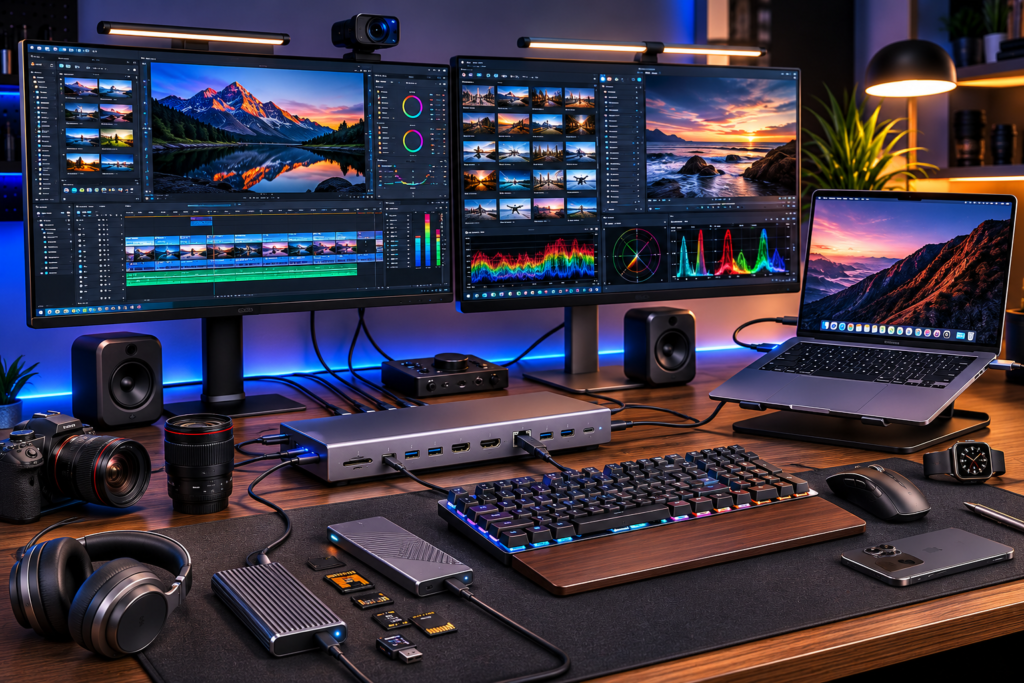
Conclusion
The market for USB-C hubs, USB-C docking stations, and Thunderbolt docks has matured significantly in 2026. Whether you’re a student, remote worker, developer, photographer, or video editor, there’s a solution tailored to your workflow.
If you’re shopping on a budget, the UGREEN Revodok is an excellent best USB-C hub that offers reliable everyday performance. Business professionals who need a dependable laptop docking station should consider the Anker Prime Dock or HP Thunderbolt Dock, both of which balance connectivity, charging, and stability.
For power users and creators, the CalDigit TS5 stands out as the most capable Thunderbolt dock I’ve tested. Its exceptional bandwidth, premium build quality, and consistent reliability make it a worthwhile investment for demanding workflows.
My biggest piece of advice after years of testing is simple: buy based on your long-term needs, not just today’s requirements. A high-quality USB-C docking station or Thunderbolt dock can serve you for many years, making it one of the smartest upgrades for any modern workstation.
For additional technical guidance on USB, Thunderbolt, display standards, and compatibility, consult the official documentation from the USB Implementers Forum (USB-IF), Intel Thunderbolt, Apple Support, Microsoft Support, DisplayLink, the HDMI Forum, and VESA DisplayPort specifications before making your final purchase.
Author

razakh6402@gmail.com
Related Posts

Gifts for Programmers: Top Tech Gifts for Developers Worth Buying in 2026
- 0
- 2,340 words
Finding the perfect gifts for programmers isn’t as simple as buying the latest gadget. After spending more than 15 years as a...
Read out all
Best Monitor for Video Editing: Top Color Accurate Monitors for Content Creators (2026 Guide)
- 0
- 2,338 words
Choosing the best monitor for video editing is one of the smartest investments you can make as a creator. Whether you’re editing...

AI Smart Home Devices (2026): Best Smart Home AI, AI Home Automation & AI Home Assistant Gadgets
- 0
- 2,446 words
best portable SSDA decade ago, building a smart home meant controlling a few lights with your smartphone. Today, AI smart home devices...
Read out all
Best Portable SSD: Top Portable SSD for Video Editing & Creator SSDs (2026 Guide)
- 1
- 2,399 words
Storage has become one of the biggest bottlenecks in modern content creation. A few years ago, I could comfortably edit 1080p footage...
Read out all
Best Smart Home Devices for Beginners (2026): Complete Smart Home Starter Guide for New Users
- 4
- 1,664 word
Smart homes are no longer a luxury reserved for tech enthusiasts. In 2026, connected devices have become easier to install, more affordable,...

Best Mechanical Keyboard for Programming: Top Keyboards for Developers in 2026
- 6
- 1,774 word
After spending more than 15 years writing code, managing servers, reviewing hardware, and working through countless late-night debugging sessions, I’ve learned one...