
- 0
- 1,895 word
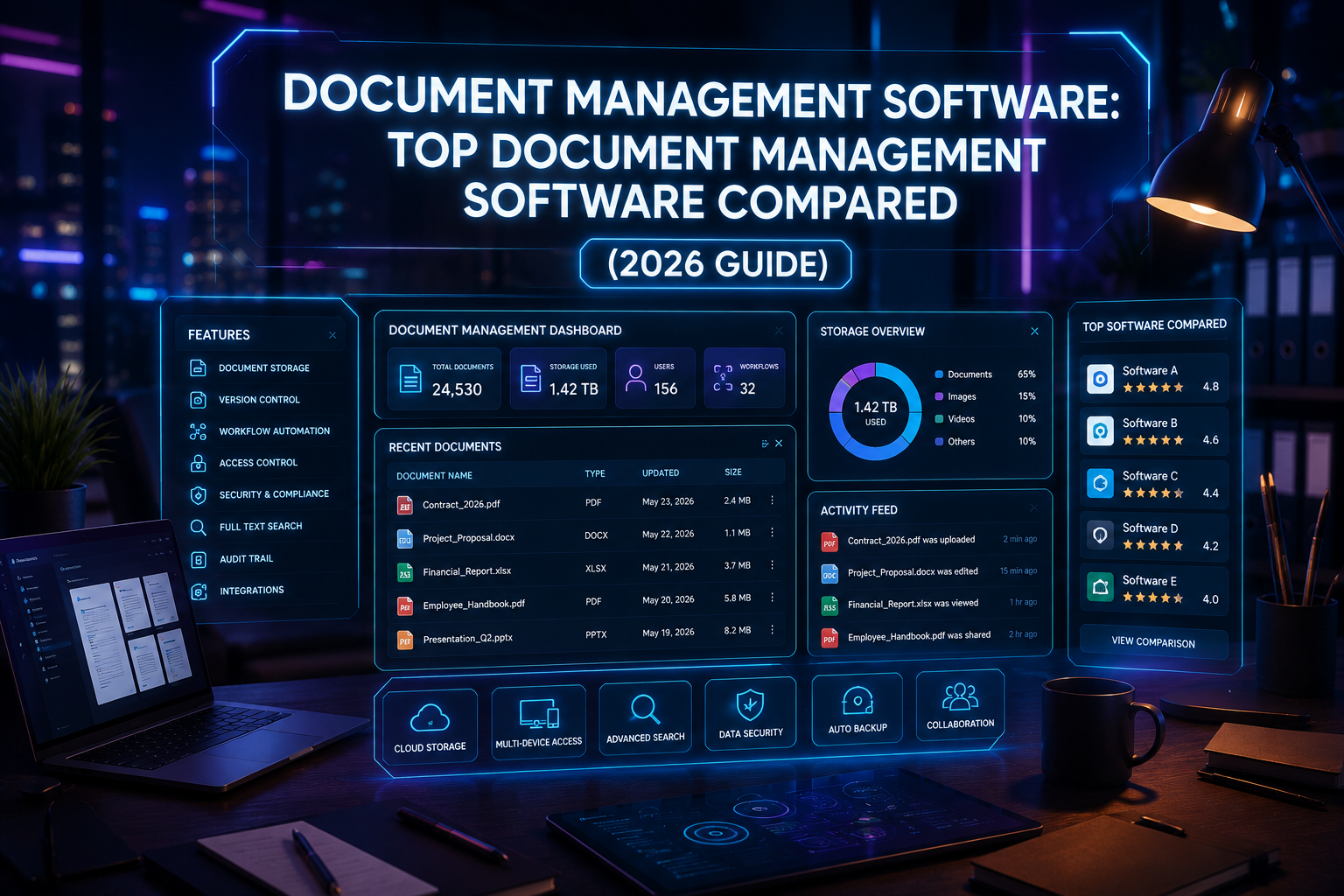
Not long ago, managing business documents meant overflowing filing cabinets, misplaced contracts, and countless hours spent searching for the right file. Even after companies started digitizing records, many still struggled with version control, duplicate files, and inconsistent storage practices. Today, those challenges are rapidly disappearing thanks to modern document management software.
During the past 15 years, I’ve helped businesses across industries—from small accounting firms and legal offices to manufacturing companies and growing startups—transition from paper-heavy workflows to secure digital document management systems. One project that stands out involved a mid-sized engineering company storing more than 250,000 documents across shared network folders. Employees regularly spent 20 to 30 minutes searching for a single drawing or contract. After implementing a modern document management system, introducing metadata, automated workflows, and permission-based access, document retrieval dropped to just a few seconds, while collaboration and compliance improved dramatically.

Experiences like this have convinced me that choosing the right business document software is no longer optional. Whether you’re managing invoices, contracts, HR files, engineering drawings, or customer records, the right platform saves time, strengthens security, improves collaboration, and supports long-term business growth.
In 2026, the best enterprise document management platforms go far beyond cloud storage. They use artificial intelligence to classify documents, automate approvals, extract information from scanned files, strengthen compliance, and make searching through millions of records almost effortless.
This guide compares the leading document management software solutions available today. I’ll explain where each platform excels, discuss their strengths and limitations, and share practical recommendations based on real-world implementations rather than marketing claims.

What Is Document Management Software?
A document management software solution is a centralized platform that helps organizations securely store, organize, search, manage, and share digital files throughout their lifecycle. Unlike traditional shared folders or local storage, a modern document management system provides advanced tools such as version control, role-based permissions, workflow automation, audit trails, intelligent search, and cloud synchronization.
Instead of wasting time looking through folders, employees can instantly locate documents using keywords, metadata, OCR (Optical Character Recognition), or AI-powered search capabilities. For businesses handling thousands—or even millions—of files, this dramatically improves efficiency.
How Does a Document Management System Work?
Although every platform is different, most document management software follows a similar workflow:
- Upload or scan documents into a secure repository.
- Automatically classify files using folders, metadata, or AI.
- Apply access permissions based on departments or user roles.
- Enable version control so teams always work on the latest file.
- Automate approval processes and document workflows.
- Archive or retain files according to compliance policies.
This structured approach reduces manual work while improving security and collaboration.
Why Businesses Need Digital Document Management
Over the years, I’ve seen businesses lose valuable time because employees couldn’t locate the latest contract, invoice, or technical drawing. A reliable digital document management platform solves these challenges by creating a single source of truth.
Key benefits include:
- Faster document retrieval
- Secure cloud storage
- Better team collaboration
- Automated workflows
- Reduced paper usage
- Stronger regulatory compliance
- Improved disaster recovery
- Enhanced productivity
Key Features to Look For
When evaluating business document software, I always recommend looking for these core capabilities:
- AI-powered document search
- OCR for scanned files
- Version history
- Role-based permissions
- Workflow automation
- Mobile access
- Cloud synchronization
- Audit logs
- Electronic signatures
- Integration with Microsoft 365, Google Workspace, CRM, and ERP systems

Limitations to Consider
No enterprise document management solution is perfect. Some platforms have steep learning curves, while others focus more on storage than workflow automation. Businesses should also consider migration complexity, employee training, integration requirements, and long-term scalability before making a decision.
Top Document Management Software Compared (2026)
### Microsoft SharePoint
When organizations ask me for a scalable document management system that integrates seamlessly with Microsoft 365, SharePoint is usually one of my first recommendations.
I’ve implemented SharePoint for businesses ranging from 20 employees to several thousand users. While it requires careful planning during deployment, it becomes an incredibly powerful enterprise document management platform once properly configured.
Overview
Microsoft SharePoint combines document storage, collaboration, intranet capabilities, workflow automation, and enterprise security into one unified platform. It’s particularly well suited for organizations already using Microsoft 365.
Key Features
- Centralized document libraries
- Version control
- Co-authoring in Microsoft Office
- Microsoft Teams integration
- Power Automate workflows
- Advanced search
- Metadata management
- Permission-based access
- Compliance and retention policies
Security
SharePoint includes enterprise-grade encryption, multi-factor authentication support, audit logging, Microsoft Purview integration, and extensive compliance features for regulated industries.

Pros
- Outstanding Microsoft 365 integration
- Highly scalable
- Excellent collaboration features
- Powerful automation
- Enterprise-level security
Cons
- Initial setup requires planning
- Customization can become complex
- Best experience requires Microsoft ecosystem
Best For
- Large enterprises
- Government organizations
- Healthcare
- Financial institutions
- Manufacturing companies
- Organizations already using Microsoft 365
Pricing
Included with many Microsoft 365 Business and Enterprise plans, with standalone options also available.
My Personal Experience
One of the largest SharePoint deployments I worked on involved migrating thousands of legacy folders from multiple departmental servers into a centralized document management software platform. The migration took careful planning, but once complete, employees could locate files almost instantly using metadata and intelligent search. Automated approval workflows also eliminated countless email chains, making collaboration significantly more efficient.

Top Document Management Software Compared (2026) — Continued
### DocuWare
Whenever I work with businesses that want a dedicated document management software solution instead of a broader collaboration platform, DocuWare is usually one of the first products I evaluate. Over the years, I’ve implemented it for accounting firms, healthcare providers, logistics companies, and professional service organizations where document accuracy and workflow automation are critical.
One accounting firm I consulted for processed nearly 15,000 invoices every month. Before adopting a document management system, employees manually entered invoice data and emailed documents for approval. After deploying DocuWare with OCR and automated workflows, invoice processing became significantly faster, approval bottlenecks almost disappeared, and staff could focus on higher-value work instead of repetitive administrative tasks.
Overview
DocuWare is a cloud-first enterprise document management platform designed to help organizations digitize paper documents, automate workflows, and securely manage business information from anywhere.
Key Features
- Intelligent OCR and document indexing
- Automated invoice processing
- Workflow automation
- Electronic document archiving
- Mobile document access
- Secure cloud storage
- Digital approval workflows
- Microsoft 365 integration
- ERP and CRM integrations
Security
DocuWare includes enterprise-grade encryption, role-based permissions, audit trails, secure cloud infrastructure, and compliance tools that support industries with strict regulatory requirements.
Pros
- Excellent workflow automation
- Powerful OCR capabilities
- Easy document retrieval
- Strong compliance features
- Intuitive interface
- Reliable cloud performance
Cons
- Premium pricing for advanced plans
- Initial workflow configuration takes planning
- Some advanced features require user training
Best For
- Accounting firms
- Healthcare organizations
- Legal practices
- Human resources
- Finance departments
- Mid-sized and enterprise businesses
Pricing
Custom pricing based on organization size, deployment model, and feature requirements.
My Personal Experience
Among all the document management software platforms I’ve implemented, DocuWare consistently delivers one of the best balances between usability and automation. Employees typically adapt quickly because the interface feels organized, while managers appreciate the visibility into approval workflows and document status.
### M-Files
M-Files approaches digital document management differently from most competitors. Instead of forcing users to organize files into complex folder structures, it relies heavily on metadata and artificial intelligence to classify and locate information.
After using M-Files on several enterprise projects, I’ve found this approach particularly valuable for organizations managing hundreds of thousands of documents across multiple departments.
Overview
M-Files is an intelligent document management system that organizes information based on what a document is rather than where it’s stored. This metadata-driven architecture makes finding information much faster and reduces duplicate files.
Key Features
- AI-powered document classification
- Metadata-based organization
- Advanced enterprise search
- Automated workflows
- Version control
- Digital signatures
- Compliance management
- Microsoft 365 integration
- CRM and ERP connectivity
Security
Security is one of M-Files’ strongest areas. It offers granular permission controls, encryption, audit logs, automated compliance policies, and secure cloud or hybrid deployment options suitable for highly regulated industries.
Pros
- Outstanding search capabilities
- AI-powered metadata management
- Excellent version control
- Strong compliance support
- Flexible deployment options
- Reduces duplicate documents

Cons
- Metadata approach requires user training
- Higher learning curve than basic cloud storage platforms
- Premium pricing for enterprise deployments
Best For
- Large enterprises
- Engineering companies
- Manufacturing
- Legal organizations
- Financial institutions
- Businesses managing complex documentation
Pricing
Custom enterprise pricing based on deployment type and licensing requirements.
My Personal Experience
One manufacturing client struggled with multiple versions of technical drawings stored across different departments. After implementing M-Files, every document was indexed using metadata instead of folders. Engineers could locate the latest approved version within seconds, and duplicate documents dropped dramatically. That improvement alone saved countless hours each month and significantly reduced costly errors.
Frequently Asked Questions (FAQs)
What is document management software?
Document management software is a digital platform that stores, organizes, secures, and manages electronic documents while making them easy to search, share, and collaborate on.
Which document management software is best for small businesses?
Solutions like Google Workspace, Dropbox Business, Zoho WorkDrive, and M-Files are excellent options for many small businesses because they are affordable, scalable, and easy to use.
Is cloud document management secure?
Yes. Reputable providers use enterprise-grade encryption, multi-factor authentication, regular backups, and strict access controls to protect business data.
Can document management software scan paper documents?
Yes. Most modern platforms include OCR (Optical Character Recognition), allowing scanned documents to become searchable.
Is document management software expensive?
Pricing varies significantly. Many cloud-based solutions offer affordable monthly plans suitable for freelancers and small businesses, while enterprise platforms provide advanced features at higher subscription costs.
What industries use document management software?
Almost every industry benefits, including:
- Healthcare
- Finance
- Manufacturing
- Legal
- Construction
- Education
- Government
- Real estate
- Marketing
- Information technology
Does document management software improve productivity?
Absolutely. Faster document retrieval, workflow automation, collaboration features, and reduced manual work help employees complete tasks more efficiently.
Can I migrate existing documents?
Yes. Most vendors provide migration tools or professional migration services to import files from local storage or other cloud platforms.

Conclusion
As organizations continue embracing digital transformation, investing in the best document management software has become a strategic necessity rather than an optional upgrade. The right solution improves collaboration, strengthens security, automates repetitive workflows, reduces operational costs, and ensures business documents remain accessible from anywhere.
Whether you’re a freelancer looking for a simple cloud-based storage platform, a growing startup seeking scalable collaboration tools, or a large enterprise requiring advanced compliance and workflow automation, there is a document management solution designed to fit your needs. Before making a decision, carefully evaluate your organization’s requirements, compare features, take advantage of free trials, and prioritize long-term value over short-term cost savings.
Choosing the right document management software today can streamline your operations, boost employee productivity, enhance customer service, and prepare your business for sustainable growth in the years ahead.
Author

razakh6402@gmail.com
Related Posts

AI Website Builder: Best AI Website Builders Compared (2026 Guide)
- 0
- 2,412 words
A decade ago, building a professional website meant writing HTML, CSS, JavaScript, and often PHP from scratch. Later, drag-and-drop builders like WordPress...
Read out all
AI vs Human Creativity: Can AI Replace Creative Jobs in 2026? (Expert Analysis)
- 0
- 2,449 words
The conversation around AI vs human creativity has become one of the most fascinating and controversial topics in technology. Every week, new...

AI Course Creator: Top AI Tools for Online Courses in 2026 (Expert-Tested Guide)
- 0
- 1,935 word
I’ve spent years researching instructional design, evaluating learning platforms, and following the evolution of educational technology. One trend has become impossible to...
Read out all
AI Browser Extensions: Best AI Chrome Extensions for Productivity in 2026 (Expert-Tested Guide)
- 0
- 2,414 words
Artificial intelligence has quietly become one of the biggest productivity upgrades I’ve experienced during my career. Over the past 15 years of...
Read out all
AI Agents in 2026: How AI Agents for Work Are Transforming Everyday Productivity
- 2
- 2,405 words
A few years ago, most businesses viewed artificial intelligence as a helpful assistant for answering questions or generating content. Today, the conversation...
Read out all
Best AI Search Engines in 2026: 10 AI Search Engine Alternatives That Can Replace Google
- 2
- 2,337 words
Google has dominated online search for more than two decades, and for many people, typing a query into Google has become second...
Read out all