
- 1
- 1,787 word
Creating a professional presentation used to require hours of planning, writing, designing, formatting, and endless slide adjustments. Whether I was building investor pitch decks for startups, executive board presentations, sales proposals, training materials, or conference keynote slides, the process often consumed more time than the actual presentation itself.
Over the last 15 years, I’ve created hundreds of presentations across industries, and one of the biggest productivity shifts I’ve witnessed is the rise of AI presentation maker tools. What started as basic template generators has evolved into sophisticated AI systems capable of generating entire presentations from a simple prompt, designing slides automatically, creating visual assets, and even recommending storytelling structures.
In 2026, AI presentation makers are no longer experimental productivity tools. They have become essential business assets used by startups, marketing agencies, consultants, educators, enterprise teams, and freelancers worldwide.
In this detailed AI slide maker comparison, I’ll share my hands-on experiences, practical insights, and recommendations after testing the leading platforms currently available.

Why AI Presentation Maker Tools Are Transforming Productivity in 2026
The modern workplace demands faster communication than ever before.
Teams need to create:
- Business presentations
- Sales decks
- Startup pitch decks
- Educational presentations
- Employee training materials
- Marketing reports
- Executive dashboards
The challenge isn’t just creating slides. It’s creating high-quality presentations quickly.
According to recent productivity research from Harvard Business Review and enterprise workflow studies, knowledge workers spend a significant amount of time preparing presentation materials. AI dramatically reduces this workload.
The latest presentation AI tools 2026 can generate complete slide decks within minutes.
For startups, this means founders can focus on fundraising conversations rather than slide formatting.
For educators, it means spending more time teaching and less time creating visual materials.
For consultants, it means delivering professional presentations faster while maintaining quality.
The biggest transformation I have personally experienced is the reduction in repetitive design work. Instead of manually aligning elements, selecting layouts, and adjusting visual hierarchy, AI handles most of these tasks automatically.
How Modern AI Presentation Makers Actually Work
Many users assume AI simply fills slides with text.
In reality, modern AI presentation makers use multiple technologies simultaneously.
AI Content Generation
Users provide a prompt, topic, document, website URL, or outline.
The AI analyzes the information and generates:
- Slide titles
- Key talking points
- Summaries
- Speaker notes
- Supporting content
The quality has improved dramatically since early AI tools.
Slide Structure Creation
One area where AI excels is presentation organization.
Instead of creating random slides, advanced systems generate logical structures such as:
- Problem-solution presentations
- Investor pitch decks
- Educational lessons
- Sales presentations
- Strategic reports
This saves substantial planning time.
Design Automation
Design automation remains one of the strongest features of the best AI presentation software.
AI automatically handles:
- Layout selection
- Typography
- Visual hierarchy
- Spacing
- Color consistency
This helps non-designers produce professional results.
Data Visualization
Modern tools convert spreadsheets and data into:
- Charts
- Graphs
- Dashboards
- Infographics
This significantly improves reporting efficiency.
AI Image Integration
Many platforms now integrate AI image generation directly inside presentations.
Users can create:
- Illustrations
- Business visuals
- Marketing graphics
- Conceptual images
Without leaving the presentation workspace.
Brand Consistency Features
Enterprise users particularly benefit from AI branding systems.
These features automatically enforce:
- Corporate colors
- Typography
- Logos
- Visual guidelines
Ensuring consistency across teams.

Key Features to Look for in the Best AI Presentation Software
After testing dozens of platforms, I consistently evaluate them using the following criteria.
Slide Quality
AI-generated slides should look presentation-ready without extensive editing.
AI Writing Assistance
Strong content generation saves significant preparation time.
Design Templates
Quality templates improve presentation professionalism.
Collaboration Features
Team editing capabilities are critical for modern organizations.
Brand Customization
Businesses require flexible branding controls.
Data Visualization
Strong charting and infographic tools improve communication.
Export Options
Look for support for:
- PowerPoint
- Google Slides
- Online presentations
Presentation Analytics
Some advanced tools now provide engagement tracking and presentation performance insights.
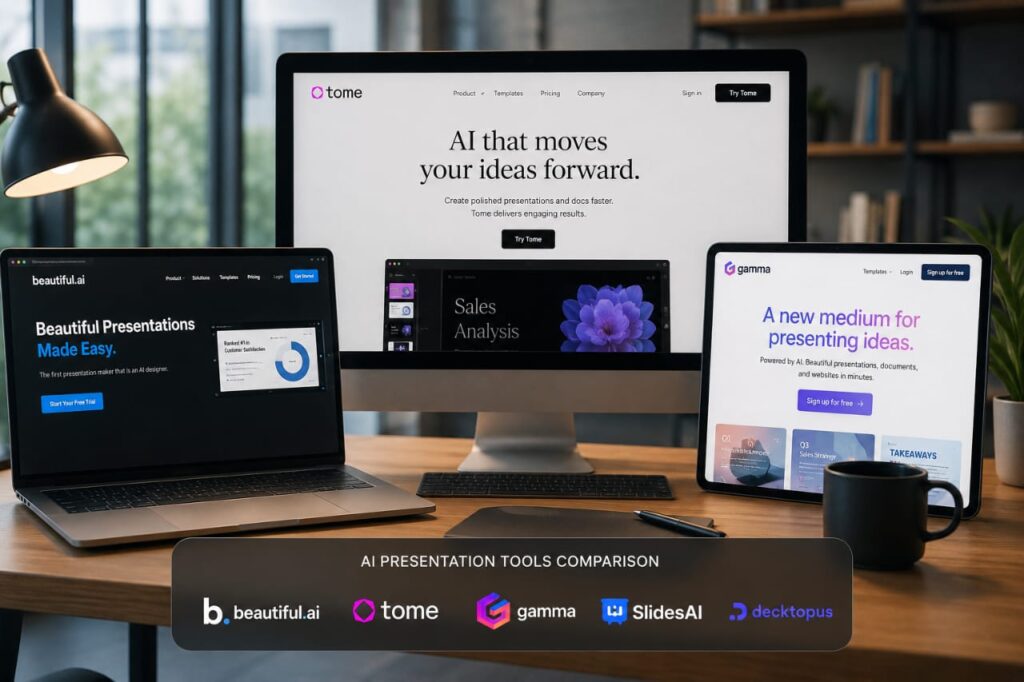
AI Slide Maker Comparison Table
| Platform | Best For | AI Features | Ease of Use | Templates | Free Plan | Pricing |
|---|---|---|---|---|---|---|
| Beautiful.ai | Business Presentations | Smart Design Automation | Excellent | Large Library | Limited | Mid-Range |
| Gamma | Fast Presentation Creation | AI Content + Design | Excellent | Modern | Yes | Affordable |
| Tome | Storytelling Decks | Narrative AI | Very Easy | Good | Yes | Affordable |
| Canva AI | Marketing Teams | Design + AI Writing | Excellent | Huge Library | Yes | Budget Friendly |
| Microsoft Copilot for PowerPoint | Enterprise Users | Deep Office Integration | Excellent | Extensive | No | Premium |
| Pitch | Team Collaboration | AI Presentation Builder | Excellent | Strong | Yes | Moderate |
| SlidesAI | Google Slides Users | AI Text-to-Slides | Very Easy | Moderate | Yes | Budget |
| Visme AI | Data Presentations | AI Visual Content | Good | Extensive | Yes | Moderate |

My Hands-On Experience Testing the Best AI Presentation Software
After extensive testing, several patterns emerged.
Design Quality
Beautiful.ai consistently delivers some of the most polished business presentations.
Gamma produces surprisingly modern designs with minimal effort.
Canva AI offers excellent visual flexibility.
Content Generation Accuracy
Microsoft Copilot performed exceptionally well when working with existing documents.
Gamma generated impressive first drafts.
Tome excelled at storytelling-focused presentations.
Ease of Editing
Canva remains one of the easiest platforms to customize.
Pitch offers an excellent collaborative editing experience.
Time Savings
Traditional presentation creation often takes 4–8 hours.
Most AI presentation maker tools reduced this to 30–60 minutes.
That’s a productivity gain that cannot be ignored.
Collaboration Experience
Pitch and Microsoft Copilot stand out for team environments.
Their collaborative workflows feel mature and enterprise-ready.
Export Quality
PowerPoint export quality varies significantly between platforms.
Microsoft Copilot naturally performs best here.
Value for Money
Gamma currently delivers one of the strongest value propositions available in 2026.
Best AI PPT Generator Free Tools for Different Users
Students
Gamma and SlidesAI provide excellent free functionality.
Teachers
Canva AI offers educational-friendly templates and collaboration tools.
Startups
Tome remains one of the strongest options for pitch decks.
Marketers
Canva AI dominates marketing presentations.
Freelancers
Gamma balances affordability and professional output.
Corporate Teams
Microsoft Copilot for PowerPoint leads due to Microsoft ecosystem integration.
Consultants
Beautiful.ai provides premium client-facing presentation quality.
Advantages and Limitations of Presentation AI Tools 2026
Major Benefits
- Massive time savings
- Better visual consistency
- Faster content creation
- Improved collaboration
- Reduced design workload
Common Limitations
- Generic first drafts
- Occasional factual errors
- Limited creative originality
- Dependency on prompt quality
Where AI Excels
AI performs exceptionally well at:
- Structuring information
- Creating first drafts
- Formatting content
- Generating visual layouts
Where Human Creativity Still Wins
Human professionals remain superior at:
- Persuasive storytelling
- Strategic messaging
- Emotional audience connection
- High-stakes presentations
The best results come from combining AI efficiency with human expertise.
Future Trends in AI Presentation Technology
The next generation of presentation AI tools 2026 is already emerging.
Real-Time Presentation Generation
Presentations will soon update dynamically during meetings.
AI Storytelling
AI systems are becoming increasingly skilled at narrative construction.
Voice-Powered Slide Creation
Users can already generate slides through conversational prompts.
Voice-first workflows will become standard.
Interactive AI Presentations
Audiences will interact with presentations in real time.
Personalized Audience Experiences
AI will adapt presentation content based on audience profiles.
Autonomous Presentation Updates
Future platforms will automatically refresh statistics, charts, and market data.
These capabilities will fundamentally change how organizations communicate information.
Final Verdict – Which AI Presentation Maker Is Worth Using?
After spending considerable time testing today’s leading AI presentation maker tools, my recommendations are straightforward.
Best Overall: Gamma
Best for Business Professionals: Beautiful.ai
Best for Enterprises: Microsoft Copilot for PowerPoint
Best for Marketing Teams: Canva AI
Best for Startups: Tome
Best for Collaboration: Pitch
Best AI PPT Generator Free Option: SlidesAI
Best for Data-Heavy Presentations: Visme AI
If you’re new to AI presentation software, start with Gamma or Canva AI.
If your organization already operates within Microsoft 365, Copilot offers tremendous value.
Consultants, agencies, and client-facing professionals should strongly consider Beautiful.ai due to its polished output.
Ultimately, AI is not replacing presentation professionals. Instead, it is eliminating repetitive work and allowing us to focus on strategy, storytelling, and audience engagement.
The most successful presenters in 2026 are not those who avoid AI. They are the ones who use AI intelligently while continuing to apply human creativity where it matters most.
FAQ Section
1. What is the best AI presentation software in 2026?
Gamma, Beautiful.ai, Canva AI, and Microsoft Copilot are among the strongest options.
2. Are AI presentation makers worth using?
Yes. They can reduce presentation creation time by 70–90%.
3. Which AI PPT generator free tool is best?
SlidesAI and Gamma currently offer excellent free plans.
4. Can AI create entire presentations automatically?
Yes. Most modern tools can generate complete slide decks from prompts.
5. Is Canva AI good for presentations?
Absolutely. Canva AI is excellent for marketing and educational content.
6. Which AI presentation tool is best for startups?
Tome remains one of the best platforms for investor pitch decks.
7. Can AI presentation tools export to PowerPoint?
Most leading platforms support PowerPoint export.
8. Do AI presentation makers support team collaboration?
Yes. Platforms like Pitch and Microsoft Copilot provide strong collaboration features.
9. Are AI-generated presentations professional enough for clients?
Yes, although some manual editing usually improves final quality.
10. What is the future of presentation AI tools?
Future platforms will include voice creation, audience personalization, real-time updates, and autonomous content generation.
Conclusion
AI presentation makers have evolved from simple productivity tools into powerful business communication platforms. After years of creating executive reports, investor decks, training programs, and client presentations, I can confidently say that today’s AI-powered solutions deliver meaningful productivity gains without sacrificing quality.
The right platform depends on your goals. Gamma offers exceptional overall value, Canva AI excels in creative flexibility, Microsoft Copilot dominates enterprise environments, and Beautiful.ai continues to produce some of the most polished business presentations available.
However, the biggest lesson I’ve learned is that AI works best as a collaborator rather than a replacement. The technology can generate content, automate design, and organize information at remarkable speed, but compelling storytelling, strategic thinking, and audience connection still require human expertise.
Organizations that combine AI efficiency with human creativity will create better presentations faster, communicate ideas more effectively, and gain a significant competitive advantage in 2026 and beyond.
Author

razakh6402@gmail.com
Related Posts
Document Management Software: Top Document Management Software Compared (2026 Guide)
- 0
- 1,895 word
Not long ago, managing business documents meant overflowing filing cabinets, misplaced contracts, and countless hours spent searching for the right file. Even...
Read out all
AI Website Builder: Best AI Website Builders Compared (2026 Guide)
- 0
- 2,412 words
A decade ago, building a professional website meant writing HTML, CSS, JavaScript, and often PHP from scratch. Later, drag-and-drop builders like WordPress...
Read out all
AI vs Human Creativity: Can AI Replace Creative Jobs in 2026? (Expert Analysis)
- 0
- 2,449 words
The conversation around AI vs human creativity has become one of the most fascinating and controversial topics in technology. Every week, new...
AI Course Creator: Top AI Tools for Online Courses in 2026 (Expert-Tested Guide)
- 0
- 1,935 word
I’ve spent years researching instructional design, evaluating learning platforms, and following the evolution of educational technology. One trend has become impossible to...
Read out all
AI Browser Extensions: Best AI Chrome Extensions for Productivity in 2026 (Expert-Tested Guide)
- 0
- 2,414 words
Artificial intelligence has quietly become one of the biggest productivity upgrades I’ve experienced during my career. Over the past 15 years of...
Read out all
AI Agents in 2026: How AI Agents for Work Are Transforming Everyday Productivity
- 2
- 2,405 words
A few years ago, most businesses viewed artificial intelligence as a helpful assistant for answering questions or generating content. Today, the conversation...
Read out all
1 comment