
- 0
- 2,593 words
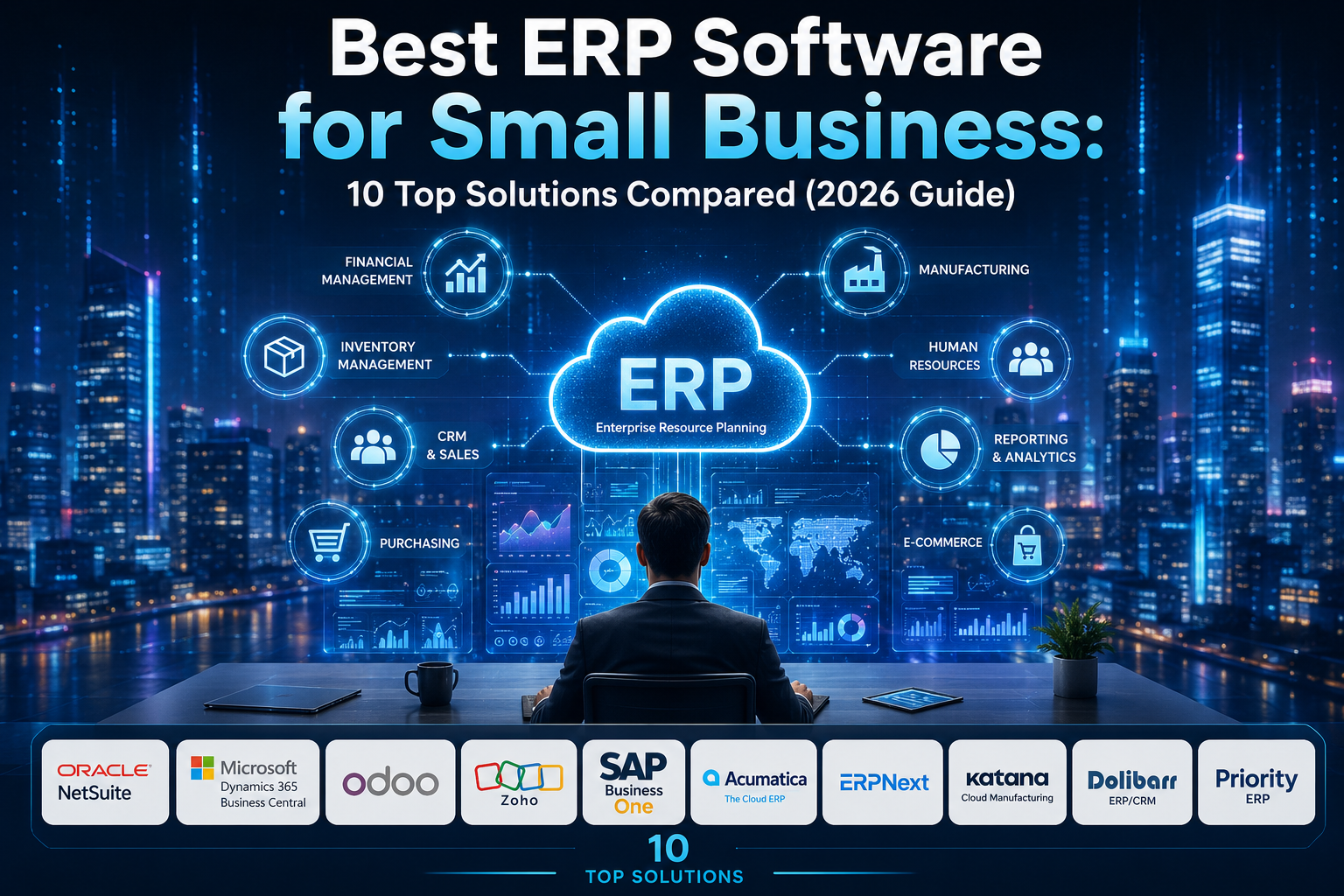
Choosing the best ERP software for small business is one of the most important technology decisions a growing company will make. Over the last 15 years, I’ve worked with startups, retailers, manufacturers, wholesalers, ecommerce brands, and service companies implementing ERP systems. I’ve seen businesses double their productivity after selecting the right platform, and I’ve also seen companies waste months of time and thousands of dollars because they purchased software that looked impressive in a demo but didn’t match their actual operations.
One lesson has remained consistent throughout every ERP implementation I’ve led: ERP software should simplify your business, not complicate it.
Many small business owners initially rely on separate applications for accounting, inventory management, CRM, payroll, purchasing, and reporting. While this approach works during the early stages, it eventually creates duplicate data, manual work, reporting errors, and poor visibility across departments. That’s where small business ERP software becomes essential.
Modern cloud ERP for small business solutions combine accounting software, inventory management, customer relationship management (CRM), purchasing, production planning, payroll, financial management, and business automation into one integrated platform. Instead of switching between multiple systems, your team works from a single source of truth.
The challenge isn’t finding ERP software—it’s choosing the right one. Hundreds of vendors claim to offer the perfect solution, but each serves different industries, company sizes, budgets, and operational needs.
In this guide, I’ll share how I evaluate ERP solutions, what I’ve learned from years of implementations, and which platforms consistently deliver value for small businesses in 2026.

Why Small Businesses Need ERP Software
Many business owners assume ERP systems are only designed for large enterprises. That may have been true a decade ago, but today’s affordable ERP software solutions are specifically built for growing businesses with limited budgets and lean teams.
From my consulting experience, companies usually begin searching for ERP software when they experience one or more of these problems:
- Inventory numbers no longer match reality.
- Staff enter the same information into multiple systems.
- Financial reports take days instead of minutes.
- Customer orders are delayed because departments lack visibility.
- Purchasing decisions rely on spreadsheets instead of live data.
- Business growth outpaces existing software.
An ERP system solves these issues by centralizing business processes.
Key ERP Benefits
Better Financial Management
Instead of exporting information from different accounting tools, ERP software provides real-time financial reporting, budgeting, expense tracking, and cash flow visibility.
Improved Inventory Management
Inventory management becomes far more accurate because purchasing, sales, warehouses, and accounting all work from the same database.
Business Automation
Routine processes such as invoice generation, purchase approvals, inventory replenishment, and reporting become automated, reducing manual work and human error.
CRM Integration
Sales teams gain access to customer history, quotations, invoices, deliveries, and support tickets without switching between multiple applications.
Supply Chain Management
Businesses can monitor suppliers, purchase orders, warehouse stock, production schedules, and delivery timelines in one dashboard.
Better Decision Making
One of the biggest improvements I consistently see after ERP implementation is reporting. Owners finally gain real-time visibility into sales, profitability, inventory turnover, and operational performance.
How I Evaluate ERP Software After 15 Years of Consulting
I’ve participated in ERP projects ranging from small retail stores to multi-location manufacturing businesses. Although every company is unique, my evaluation process has remained remarkably consistent.
1. Ease of Implementation
A feature-rich ERP system isn’t valuable if employees struggle to use it. I always prioritize software with an intuitive interface and a manageable learning curve.
2. Scalability
Businesses rarely stay the same size. I recommend solutions that allow companies to add users, warehouses, locations, or advanced modules without replacing the entire system.
3. Integration Capabilities
The best ERP software integrates with accounting software, ecommerce platforms, CRM systems, payroll tools, payment gateways, and business intelligence solutions.
4. Industry Fit
A retailer, manufacturer, distributor, and consulting agency all have different operational requirements. Industry-specific functionality often matters more than having hundreds of generic features.
5. Total Cost of Ownership
Many businesses only compare subscription prices. I always evaluate:
- ERP pricing
- Implementation cost
- User licensing
- Customization
- Training
- Support
- Future upgrades
The cheapest ERP often becomes the most expensive after customization.
6. Vendor Support
Even excellent ERP software requires guidance during implementation. Responsive support and an active partner ecosystem significantly reduce deployment risks.
Best ERP Software for Small Business in 2026
Oracle NetSuite
Overview
Oracle NetSuite remains one of the most comprehensive cloud ERP for small business platforms available today. It combines accounting, CRM, inventory management, ecommerce, procurement, warehouse management, financial reporting, and advanced analytics into one cloud-based system.
I’ve recommended NetSuite primarily for businesses experiencing rapid growth or planning international expansion. While implementation requires planning, the long-term scalability is exceptional.
Key Features
- Cloud-native architecture
- Financial management
- Inventory management
- CRM integration
- Procurement automation
- Supply chain management
- Project management
- Business intelligence dashboards
- Multi-currency support
- Multi-location inventory
Pros
- Extremely scalable
- Excellent financial reporting
- Strong automation capabilities
- Global business support
- Large partner ecosystem
Cons
- Higher implementation cost
- Requires professional setup
- Premium pricing for smaller companies
Pricing
Oracle provides customized pricing based on users, modules, and business requirements.
Best For
- Growing businesses
- Multi-location companies
- Ecommerce brands
- Manufacturers
- Wholesale distributors
My Expert Opinion
NetSuite consistently performs well during long-term implementations. If your company expects significant growth over the next five years, investing in NetSuite early can prevent costly software migrations later. However, very small businesses with tight budgets may find it more powerful—and more expensive—than they currently need.

Microsoft Dynamics 365 Business Central
Overview
Business Central has become one of my favorite recommendations for companies already using Microsoft 365. Its seamless integration with Excel, Outlook, Teams, and Power BI significantly improves productivity.
For organizations familiar with Microsoft’s ecosystem, user adoption is typically faster than with many competing ERP platforms.
Key Features
- Accounting software
- Financial management
- Inventory management
- Sales automation
- Purchasing
- Manufacturing
- Warehouse management
- CRM integration
- Power BI reporting
- Microsoft 365 integration
Pros
- Familiar Microsoft interface
- Excellent reporting
- Strong cloud performance
- Highly customizable
- Reliable security
Cons
- Customization may require partners
- Licensing can become expensive
- Learning advanced modules takes time
Pricing
Available through monthly subscription plans with additional licensing based on functionality.
Best For
- Professional services
- Wholesale businesses
- Retail companies
- Manufacturing firms
- Businesses already using Microsoft products
My Expert Opinion
In my experience, Business Central offers one of the best balances between functionality and usability. Companies already invested in Microsoft’s ecosystem often achieve faster implementation and stronger employee adoption than expected.
Odoo
Overview
Odoo has become one of the fastest-growing ERP platforms because of its modular architecture. Businesses can begin with accounting or CRM and gradually add inventory management, manufacturing, HR, ecommerce, payroll, and project management modules as they grow.
This flexibility makes Odoo particularly attractive for startups and small businesses that want to avoid paying for unnecessary functionality.
Key Features
- Modular ERP platform
- Accounting
- CRM
- Inventory management
- Ecommerce integration
- Manufacturing ERP
- HR management
- Marketing automation
- Project management
- Workflow automation
Pros
- Affordable ERP software
- Excellent customization
- Open-source flexibility
- Large app marketplace
- Modern user interface
Cons
- Complex customizations require experienced developers
- Some third-party modules vary in quality
- Implementation quality depends heavily on the partner
Pricing
Odoo offers a free community edition along with paid cloud subscription plans that scale according to selected applications and users.
Best For
- Startups
- Small manufacturers
- Ecommerce businesses
- Retail companies
- Growing service businesses
My Expert Opinion
I’ve implemented Odoo for businesses with fewer than ten employees and for organizations with several hundred users. Its modular approach allows companies to invest gradually while maintaining a clear upgrade path. Success, however, depends on disciplined implementation and avoiding unnecessary customization.

Cloud ERP for Small Business vs On-Premise ERP
Choosing between a cloud ERP for small business and an on-premise ERP solution is just as important as selecting the software itself. During my consulting career, I’ve implemented both models, and the right choice always depends on the company’s goals, budget, IT resources, and growth plans.
| Feature | Cloud ERP | On-Premise ERP |
|---|---|---|
| Initial Cost | Lower | Higher |
| Deployment | Fast | Slower |
| Maintenance | Vendor-managed | Internal IT team |
| Software Updates | Automatic | Manual |
| Remote Access | Excellent | Limited without VPN |
| Security | Vendor-managed | Company-managed |
| Scalability | Easy | More complex |
| Best For | Startups, SMBs, ecommerce | Businesses with strict compliance requirements |
Advantages of Cloud ERP
- Lower upfront investment
- Faster implementation
- Automatic software updates
- Access from anywhere
- Easier scalability
- Reduced IT maintenance
- Better collaboration for remote teams
Advantages of On-Premise ERP
- Greater control over infrastructure
- More customization flexibility in some cases
- Suitable for organizations with strict regulatory requirements
- Internal control over data storage
My Recommendation
For more than 90% of the small businesses I’ve worked with in recent years, cloud ERP has been the better long-term investment. It reduces infrastructure costs, simplifies upgrades, and allows business owners to focus on growth instead of server maintenance.
How to Choose Affordable ERP Software
Price should never be the only deciding factor. The most successful ERP projects balance cost, functionality, scalability, and long-term value.
Budget
Don’t focus solely on the monthly subscription. Calculate the total cost of ownership, including:
- Software licensing
- ERP implementation cost
- Data migration
- User training
- Customization
- Ongoing support
- Future upgrades
Scalability
Choose software that can grow with your business. A platform that supports additional users, warehouses, products, and locations will save you from another migration in a few years.
Industry Requirements
Different industries have different needs:
- Retail: POS integration, inventory management
- Manufacturing: Production planning, bill of materials, shop floor management
- Ecommerce: Marketplace integrations, order management
- Service Businesses: Project management, time tracking, invoicing
Integrations
Your ERP should integrate with the tools you already use, such as:
- Accounting software
- CRM platforms
- Ecommerce stores
- Payment gateways
- Payroll systems
- Business intelligence tools
Support
One lesson I’ve learned is that responsive vendor support can make or break an ERP implementation. Evaluate documentation, training resources, implementation partners, and customer support before making a decision.
Customization
Avoid excessive customization unless it’s essential. Every customization increases implementation complexity and can make future upgrades more difficult.
Implementation
Plan your ERP implementation in phases rather than enabling every feature on day one. A phased rollout reduces risk and gives employees time to adapt.
Common ERP Buying Mistakes
I’ve reviewed dozens of ERP projects that struggled because of avoidable mistakes. Here are the most common ones.
Buying Based on Price Alone
The cheapest ERP often becomes the most expensive once you add customization, support, and implementation services.
Ignoring Future Growth
Many businesses purchase software that fits today’s requirements but cannot scale as the company grows.
Over-Customizing
I’ve seen companies spend months recreating old workflows instead of adopting proven ERP best practices. Keep customization to a minimum whenever possible.
Poor Data Preparation
Migrating inaccurate or duplicate data into a new ERP only transfers existing problems into the new system. Clean your data before implementation.
Skipping Employee Training
Even the best ERP software fails if employees don’t understand how to use it. Invest in proper onboarding and ongoing training.
Not Defining Business Goals
Before selecting an ERP, identify the outcomes you want to achieve—whether it’s faster reporting, better inventory accuracy, improved customer service, or streamlined financial management.

Frequently Asked Questions
What is the best ERP software for small business?
The answer depends on your business size and industry. Oracle NetSuite and Microsoft Dynamics 365 Business Central are excellent all-round solutions, while Odoo and ERPNext provide outstanding value for budget-conscious businesses.
Which is the most affordable ERP software?
ERPNext, Odoo Community Edition, and Dolibarr are among the most affordable options because they offer open-source editions with optional paid support.
How much does ERP implementation cost?
ERP implementation costs vary based on the number of users, required modules, customization, data migration, and consulting services. Request detailed quotes from vendors instead of relying on generic estimates.
How long does ERP implementation take?
Small implementations can take a few weeks, while more complex deployments may require several months. A phased rollout often leads to better adoption and fewer disruptions.
Is cloud ERP better than on-premise ERP?
For most small businesses, cloud ERP offers lower upfront costs, easier maintenance, automatic updates, and better scalability.
Can ERP integrate with CRM and accounting software?
Yes. Most modern ERP platforms support integrations with CRM systems, accounting software, ecommerce platforms, payment gateways, and payroll solutions.
Which ERP is best for manufacturing businesses?
SAP Business One, Katana Cloud Manufacturing, Acumatica, ERPNext, and Oracle NetSuite all provide strong manufacturing capabilities, with the best choice depending on your production complexity and budget.
Is ERP software worth it for a small business?
Absolutely. When implemented correctly, an ERP system improves efficiency, reduces manual work, enhances reporting, and supports long-term business growth.
Final Verdict
After evaluating ERP platforms and leading implementations for over 15 years, I’ve found that there is no universal “best” solution. The right ERP depends on your business model, industry, budget, and growth plans.
Here’s my recommendation based on common business scenarios:
- Best Overall: Oracle NetSuite
- Best for Microsoft Users: Microsoft Dynamics 365 Business Central
- Best Open-Source ERP: ERPNext
- Best Value for Growing Businesses: Odoo
- Best for Manufacturing: SAP Business One
- Best Cloud Manufacturing ERP: Katana Cloud Manufacturing
- Best Budget-Friendly ERP: Dolibarr
- Best for Mid-Sized Businesses: Acumatica
- Best Integrated Business Ecosystem: Zoho
- Best for Distribution & Supply Chain: Priority ERP
Whichever solution you choose, treat ERP as a long-term business strategy rather than just another software purchase. Focus on solving operational challenges, improving efficiency, and enabling sustainable growth.

Final Thoughts
Selecting the best ERP software for small business isn’t just about comparing features or choosing the lowest price—it’s about investing in a platform that supports your business for years to come. After spending more than 15 years helping startups, retailers, manufacturers, ecommerce brands, and service companies implement ERP systems, I’ve learned that the most successful projects begin with a clear understanding of business processes rather than a long wish list of features.
Whether you choose Oracle NetSuite for enterprise-level scalability, Microsoft Dynamics 365 Business Central for seamless Microsoft integration, Odoo or ERPNext for affordability and flexibility, or SAP Business One for advanced manufacturing capabilities, the right ERP should simplify operations, improve visibility, and help your team work more efficiently.
Before making a final decision, define your business goals, involve key stakeholders, request live product demonstrations, and evaluate the total cost of ownership—including implementation, training, support, and future scalability. An ERP system is a long-term business investment, and selecting the right solution today can save significant time, money, and operational challenges in the future.
The best ERP software is the one that aligns with your industry, budget, and growth strategy while providing the flexibility to adapt as your business evolves. Take the time to evaluate your options carefully, and you’ll build a stronger foundation for sustainable growth, smarter decision-making, and long-term success.
Author

razakh6402@gmail.com
Related Posts

Lead Generation Software: 12 Best Lead Generation Tools for B2B Sales (2026 Guide)
- 0
- 2,300 words
If someone had asked me 15 years ago what the biggest challenge in sales was, my answer would have been simple: finding...
Survey Software: 12 Best Online Survey Tools & Feedback Software for Businesses (2026 Guide)
- 0
- 1,871 word
Whether I was helping a SaaS startup validate a new feature, assisting an HR team with employee engagement, or optimizing customer experience...
Read out all
Online Course Platform: 12 Best LMS Software & eLearning Platforms for Course Creators (2026 Guide)
- 0
- 1,900 word
The online education industry has changed dramatically over the last 15 years. When I built my first digital training portal, simply uploading...
Team Communication Software: 12 Best Business Messaging Apps for Modern Workplaces in 2026 (Expert Tested)
- 0
- 2,305 words
I’ve personally tested dozens of team communication software platforms while consulting for marketing agencies, software companies, HR departments, remote development teams, and...
Invoice Software: 12 Best Invoicing Software for Small Business in 2026 (Expert Tested)
- 0
- 2,493 words
I’ve worked with freelancers chasing late payments, agencies managing hundreds of monthly invoices, startups scaling internationally, and established businesses struggling with outdated...
Generate one SEO-optimized title thatdigital asset management software
- 6
- 2,632 words
One of the most memorable projects I led involved migrating nearly half a million digital assets from a traditional file server into...