
- 1
- 3,077 words
Over the past 15 years, I’ve worked with startups, small businesses, accounting firms, and growing enterprises to streamline payroll processes. One lesson has remained consistent: the best payroll software isn’t necessarily the one with the most features—it’s the one that saves your team time, reduces compliance risks, and scales with your business.
I’ve seen companies waste hundreds of hours each year manually calculating wages, correcting payroll tax errors, and chasing employee timesheets. I’ve also watched businesses transform their operations after switching to reliable online payroll software that automates tax filing, direct deposits, employee onboarding, and compliance reporting.
Today’s payroll platforms do much more than calculate salaries. The leading payroll management software integrates with accounting systems, HR tools, attendance tracking, benefits administration, and time clocks. Many even use AI-powered automation to minimize errors and improve workforce management.
If you’re searching for the best payroll software, this guide is based on practical experience rather than marketing claims. I’ve compared features, pricing, customer support, integrations, ease of use, and overall value to help you make an informed decision.
Whether you’re a freelancer hiring your first employee, a small business owner, or an enterprise managing thousands of workers, this guide will help you choose the right solution.
What Is Payroll Software?
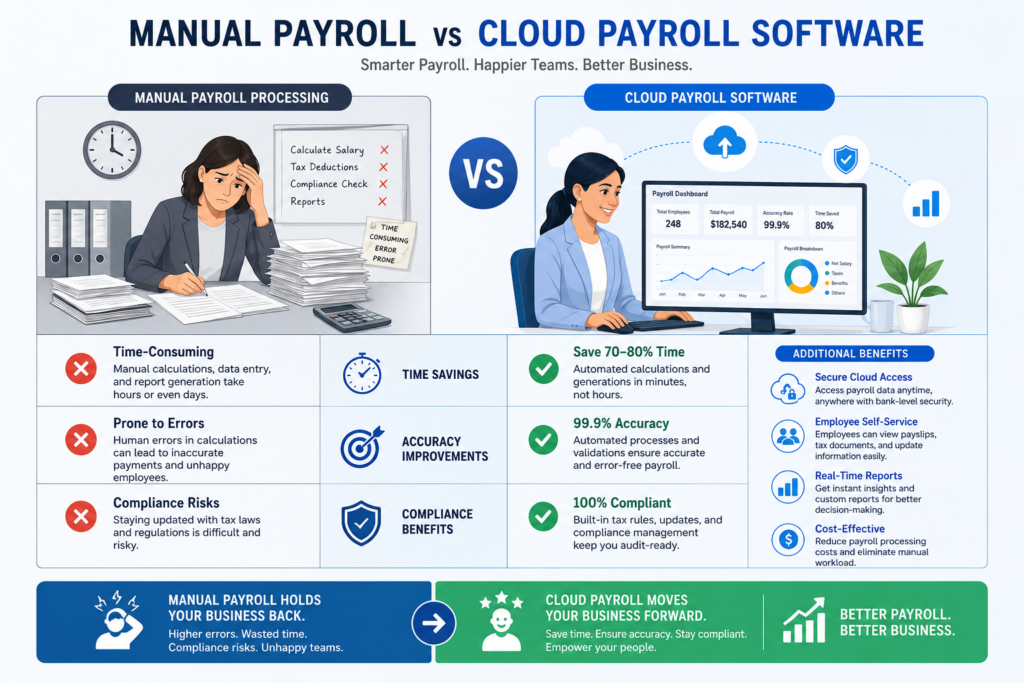
Years ago, payroll often meant spreadsheets, calculators, and countless hours spent verifying figures. Today, modern online payroll software performs these tasks automatically while significantly reducing human error.
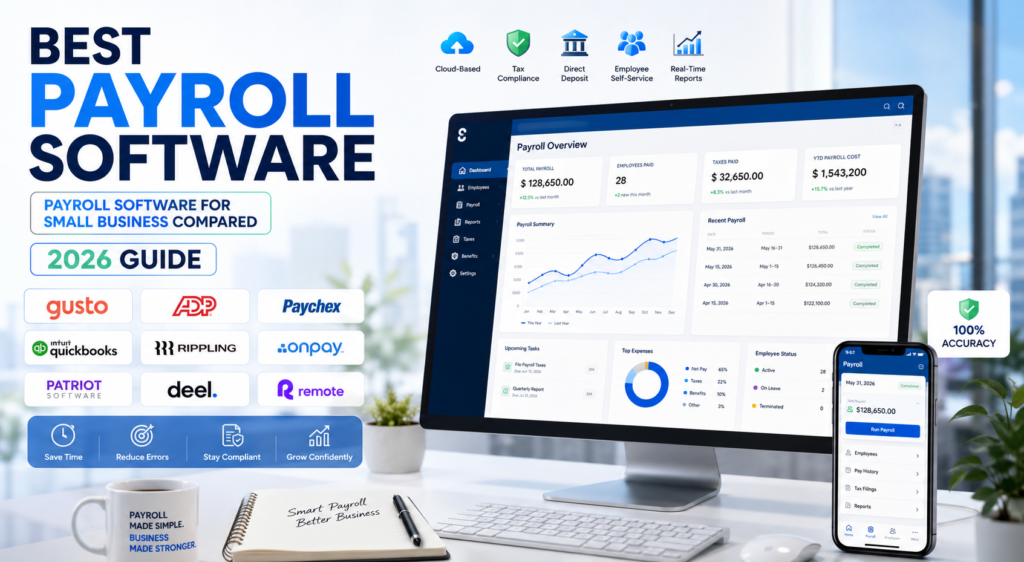
A quality payroll management software solution typically includes:
- Automatic payroll calculations
- Employee self-service portal
- Direct deposit processing
- Payroll tax calculation
- Tax filing and compliance
- Benefits administration
- Paid time off (PTO) tracking
- Time and attendance integration
- Payroll reporting
- Accounting software integration
In my experience, businesses that automate payroll usually save several hours every pay period while reducing compliance-related risks.
Key Benefits of Payroll Software
Saves Time
Instead of spending hours calculating salaries manually, payroll software processes payroll in minutes.
Improves Accuracy
Automation minimizes costly payroll mistakes, incorrect deductions, and tax calculation errors.
Ensures Tax Compliance
Most leading payroll platforms automatically update tax rates and file payroll taxes, helping businesses stay compliant with changing regulations.
Enhances Employee Experience
Employees can access pay stubs, tax forms, leave balances, and payroll history through self-service portals without contacting HR.
Integrates with Other Business Tools
Modern payroll software often connects seamlessly with:
- Accounting software
- HR systems
- Time tracking apps
- Scheduling software
- Expense management platforms
- Benefits providers
Why Businesses Need Payroll Management Software
Many business owners assume payroll is simply about paying employees. In reality, payroll is one of the most compliance-sensitive business operations.
Over the years, I’ve seen businesses incur penalties due to:
- Late payroll tax submissions
- Incorrect employee classifications
- Payroll calculation errors
- Missed overtime payments
- Outdated tax rates
- Inaccurate payroll records
The right payroll management software eliminates much of this risk through automation.
Payroll Challenges Businesses Face
Without reliable payroll software, companies often struggle with:
- Manual salary calculations
- Tax filing deadlines
- Compliance updates
- Managing contractors and employees
- Multi-state or international payroll
- PTO tracking
- Employee onboarding
- Payroll reporting
These challenges become more complex as businesses grow.
Why Small Businesses Need Payroll Software
Many small businesses begin with spreadsheets because they seem cost-effective. However, as the team expands, manual payroll becomes inefficient and error-prone.
The best payroll software for small business simplifies:
- Weekly payroll
- Bi-weekly payroll
- Monthly payroll
- Contractor payments
- Employee tax forms
- Direct deposits
- Benefits deductions
- Payroll reporting
From my experience, investing in payroll automation early saves both time and money in the long run.
Best Payroll Software (Top Picks)
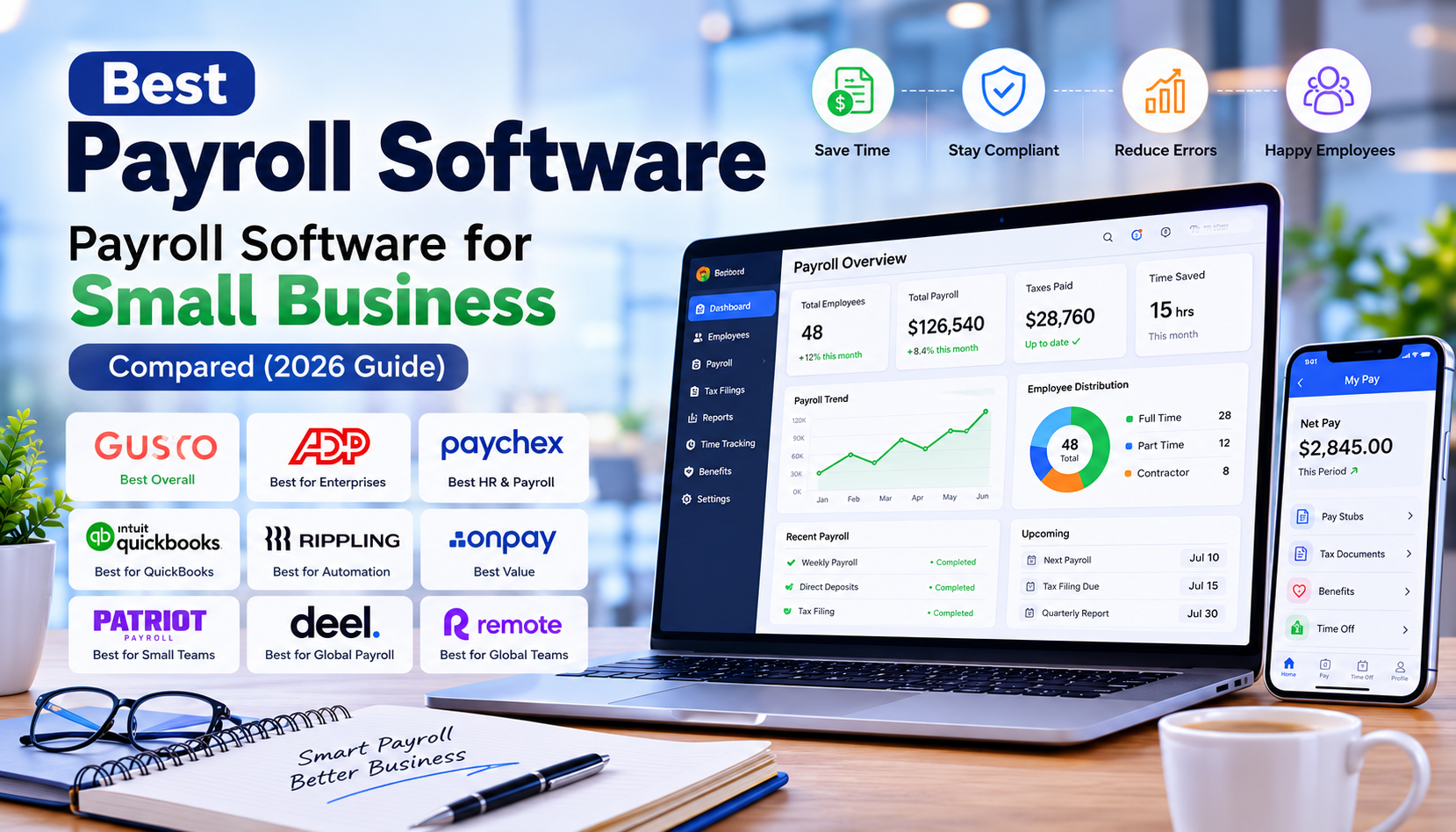
After evaluating dozens of platforms over the years, these are the payroll solutions I consistently recommend based on usability, reliability, automation, customer support, and overall value.
Gusto – Best Overall Payroll Software for Small Businesses
If I had to recommend one platform for most small businesses, Gusto would be my first choice.
It strikes an excellent balance between affordability, ease of use, automation, and HR functionality. I’ve seen startups with fewer than ten employees transition from spreadsheets to Gusto and reduce payroll processing time from hours to less than 20 minutes.
Best For
- Startups
- Small businesses
- Growing teams
- Service-based companies
Cons
- Limited advanced enterprise features
- Premium HR tools require higher-tier plans
My Experience
Gusto is one of the easiest payroll systems to implement. Even business owners with little payroll experience can become comfortable with it quickly. Its automation and clean interface make it an excellent choice for companies focused on growth rather than administrative tasks.
Official website: https://gusto.com
ADP – Best Payroll Software for Large Businesses
ADP has long been a trusted name in payroll. Over the years, I’ve seen it perform exceptionally well for organizations with complex payroll structures, multiple locations, and large workforces.
Best For
- Medium businesses
- Large enterprises
- Multi-location companies
Pros
- Extensive payroll capabilities
- Excellent compliance support
- International payroll options
- Advanced HR features
- Scalable solutions
Cons
- Custom pricing
- Steeper learning curve
- Higher cost for smaller businesses
Paychex – Best for HR and Payroll Integration
Paychex offers an impressive combination of payroll processing and HR management. It’s particularly valuable for businesses that want a single platform to manage employees throughout their lifecycle.
Best For
- Growing companies
- HR-focused organizations
- Mid-sized businesses
Pros
- Comprehensive HR tools
- Payroll automation
- Recruiting support
- Employee onboarding
- Retirement benefits management
Cons
- Some advanced features require premium plans
- Interface may feel overwhelming initially
My Experience
I’ve found Paychex especially useful for businesses expanding beyond basic payroll. Once hiring accelerates, having HR and payroll in one ecosystem becomes a significant advantage.
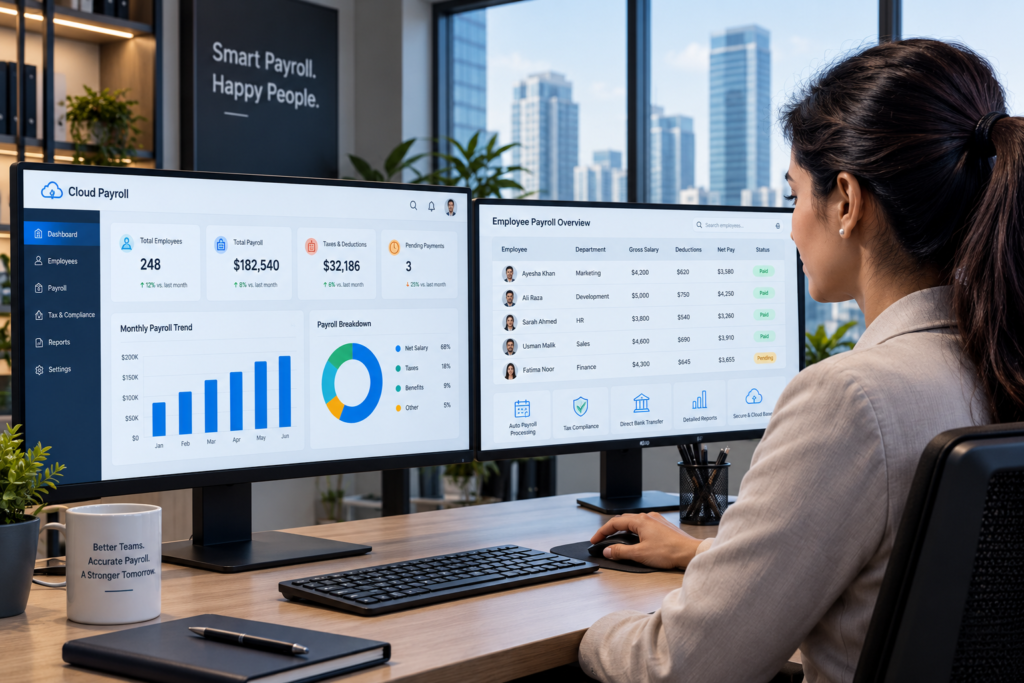
QuickBooks Payroll – Best for QuickBooks Users
Businesses already using QuickBooks accounting often benefit from choosing QuickBooks Payroll because of its seamless integration.
Instead of exporting payroll data manually, payroll expenses automatically sync with accounting records.
Best For
- QuickBooks users
- Small businesses
- Accounting-focused organizations
Pros
- Native QuickBooks integration
- Automatic tax calculations
- Same-day direct deposit (eligible plans)
- Simple payroll processing
Cons
- Less flexible outside the QuickBooks ecosystem
- Advanced HR features are limited
My Experience
Whenever clients already rely heavily on QuickBooks for bookkeeping, QuickBooks Payroll is usually the most efficient choice. The time saved through automatic synchronization alone justifies the investment.
Rippling – Best Payroll Software for IT and HR Automation
Rippling goes far beyond payroll by combining payroll, HR, IT, and device management into one powerful platform.
This makes it ideal for modern companies managing distributed or remote teams.
Best For
- Fast-growing companies
- Technology businesses
- Remote organizations
Pros
- Advanced workflow automation
- HR and IT management
- Employee onboarding automation
- Powerful integrations
- Global workforce support
Cons
- Premium pricing
- More features than very small businesses may need
My Experience
Rippling is one of the most innovative platforms I’ve tested. For businesses that want payroll to work alongside HR, identity management, app provisioning, and employee lifecycle automation, it’s difficult to beat.
OnPay – Best Value Payroll Software
OnPay consistently delivers outstanding value for small and medium-sized businesses. Despite its competitive pricing, it includes many features that competitors reserve for higher-tier plans.
Best For
- Budget-conscious businesses
- Growing startups
- Small employers
Pros
- Transparent pricing
- Unlimited payroll runs
- Automated tax filing
- Strong customer support
- Employee self-service
Cons
- Fewer advanced enterprise features
- Limited international payroll capabilities
My Experience
Whenever clients ask for an affordable yet capable payroll solution, OnPay is one of my top recommendations. It provides excellent functionality without unnecessary complexity, making it a smart choice for businesses seeking reliable payroll management on a budget.
Patriot Payroll – Best Payroll Software for Very Small Businesses
When I work with businesses that have fewer than 20 employees, Patriot Payroll is often one of the first solutions I mention. It focuses on doing payroll exceptionally well without overwhelming users with unnecessary enterprise features.
Unlike some competitors that bundle dozens of HR modules, Patriot Payroll keeps the experience straightforward. Business owners can process payroll quickly, manage employee records, calculate taxes, and generate reports without a steep learning curve.
Best For
- Small businesses
- Family-owned businesses
- Local retailers
- Professional service firms
Pros
- Affordable pricing
- Easy-to-use dashboard
- Unlimited payroll runs
- Flexible payroll schedules
- Excellent U.S.-based customer support
Cons
- Basic HR features
- Limited international capabilities
- Fewer third-party integrations than enterprise platforms
My Experience
I’ve recommended Patriot Payroll to clients who simply wanted reliable payroll without paying for advanced HR features they would never use. For businesses with straightforward payroll needs, it offers excellent value.
Deel – Best Payroll Software for Global Teams
International hiring has changed dramatically over the past few years. Companies now hire employees and contractors worldwide, creating new payroll and compliance challenges.
That’s where Deel excels.
Best For
- Global companies
- Remote-first businesses
- International contractors
- Employer of Record (EOR) services
Pros
- Global payroll
- Contractor management
- International compliance
- Employer of Record services
- Local tax support
Cons
- Higher pricing than domestic payroll solutions
- More features than local businesses may need
My Experience
For businesses expanding internationally, Deel removes much of the complexity around payroll compliance. Instead of managing multiple local payroll providers, companies can centralize payroll operations through a single platform.
Official website: https://www.deel.com
Remote – Best for International Payroll Compliance
Remote is another outstanding platform for businesses hiring across borders.
Its focus on legal compliance, international employment regulations, and payroll automation makes it an excellent alternative to Deel.
Best For
- International startups
- Distributed teams
- Global HR departments
Pros
- Global payroll
- Employer of Record
- Benefits administration
- Compliance management
- Excellent onboarding tools
Cons
- Premium pricing
- Not ideal for businesses operating only in one country
My Experience
If a business plans to recruit talent globally within the next few years, investing in a platform like Remote early can prevent costly compliance issues later.
Features to Look For in Payroll Management Software
Not every business requires every feature. However, these are the capabilities I consistently prioritize when evaluating payroll management software.
Essential Features
- Automated payroll processing
- Automatic tax filing
- Direct deposit
- Employee self-service portal
- Time tracking integration
- PTO management
- Payroll reporting
- Benefits administration
- Mobile access
- Accounting integrations
- Multi-state payroll support
- Compliance monitoring
Advanced Features
- AI-powered payroll automation
- Global payroll
- Employee onboarding
- Contractor management
- Performance management
- HR document storage
- Expense reimbursement
- Workforce analytics
Expert Tip: Avoid paying for advanced HR modules if your business only needs payroll. Choose software that matches your current requirements while allowing room to grow.
Payroll Software Pricing Comparison
Pricing structures vary considerably among providers.
| Software | Typical Starting Cost |
|---|---|
| Patriot Payroll | Low |
| OnPay | Low-Mid |
| Gusto | Mid |
| QuickBooks Payroll | Mid |
| Paychex | Custom |
| ADP | Custom |
| Rippling | Custom |
| Deel | Premium |
| Remote | Premium |
Pricing Factors
The total cost often depends on:
- Number of employees
- Payroll frequency
- HR add-ons
- Benefits administration
- Time tracking
- International payroll
- Compliance services
Buying Tip: Don’t compare monthly subscription prices alone. Consider the value of automation, support, compliance assistance, and time savings over the long term.
Pros and Cons of Payroll Software
Advantages
- Saves hours of manual work
- Reduces payroll errors
- Improves tax compliance
- Simplifies reporting
- Enhances employee experience
- Automates direct deposits
- Scales with business growth
- Integrates with accounting software
Disadvantages
- Monthly subscription costs
- Learning curve for new users
- Premium features may require higher-tier plans
- Vendor lock-in can make switching platforms more difficult
Despite these drawbacks, the productivity gains and reduced compliance risks typically outweigh the costs for most businesses.
How I Evaluate Payroll Software (Based on 15 Years of Experience)
After testing payroll systems for businesses across various industries, I consistently evaluate platforms using the following criteria:
Ease of Use
Can a business owner process payroll without extensive training?
Automation
Does the platform automate payroll calculations, tax filings, and recurring payroll?
Compliance
How effectively does it stay current with changing payroll tax regulations?
Customer Support
Responsive, knowledgeable support becomes critical when payroll issues arise.
Integrations
Can it connect with accounting, HR, time tracking, and business management tools?
Scalability
Will the software continue to meet your needs as your workforce grows?
Overall Value
The best payroll software isn’t always the cheapest—it’s the one that delivers the greatest return on investment through efficiency, accuracy, and reduced administrative burden.
Common Mistakes Buyers Make
Over the years, I’ve noticed several recurring mistakes when businesses choose payroll software:
- Selecting software based solely on price
- Ignoring future growth needs
- Overlooking payroll tax automation
- Not testing customer support before purchasing
- Failing to check accounting integrations
- Paying for unnecessary HR features
- Underestimating implementation and training requirements
- Choosing software that doesn’t support multi-state or international payroll when expansion is planned
Expert Tip: Before committing to any platform, schedule a live demo and process a sample payroll. This hands-on evaluation often reveals usability issues that marketing materials don’t highlight.

Frequently Asked Questions (FAQs)
1. What is the best payroll software for small businesses?
The best payroll software for small business depends on your budget, team size, and future growth plans. After evaluating payroll platforms for over 15 years, Gusto remains my top recommendation for most small businesses because it combines ease of use, automated tax filing, employee self-service, and HR features at a competitive price. If you’re looking for a lower-cost option, OnPay and Patriot Payroll also provide excellent value.
2. What is the difference between online payroll software and desktop payroll software?
Online payroll software is cloud-based, meaning you can access it from anywhere with an internet connection. It automatically updates tax rates, backs up data, and integrates with other business applications.
Desktop payroll software is installed on a single computer and typically requires manual updates and backups. In my experience, cloud-based solutions are the better choice for nearly all modern businesses because they offer better security, automation, and flexibility.
3. How much does payroll software cost?
Payroll software pricing varies depending on the provider and features included. Most solutions charge a monthly base fee plus an additional amount per employee.
Typical pricing ranges include:
- Budget payroll software: $20–$50/month
- Small business payroll software: $40–$100/month
- Mid-sized business solutions: $100–$300+/month
- Enterprise payroll software: Custom pricing
Always compare the total value—including tax filing, HR tools, customer support, and integrations—rather than focusing solely on the monthly subscription cost.
4. Can payroll software automatically file payroll taxes?
Yes. Most leading payroll management software platforms automatically calculate, withhold, file, and in many cases pay payroll taxes on your behalf.
Solutions such as Gusto, ADP, Paychex, QuickBooks Payroll, Rippling, and OnPay include automated payroll tax features, helping businesses reduce compliance risks and avoid costly penalties.
5. Which payroll software is best for growing businesses?
For rapidly growing companies, I usually recommend Rippling, Paychex, or ADP.
These platforms offer advanced HR management, employee onboarding, compliance tools, workflow automation, and extensive integrations that can scale alongside your business.
6. Is payroll software worth the investment?
Absolutely.
Businesses that automate payroll often save hours every pay period while reducing payroll errors, improving tax compliance, and enhancing the employee experience.
From my experience, the productivity gains alone often justify the monthly subscription cost within the first few payroll cycles.
7. What features should I look for in payroll management software?
Prioritize these essential features:
- Automated payroll processing
- Payroll tax filing
- Direct deposit
- Employee self-service portal
- Time tracking
- PTO management
- Benefits administration
- Payroll reporting
- Mobile access
- Accounting integrations
- Compliance monitoring
If you anticipate growth, also consider platforms that support multi-state or international payroll.
8. Which payroll software offers the best overall value?
If I had to recommend one platform for most businesses today, it would be Gusto.
It provides an excellent balance of pricing, automation, ease of use, customer support, and HR functionality. For larger enterprises, ADP remains one of the strongest options, while Deel and Remote are ideal for organizations managing international teams.

Final Verdict
After more than 15 years of evaluating payroll systems for businesses across different industries, one thing is clear: there is no single solution that’s perfect for everyone. The best payroll software is the one that aligns with your business size, payroll complexity, compliance requirements, and growth plans.
Here’s how I would recommend choosing based on business type:
Freelancers
If you occasionally pay contractors and need simple payroll, OnPay offers excellent value without unnecessary complexity.
Startups
Gusto is my top recommendation for startups. Its intuitive interface, automated payroll, tax filing, and HR capabilities make it easy to scale as your team grows.
Small Businesses
For most small businesses, Gusto delivers the best combination of affordability, automation, and user experience. If budget is your primary concern, Patriot Payroll is another strong option.
Growing Companies
Businesses adding employees regularly should consider Paychex or Rippling. Both provide payroll, HR, onboarding, and workforce management features that support expansion.
Enterprises
For organizations with complex payroll needs, multiple locations, or large workforces, ADP remains one of the most comprehensive and scalable solutions available.
Global Businesses
Companies hiring internationally should look at Deel or Remote. Both simplify global payroll, compliance, and employer-of-record services, making cross-border hiring much easier.
My Overall Recommendation
If I were advising a typical business owner today, Gusto would still be my first choice for overall value. It strikes the right balance between affordability, automation, ease of use, and long-term scalability. As businesses grow or expand internationally, platforms like Rippling, ADP, Deel, and Remote provide the additional capabilities needed to support more complex operations.
Ultimately, investing in reliable online payroll software is more than just a convenience—it’s a strategic decision that saves time, reduces compliance risks, improves employee satisfaction, and allows business owners to focus on growth instead of administrative tasks.
Author

razakh6402@gmail.com
Related Posts

Lead Generation Software: 12 Best Lead Generation Tools for B2B Sales (2026 Guide)
- 0
- 2,300 words
If someone had asked me 15 years ago what the biggest challenge in sales was, my answer would have been simple: finding...
Survey Software: 12 Best Online Survey Tools & Feedback Software for Businesses (2026 Guide)
- 0
- 1,871 word
Whether I was helping a SaaS startup validate a new feature, assisting an HR team with employee engagement, or optimizing customer experience...
Read out all
Online Course Platform: 12 Best LMS Software & eLearning Platforms for Course Creators (2026 Guide)
- 0
- 1,900 word
The online education industry has changed dramatically over the last 15 years. When I built my first digital training portal, simply uploading...

Team Communication Software: 12 Best Business Messaging Apps for Modern Workplaces in 2026 (Expert Tested)
- 0
- 2,305 words
I’ve personally tested dozens of team communication software platforms while consulting for marketing agencies, software companies, HR departments, remote development teams, and...
Invoice Software: 12 Best Invoicing Software for Small Business in 2026 (Expert Tested)
- 0
- 2,493 words
I’ve worked with freelancers chasing late payments, agencies managing hundreds of monthly invoices, startups scaling internationally, and established businesses struggling with outdated...
Generate one SEO-optimized title thatdigital asset management software
- 6
- 2,632 words
One of the most memorable projects I led involved migrating nearly half a million digital assets from a traditional file server into...
1 comment