
- 3
- 2,569 words
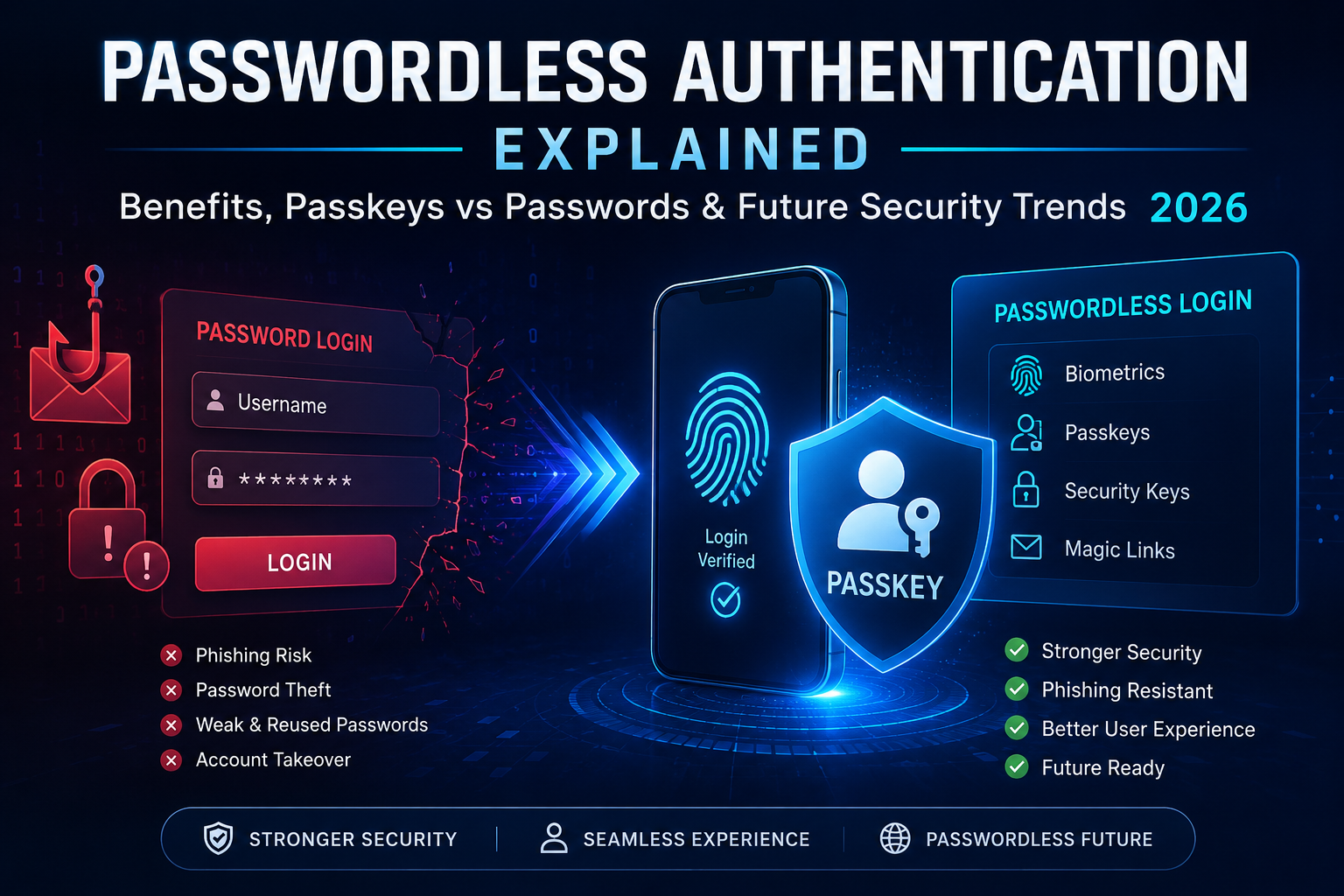
For more than two decades of managing WordPress websites, hosting environments, client portals, eCommerce stores, and enterprise login systems, I have witnessed one security problem repeatedly surface regardless of industry, website size, or hosting provider: passwords.
When I launched my first WordPress-powered websites in the early 2000s, passwords were considered the gold standard of online security. Users created simple credentials, stored them in browsers, and rarely thought twice about account protection. Fast forward to today, and the cybersecurity landscape looks entirely different.
Data breaches have become routine headlines. Phishing campaigns are increasingly sophisticated. Credential stuffing attacks can compromise thousands of accounts within minutes. As a website administrator, I have personally handled countless incidents involving stolen passwords, brute-force login attempts, compromised WordPress admin accounts, and customer support requests related to forgotten credentials.
The truth is simple: traditional passwords are becoming one of the weakest links in modern cybersecurity.
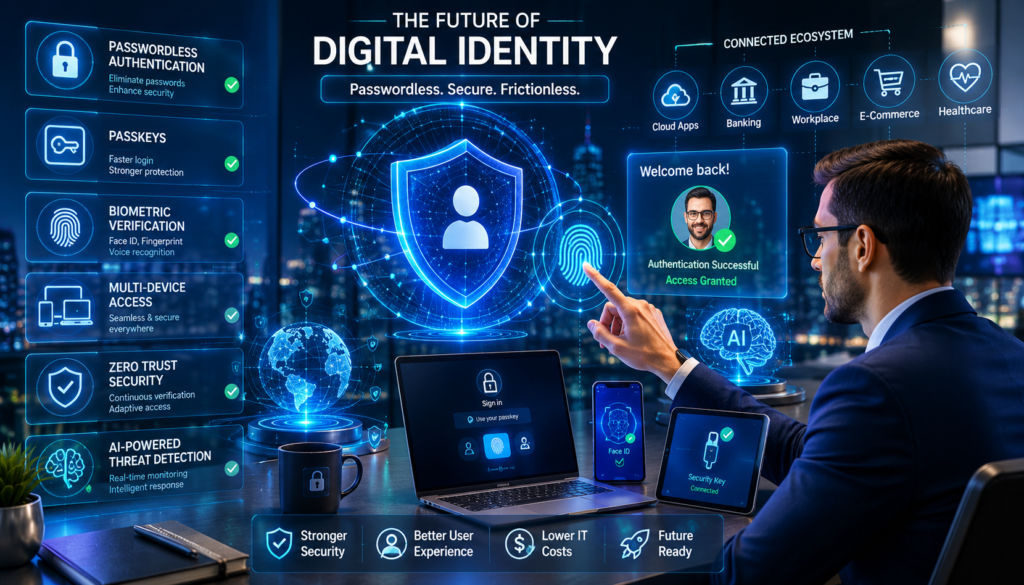
This growing challenge has accelerated the adoption of passwordless authentication, a modern approach that eliminates the need for conventional passwords while significantly improving both security and user experience.
If you’ve been wondering what is passwordless authentication, how passwordless login systems work, or whether passkeys vs passwords is a fair comparison, this guide will provide everything you need to know.
We’ll explore the technology, practical applications, real-world security implications, and the most important passwordless authentication benefits shaping the future of digital identity management.
What Is Passwordless Authentication?
Definition of Passwordless Authentication
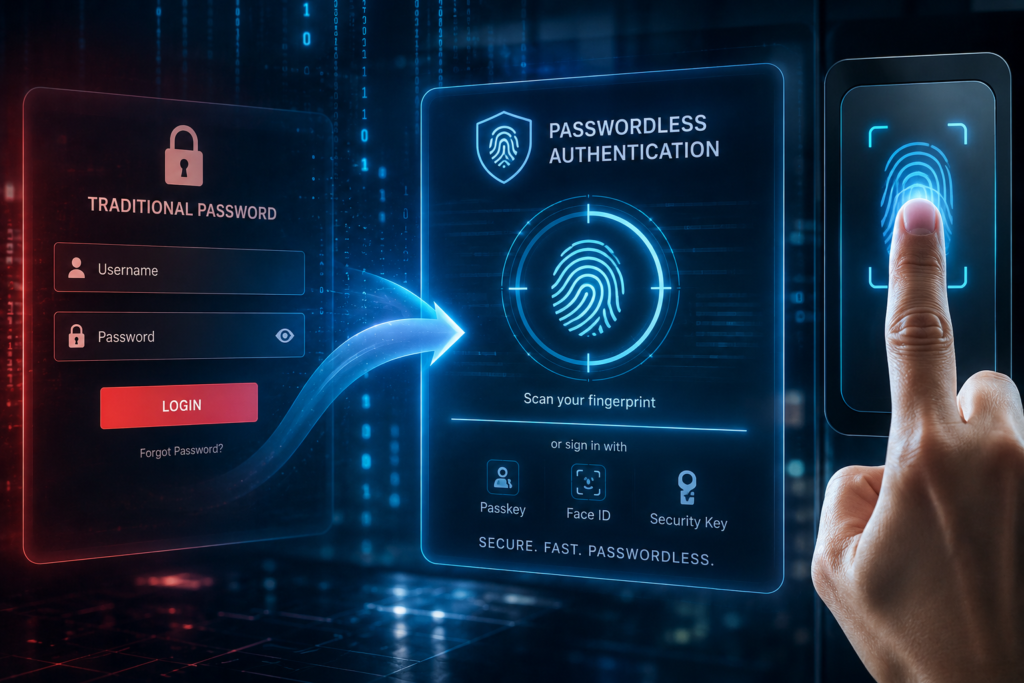
Passwordless authentication is a user verification method that allows individuals to access systems, applications, or websites without entering a traditional password.
Instead of relying on a memorized secret, passwordless login systems verify identity using alternative authentication factors such as:
- Biometrics
- Passkeys
- Security keys
- Mobile authentication apps
- Magic links
- Device-based cryptographic credentials
In simple terms, passwordless authentication replaces something you know (a password) with something you have (a trusted device) or something you are (biometric verification).
Why Traditional Passwords Are Failing
Throughout my years managing WordPress hosting accounts, I have seen the same password-related mistakes repeatedly:
- Weak passwords
- Reused passwords
- Shared credentials
- Password spreadsheets
- Browser-saved passwords on public devices
Cybercriminals understand these habits.
According to security researchers, the majority of successful cyberattacks still involve compromised credentials. Even strong passwords can be stolen through phishing emails, malware infections, keyloggers, or large-scale data breaches.
The challenge isn’t just technology it’s human behavior.
People naturally choose convenience over complexity. Passwordless authentication addresses this problem by removing passwords altogether.
How Passwordless Login Works
A passwordless login process typically relies on cryptographic verification rather than shared secrets.
Instead of storing a password on a server, the authentication system uses secure public-private key pairs or trusted authentication factors.
The user verifies their identity through an approved method, and access is granted without exposing sensitive credentials.
Magic Links
Magic links are secure login URLs delivered through email.
When users click the link, they are automatically authenticated without entering a password.
Many SaaS platforms and membership websites now use this approach because it simplifies onboarding and reduces support requests.
Biometrics
Biometric authentication uses unique physical characteristics such as:
- Fingerprints
- Facial recognition
- Retina scans
Modern smartphones have made biometric verification mainstream, enabling fast and secure passwordless login experiences.
Hardware Security Keys
Physical security keys such as USB authentication devices provide strong protection against phishing attacks.
Users simply insert or tap the device to verify their identity.
These solutions are particularly popular among enterprises and security-conscious organizations.
Passkeys
Passkeys represent the most significant advancement in passwordless authentication.
A passkey uses cryptographic credentials stored securely on a trusted device.
Unlike passwords, passkeys cannot be guessed, reused, or easily stolen through phishing attacks.
As a result, passkeys are rapidly becoming the preferred authentication standard across major technology platforms.
The Evolution of Online Authentication
The history of online authentication mirrors the broader evolution of cybersecurity.
In the early internet era, simple username-password combinations were sufficient because cyber threats were relatively limited.
As online commerce expanded, attacks increased dramatically.
Organizations responded by introducing:
- Security questions
- One-time codes
- Multi-factor authentication (MFA)
- Two-factor authentication (2FA)
While these improvements strengthened security, they also increased complexity.
Managing WordPress hosting environments over the years, I noticed a recurring pattern: every additional security layer improved protection but often frustrated users.
Passwordless login systems changed this equation by improving both security and usability simultaneously.
Today, organizations ranging from startups to global enterprises are embracing passwordless authentication to reduce risk and enhance customer experiences.
Industry adoption continues to accelerate as authentication standards mature and consumer awareness grows.
Passwordless Authentication vs Traditional Passwords
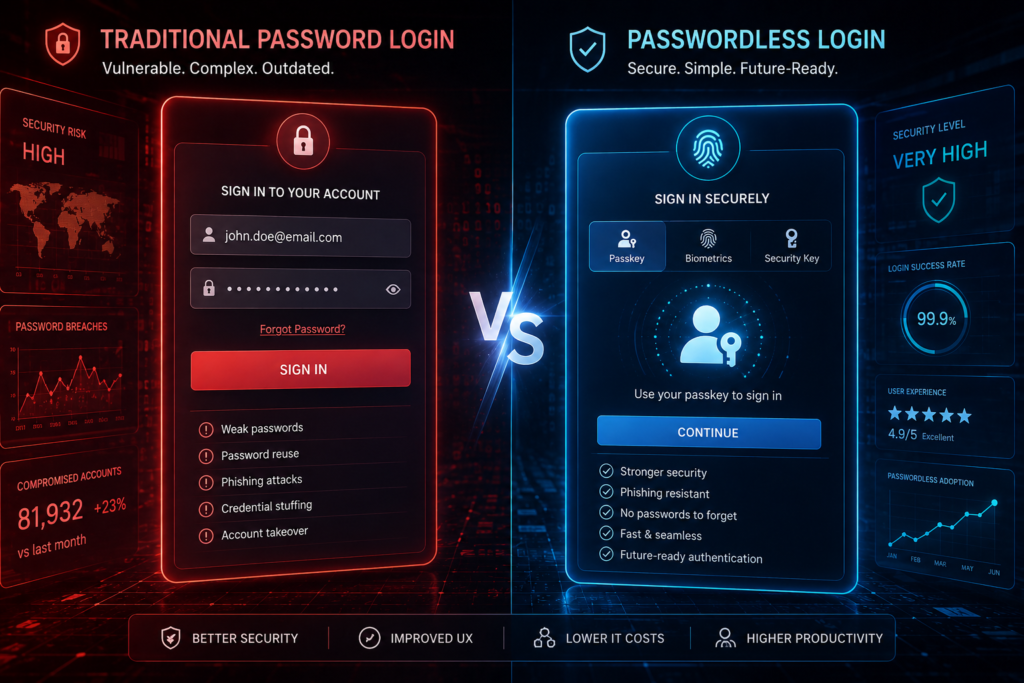
| Feature | Passwords | Passwordless Authentication |
|---|---|---|
| Security | Vulnerable to theft and phishing | Strong cryptographic protection |
| User Experience | Requires memorization | Simple and frictionless |
| Phishing Resistance | Low | Very high |
| Password Reset Issues | Frequent | Minimal |
| Login Speed | Moderate | Fast |
| Maintenance | High | Low |
| User Satisfaction | Mixed | Generally higher |
One of the most noticeable improvements I have observed on client websites is the reduction in login-related support tickets after implementing passwordless authentication solutions.
Users appreciate convenience, and businesses appreciate fewer security incidents.
Passkeys vs Passwords – Which Is Better?
What Are Passkeys?
Passkeys are cryptographic credentials designed to replace passwords entirely.
They are built using standards developed by the FIDO Alliance and supported by major technology companies.
How Passkeys Work
A passkey generates two keys:
- Public key stored on the server
- Private key stored securely on the user’s device
The private key never leaves the device, making credential theft significantly more difficult.
Advantages of Passkeys
- Strong phishing resistance
- Faster authentication
- No password reuse
- Improved security posture
- Better user experience
Limitations of Passkeys
- Device ecosystem dependency
- User education requirements
- Recovery planning considerations
Why Major Tech Companies Are Adopting Passkeys
Organizations such as Google, Apple, and Microsoft are heavily investing in passkey technology because it addresses long-standing password vulnerabilities while improving usability.
The FIDO Alliance continues driving industry-wide standardization, making passkeys increasingly interoperable across platforms and devices.
Passwordless Authentication Benefits
After working with WordPress hosting and website security for more than 20 years, I’ve seen countless website owners struggle with forgotten passwords, compromised accounts, and endless password reset requests. One of the biggest passwordless authentication benefits is that it removes many of these problems entirely.
Improved Security
The most significant advantage of passwordless authentication is stronger security.
Traditional passwords are vulnerable to:
- Weak password creation
- Password reuse across multiple sites
- Credential stuffing attacks
- Brute-force attacks
- Phishing scams
In my experience managing WordPress hosting environments, weak passwords remain one of the leading causes of compromised websites. I’ve investigated incidents where attackers gained access simply because users reused the same password across several services.
With passwordless login methods such as passkeys, biometrics, and hardware security keys, there is no password for attackers to steal or guess. This dramatically reduces the attack surface.
Better User Experience
Another major passwordless authentication benefit is convenience.
Users no longer need to:
- Remember complex passwords
- Store credentials in spreadsheets
- Frequently reset forgotten passwords
Instead, they can authenticate using:
- Fingerprint scans
- Facial recognition
- Passkeys
- Secure mobile devices
This streamlined process improves user satisfaction and increases login success rates.
Reduced Phishing Attacks
Phishing remains one of the most successful cyberattack methods.
When comparing passkeys vs passwords, passkeys provide a significant advantage because they are tied to specific websites and applications.
Even if a user accidentally visits a fake login page, a passkey cannot be used on an unauthorized domain. This built-in protection makes passwordless authentication highly resistant to phishing attacks.
Lower IT Support Costs
For businesses, password resets generate a surprising amount of support work.
Over the years, I’ve worked with hosting clients whose IT teams spent hours every week handling password-related requests.
Passwordless login significantly reduces:
- Password reset tickets
- Account lockouts
- Credential management issues
- User onboarding friction
The result is lower operational costs and improved productivity.
Faster Login Process
Traditional authentication often involves:
- Entering a username
- Entering a password
- Completing MFA verification
A passwordless login can often be completed with a simple fingerprint scan or device confirmation in seconds.
This speed improvement becomes especially valuable for organizations with hundreds or thousands of employees.
Better Compliance and Security Standards
Many compliance frameworks encourage stronger authentication controls.
Passwordless authentication helps organizations meet requirements associated with:
- GDPR
- HIPAA
- PCI DSS
- SOC 2
- ISO 27001
As cybersecurity regulations continue to evolve, passwordless authentication benefits extend beyond convenience and into governance and compliance.
Passwordless Authentication for WordPress Websites
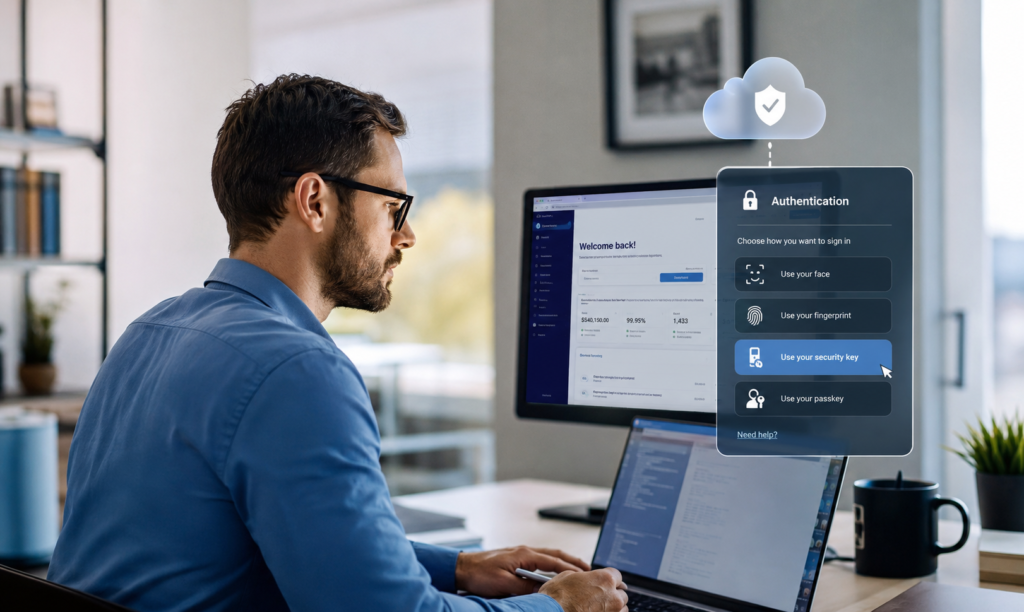
As someone who has managed WordPress websites and hosting environments for two decades, I can confidently say that WordPress remains one of the most frequently targeted platforms online.
Why WordPress Sites Are Common Attack Targets
Several factors make WordPress attractive to attackers:
Large Market Share
WordPress powers a significant percentage of websites worldwide, making it a high-value target.
Weak Passwords
Many users still rely on simple passwords despite repeated security warnings.
Credential Stuffing Attacks
Attackers use credentials leaked from other breaches to gain access to WordPress accounts.
Brute Force Attacks
Automated bots continuously attempt password guessing attacks against WordPress login pages.
This is where passwordless authentication becomes extremely valuable.
Passwordless Login Plugins for WordPress
Several excellent tools make passwordless login possible for WordPress sites.
miniOrange Passwordless Login
Provides OTP, email-based authentication, and passwordless access options.
WP WebAuthn
Allows passkey and hardware security key support directly within WordPress.
Solid Security
Formerly known as iThemes Security, this platform provides modern authentication enhancements.
Magic Link Solutions
Users receive a secure login link via email instead of entering a password.
Security Best Practices
If you’re implementing passwordless authentication on WordPress, follow these recommendations:
- Enable multi-factor authentication where appropriate.
- Use reputable security plugins.
- Keep WordPress core updated.
- Secure administrator accounts.
- Regularly review user permissions.
- Maintain offsite backups.
Real-World Experience
In my hosting experience, websites that adopted passwordless login or advanced authentication systems experienced significantly fewer account compromise incidents.
The reduction in password-related support requests alone often justified implementation costs.
Common Passwordless Authentication Methods
| Authentication Method | Security Level | Ease of Use | Best Use Case | Phishing Resistance |
|---|---|---|---|---|
| Passkeys | High | Excellent | Consumers & Businesses | Excellent |
| Biometrics | High | Excellent | Mobile Users | Excellent |
| Magic Links | Medium | High | SaaS Applications | Good |
| Hardware Security Keys | Very High | Medium | Enterprises | Excellent |
| Mobile Authentication Apps | High | High | General Use | Good |
Passkeys
Passkeys represent one of the most promising passwordless authentication technologies available today.
They use cryptographic key pairs and eliminate the need for traditional passwords entirely.
Biometrics
Fingerprint scans, facial recognition, and iris scanning provide fast and convenient authentication.
Most modern smartphones support biometric passwordless login methods.
Magic Links
Users receive a secure email link that authenticates them without requiring a password.
These systems are common in SaaS applications.
Security Keys
Hardware security keys provide exceptional security.
Many enterprises use physical security keys to protect privileged accounts.
Authentication Apps
Applications such as Microsoft Authenticator and Google Authenticator provide secure authentication experiences and can support passwordless authentication workflows.
Challenges and Limitations of Passwordless Authentication
While passwordless authentication offers substantial advantages, it is not without challenges.
Device Dependency
Most passwordless login systems rely on trusted devices.
Losing access to those devices can create recovery challenges.
User Education Requirements
Many users still ask, “What is passwordless authentication?” because the concept is relatively new.
Organizations must invest in user education.
Compatibility Concerns
Some legacy applications do not support modern authentication standards.
This can slow adoption.
Recovery and Backup Challenges
Account recovery remains an important consideration.
Organizations need secure fallback mechanisms when users lose devices.
Enterprise Adoption Complexity
Large organizations often face integration challenges involving:
- Legacy infrastructure
- Regulatory requirements
- Employee training
- Cross-platform compatibility
In enterprise hosting environments, these implementation challenges are often more organizational than technical.

Emerging Trends in Passwordless Authentication
AI-Powered Authentication
Artificial intelligence increasingly analyzes user behavior and risk signals to improve authentication decisions.
Behavioral Biometrics
Typing patterns, mouse movements, and device interactions help continuously verify identity.
Continuous Authentication
Future systems won’t authenticate users only once.
Instead, they will verify identity throughout an active session.
Decentralized Digital Identity
Blockchain-based identity systems may give users greater control over their digital credentials.
Zero Trust Security Models
Passwordless authentication aligns perfectly with Zero Trust frameworks that require constant verification.
The Future of Passkeys
Major technology companies including Google, Apple, and Microsoft continue investing heavily in passkey adoption.
The passkeys vs passwords debate is increasingly shifting in favor of passkeys as usability and security improve.
Passwordless Authentication Adoption Statistics
Organizations are adopting passwordless authentication because it simultaneously improves security and user experience.
Within the WordPress hosting industry, I have observed growing interest from businesses seeking alternatives to traditional passwords due to increasing phishing threats and credential-based attacks.
Frequently Asked Questions
What is passwordless authentication?
Passwordless authentication is a login method that verifies user identity without requiring a traditional password. Common methods include passkeys, biometrics, security keys, and magic links.
Is passwordless login more secure than passwords?
Yes. Passwordless login removes many common attack vectors such as password theft, credential stuffing, and brute-force attacks.
What are passkeys?
Passkeys are cryptographic credentials that replace passwords and enable secure authentication using trusted devices.
Passkeys vs Passwords: Which Is Safer?
Passkeys are generally safer because they cannot be easily guessed, reused, or stolen through phishing attacks.
Can WordPress Use Passwordless Authentication?
Absolutely. Several WordPress plugins support passwordless authentication and passkey-based login systems.
Do Passkeys Prevent Phishing Attacks?
Passkeys significantly reduce phishing risks because they are linked to legitimate websites and cannot be used on fake domains.
What Happens If I Lose My Device?
Most systems provide backup authentication options, recovery codes, or secondary devices to restore account access.
Will Passwords Disappear Completely?
Passwords are unlikely to disappear immediately. However, passwordless authentication adoption continues to accelerate, and passwords will likely become less important over time.
Conclusion
If you’ve been wondering what is passwordless authentication and whether it represents the future of digital security, the answer is increasingly clear.
After more than 20 years of managing WordPress hosting environments, websites, and online security systems, I’ve witnessed the limitations of traditional passwords firsthand. Weak credentials, password reuse, phishing attacks, and endless reset requests continue to create security and usability challenges.
The biggest passwordless authentication benefits include stronger security, improved user experience, reduced phishing risks, lower support costs, and faster login experiences.
The ongoing passkeys vs passwords discussion highlights a major shift in cybersecurity. While passwords have served the internet for decades, passkeys and passwordless login systems provide a more secure and user-friendly alternative.
As artificial intelligence, behavioral biometrics, and Zero Trust architectures continue to evolve, passwordless authentication will become a standard component of modern digital identity management.
My recommendation is simple: start exploring passwordless authentication today. Whether you manage a WordPress website, operate an online business, or oversee enterprise infrastructure, early adoption will help you improve security, enhance user experience, and prepare for the future of authentication.
Author

razakh6402@gmail.com
Related Posts
Browser Security Extensions: Top Chrome Security Extensions & Privacy Browser Extensions You Need in 2026
- 0
- 2,358 words
best budgeting appsEvery year, browsers become smarter, websites become faster, and online services become more convenient. Unfortunately, cybercriminals evolve just as quickly....
Read out all
Passkeys: How Passwordless Authentication Is Replacing Passwords in 2026
- 0
- 2,452 words
If you’ve ever forgotten a password, reset the same account multiple times, or worried that your login credentials were exposed in a...
Read out all
Cybersecurity Checklist: Essential Small Business Cybersecurity Guide (2026)
- 0
- 2,462 words
Cyberattacks are no longer a problem reserved for large enterprises. Over the last 15 years, I’ve worked with startups, retail stores, healthcare...
Secure Cloud Storage: Best Secure Cloud Storage Services for Business & Personal Use (2026 Guide)
- 0
- 2,443 words
Whether you’re backing up family photos, sharing confidential client documents, or managing sensitive business files, choosing the right secure cloud storage service...
AI Scams: How to Protect Yourself from AI-Powered Scams in 2026 (Expert Guide)
- 0
- 1,918 word
Artificial intelligence has transformed the way we work, communicate, and manage our finances. Unfortunately, cybercriminals have embraced the same technology to create...
Read out all
Future of Cybersecurity: Top Cybersecurity Trends 2026, AI Innovations, and Predictions for the Next Decade
- 1
- 2,173 words
Twenty-five years ago, cybersecurity focused primarily on protecting desktop computers, on-premises servers, and corporate networks. Firewalls, antivirus software, and perimeter defenses formed...
3 comments