
- 0
- 2,462 words
Cyberattacks are no longer a problem reserved for large enterprises. Over the last 15 years, I’ve worked with startups, retail stores, healthcare clinics, law firms, eCommerce businesses, and growing companies that believed hackers would never target them. Unfortunately, many learned the hard way that cybercriminals often prefer small businesses because they typically have fewer security controls and limited IT resources.
One of the biggest misconceptions I encounter is that installing antivirus software alone is enough to protect a business. In reality, modern cyber threats are far more sophisticated. Ransomware, phishing campaigns, business email compromise (BEC), supply chain attacks, credential theft, and AI-powered scams have become everyday risks for organizations of every size.

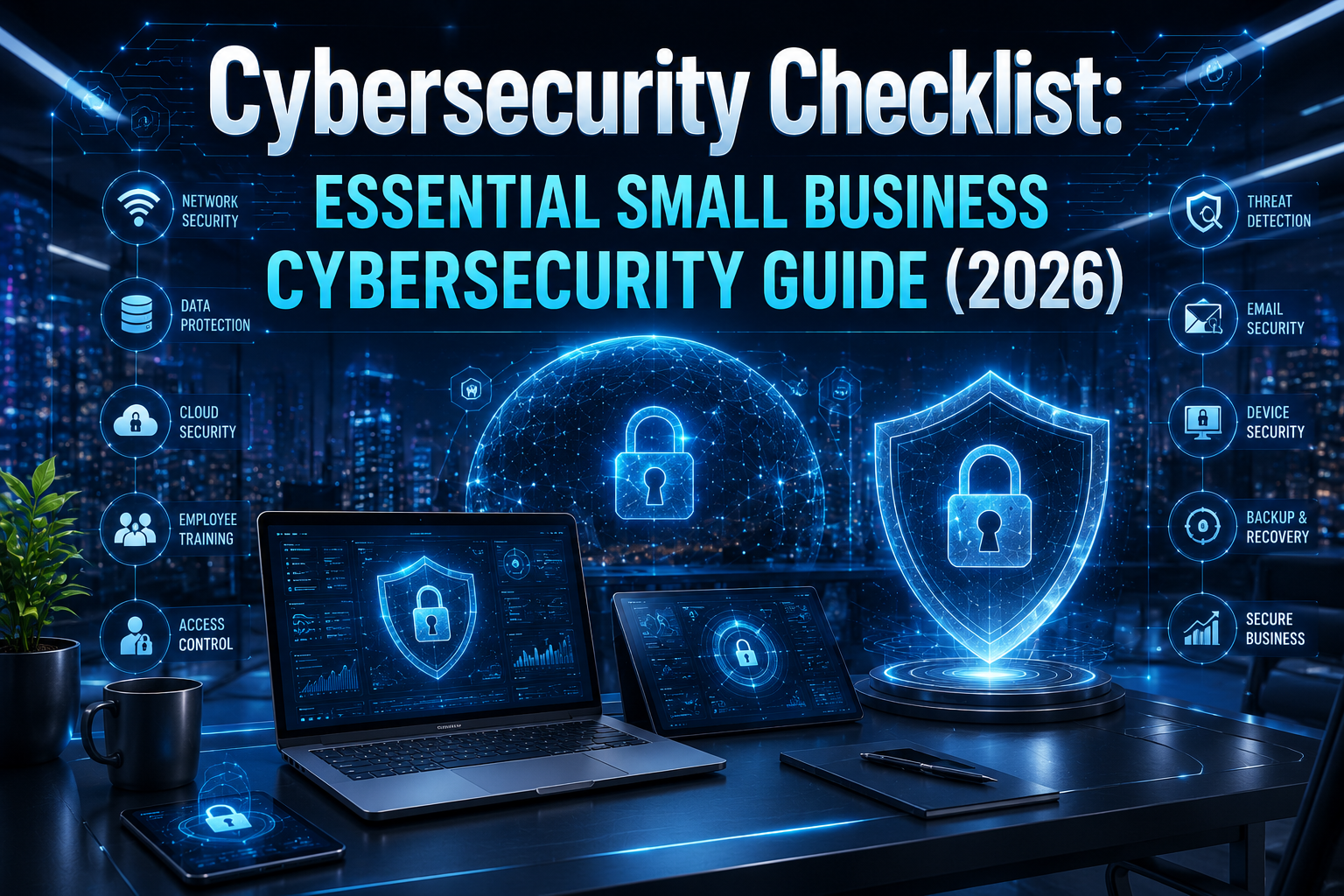
A well-structured cybersecurity checklist helps businesses move from reactive security to proactive protection. Instead of waiting for an incident to happen, organizations can systematically reduce vulnerabilities, improve employee awareness, and strengthen their overall security posture.
In my experience responding to ransomware incidents, the businesses that recovered quickly weren’t necessarily the ones with the biggest budgets. They were the ones that followed consistent cybersecurity best practices, maintained secure backups, enforced strong authentication, and regularly trained employees.
Whether you’re launching a startup, managing an established company, or supporting remote employees, this cyber security checklist for business will help you build a stronger defense against today’s evolving cyber threats.

What Is a Cybersecurity Checklist?
A cybersecurity checklist is a structured list of essential security controls, policies, and daily practices that help protect an organization’s systems, networks, employees, and sensitive data from cyber threats.
Think of it as preventive maintenance for your business. Just as you wouldn’t drive a vehicle for years without servicing it, your business cyber security program requires regular reviews, updates, and improvements.
A comprehensive checklist helps organizations:
- Identify security weaknesses
- Reduce cyber risks
- Improve employee awareness
- Protect customer information
- Meet compliance requirements
- Minimize downtime after attacks
One lesson I’ve learned after helping dozens of businesses recover from cyber incidents is simple: organizations with documented security checklists experience fewer successful attacks and recover much faster when incidents occur.
Who Needs One?
Every organization benefits from a cyber security checklist for business, including:
- Small businesses
- Startups
- Healthcare providers
- Law firms
- Accounting firms
- Retail businesses
- Online stores
- Manufacturing companies
- Remote-first organizations
Common Misconceptions
Many business owners believe:
- “Hackers only attack large companies.”
- “We’re too small to be noticed.”
- “Our antivirus will stop everything.”
- “We don’t store valuable data.”
In reality, customer records, employee information, payment details, login credentials, and even business email accounts are valuable targets for cybercriminals.
Why Small Businesses Are Prime Targets
Over the last 15 years, one pattern has remained remarkably consistent: attackers look for the easiest target—not necessarily the biggest one.
Small businesses often become victims because they have:
- Limited cybersecurity budgets
- Small or nonexistent IT teams
- Older hardware and software
- Weak password policies
- Poor employee awareness
- Infrequent backups
- Excessive user privileges
- Unsecured cloud applications
I once worked with a family-owned accounting firm that delayed software updates for nearly a year because they feared disrupting operations. A single unpatched vulnerability allowed ransomware to spread across nearly every workstation. Fortunately, they had recent offline backups, which prevented permanent data loss. The cleanup still took weeks and cost far more than regular maintenance would have.
Another mistake I see repeatedly is employees reusing passwords across multiple services. One compromised password can quickly lead to unauthorized access to email, cloud storage, financial systems, and customer databases.
Remote and hybrid work have also expanded the attack surface. Home Wi-Fi networks, personal devices, unsecured cloud services, and unmanaged endpoints create new opportunities for attackers if organizations fail to implement proper security controls.

Cybersecurity Checklist for Small Businesses (2026)
1. Enable Multi-Factor Authentication (MFA)
Why it matters
Passwords alone are no longer enough. Multi-Factor Authentication adds an additional layer of protection by requiring a second verification step.
Common mistakes
- Enabling MFA only for administrators
- Using SMS when stronger authentication methods are available
- Ignoring cloud applications
Best practices
- Require MFA for every employee.
- Use authenticator apps or hardware security keys.
- Protect email, VPNs, cloud storage, and financial accounts first.
Real-world advice
In my experience, MFA has prevented more account compromises than any other single security control.
2. Use Strong Password Policies
Why it matters
Weak or reused passwords remain one of the leading causes of security breaches.
Common mistakes
- Shared accounts
- Short passwords
- Password reuse
- Writing passwords on sticky notes
Best practices
- Require passphrases instead of simple passwords.
- Use password managers.
- Eliminate shared credentials whenever possible.
Real-world advice
One mistake I see repeatedly is businesses relying on memory instead of password managers. That’s a risky habit that eventually leads to reused passwords.
3. Install Endpoint Protection
Why it matters
Modern endpoint protection detects malware, ransomware, suspicious behavior, and advanced threats before they spread across your network.
Common mistakes
- Free antivirus software
- Ignoring alerts
- Disabling security features for convenience
Best practices
- Deploy enterprise-grade endpoint detection and response (EDR).
- Monitor endpoints continuously.
- Keep security signatures updated automatically.
4. Keep Software Updated
Why it matters
Most successful attacks exploit known vulnerabilities that already have security patches available.
Common mistakes
- Delaying updates
- Ignoring firmware updates
- Forgetting third-party software
Best practices
- Enable automatic updates.
- Schedule monthly patch reviews.
- Replace unsupported software immediately.
Real-world advice
After responding to multiple ransomware incidents, I’ve found that timely patch management consistently reduces attack opportunities.
5. Encrypt Sensitive Data
Why it matters
Encryption protects business information even if devices are lost or stolen.
Best practices
- Encrypt laptops and mobile devices.
- Use HTTPS for websites.
- Protect databases containing customer information.
- Secure backup files with encryption.
6. Secure Wi-Fi Networks
Why it matters
An unsecured wireless network can provide attackers with direct access to business systems.
Best practices
- Use WPA3 encryption whenever possible.
- Change default router credentials.
- Create separate guest networks.
- Disable unnecessary remote management features.
7. Backup Critical Data
Why it matters
Reliable backups are your last line of defense against ransomware, accidental deletion, and hardware failure.
Best practices
- Follow the 3-2-1 backup strategy.
- Test restoration regularly.
- Store at least one offline or immutable backup.
- Automate backup schedules.
Real-world advice
The businesses that recover fastest from ransomware are almost always the ones with tested backups—not just backup software.
8. Employee Security Awareness Training
Why it matters
Employees remain both your greatest asset and your biggest cybersecurity risk.
Common mistakes
- One-time training sessions
- No phishing simulations
- Outdated awareness materials
Best practices
- Conduct quarterly awareness training.
- Run phishing simulations.
- Teach employees how to report suspicious activity immediately.
- Include remote workers in every training program.
Real-world advice
I’ve seen organizations invest thousands of dollars in security technology while neglecting employee education. A well-trained employee can stop an attack before any security software detects it.
9. Strengthen Email Security
Why it matters
Email remains the number one entry point for cyberattacks. Phishing emails, business email compromise (BEC), and malicious attachments continue to cause millions of dollars in losses every year.
Common mistakes
- No spam filtering
- Clicking unknown links
- Opening unexpected attachments
- Using personal email for business
Best practices
- Implement advanced email security filtering.
- Configure SPF, DKIM, and DMARC.
- Scan attachments automatically.
- Block suspicious domains.
- Verify payment requests through a secondary communication channel.
Real-world advice
Over the last 15 years, I’ve investigated numerous phishing incidents where a simple phone call to verify a payment request could have prevented a significant financial loss.
10. Protect Against Phishing Attacks
Why it matters
Attackers increasingly use AI to create convincing phishing emails, fake invoices, and fraudulent login pages that are difficult to distinguish from legitimate communications.
Common mistakes
- Trusting every urgent email
- Ignoring suspicious URLs
- Entering credentials without verifying websites
Best practices
- Conduct regular phishing simulations.
- Teach employees to inspect URLs carefully.
- Encourage reporting instead of blaming employees.
- Use browser security protections.
Real-world advice
One lesson I’ve learned is that building a culture where employees feel comfortable reporting mistakes leads to faster incident response and significantly reduces damage.
11. Implement Access Control
Why it matters
Not every employee should have access to every system or file.
Common mistakes
- Everyone has administrator privileges.
- Former employees retain active accounts.
- Shared user accounts.
Best practices
- Apply the Principle of Least Privilege.
- Review permissions every quarter.
- Disable inactive accounts immediately.
- Use role-based access control (RBAC).

12. Adopt Zero Trust Security
Why it matters
Modern businesses cannot assume that users or devices inside the network are automatically trustworthy.
Zero Trust follows one simple principle:
Never trust. Always verify.
Best practices
- Verify every login request.
- Continuously authenticate users.
- Monitor user behavior.
- Validate device security before granting access.
In my experience, businesses implementing Zero Trust dramatically reduce the impact of compromised credentials.
13. Configure Firewalls Properly
Why it matters
Firewalls are your first line of defense against unauthorized network traffic.
Common mistakes
- Using default settings
- Leaving unnecessary ports open
- Never reviewing firewall logs
Best practices
- Block unused services.
- Restrict inbound traffic.
- Review firewall rules regularly.
- Enable intrusion prevention features whenever available.
14. Secure Mobile Devices
Today’s workforce depends heavily on smartphones and tablets.
Best practices
- Require screen locks.
- Encrypt all mobile devices.
- Enable remote wipe capabilities.
- Install security updates immediately.
- Use Mobile Device Management (MDM) for company-owned devices.
15. Improve Cloud Security
Cloud services offer flexibility, but misconfigurations remain one of the leading causes of data exposure.
Best practices
- Enable MFA on every cloud account.
- Review storage permissions regularly.
- Monitor user activity.
- Encrypt sensitive cloud data.
- Audit third-party integrations.
One mistake I see repeatedly is organizations assuming their cloud provider is responsible for everything. In reality, cloud security follows a shared responsibility model, meaning customers remain responsible for securing their own data, identities, and configurations.
16. Develop an Incident Response Plan
Why it matters
Even the most secure organizations should prepare for security incidents.
Your response plan should include:
- Incident reporting procedures
- Internal communication
- Customer notification process
- Evidence preservation
- System recovery
- Post-incident review
When responding to ransomware incidents, I’ve found that organizations with documented response plans recover much faster and experience significantly less operational disruption.
Best Cybersecurity Tools for Small Businesses
The right tools complement—not replace—good security practices. Based on years of consulting experience, these categories provide the strongest return on investment:
| Category | Recommended Solutions |
|---|---|
| Antivirus & Endpoint Protection | Microsoft Defender for Business, Bitdefender GravityZone, CrowdStrike Falcon |
| Password Managers | 1Password, Bitwarden, Keeper |
| MFA Solutions | Microsoft Authenticator, Google Authenticator, Duo Security |
| VPN | Cloudflare Zero Trust, NordLayer, Cisco Secure Client |
| Email Security | Microsoft Defender for Office 365, Proofpoint, Mimecast |
| Backup Software | Veeam Backup, Acronis Cyber Protect, Backblaze Business |
| Firewall | Fortinet FortiGate, Sophos Firewall, Cisco Meraki |

Cybersecurity Best Practices
After helping dozens of businesses strengthen their defenses, several practices consistently deliver the greatest value:
- Adopt a Zero Trust security model.
- Apply the Principle of Least Privilege.
- Perform monthly vulnerability scans.
- Keep operating systems and applications fully patched.
- Monitor logs for suspicious activity.
- Maintain encrypted, tested backups.
- Educate employees throughout the year—not just during onboarding.
- Review third-party vendors for security risks.
- Conduct annual security audits.
- Align your program with recognized frameworks such as the NIST Cybersecurity Framework, CISA Cyber Guidance, and the OWASP Top 10.
Common Cybersecurity Mistakes
These are the mistakes I encounter most often:
- Weak or reused passwords
- Ignoring software updates
- No Multi-Factor Authentication
- Poor backup practices
- Excessive administrator privileges
- Sharing user accounts
- Unsecured Wi-Fi networks
- Lack of employee awareness training
- No incident response plan
- Assuming cloud providers handle all security
Fortunately, each of these issues can be addressed with a structured cyber security checklist for business and consistent implementation.
Building a Long-Term Business Cyber Security Strategy
Cybersecurity should be viewed as an ongoing business investment rather than a one-time project.
An effective long-term strategy includes:
- Annual risk assessments
- Regular penetration testing
- Security audits
- Vendor risk management
- Compliance reviews
- Business continuity planning
- Disaster recovery testing
- Cyber insurance evaluation
- Continuous employee education
- Executive involvement in security planning
Over the last 15 years, the organizations that maintained mature security programs shared one characteristic: they treated cybersecurity as a continuous process of improvement rather than a one-time purchase.
Frequently Asked Questions
What is a cybersecurity checklist?
A cybersecurity checklist is a structured guide that helps organizations implement essential security controls to reduce cyber risks and protect business operations.
Why is small business cybersecurity important?
Small businesses are frequently targeted because they often have fewer security resources and weaker defenses than larger enterprises.
How often should businesses review their cyber security checklist for business?
Review it at least every quarter and after major infrastructure changes, software deployments, or security incidents.
What are the most common cyber threats in 2026?
Ransomware, phishing, business email compromise, credential theft, AI-powered scams, insider threats, and cloud misconfigurations remain among the most significant risks.
Is antivirus software enough?
No. Antivirus is only one layer of protection. Businesses also need MFA, employee training, backups, email security, endpoint protection, and continuous monitoring.
What is Zero Trust Security?
Zero Trust is a security model that assumes no user or device should be trusted automatically. Every access request must be verified continuously.
How much should a small business spend on cybersecurity?
While budgets vary, many small businesses allocate approximately 5–10% of their IT budget to cybersecurity. The right investment depends on company size, industry, regulatory requirements, and overall risk exposure.

Final Verdict
A strong cybersecurity checklist is one of the most valuable investments a business can make. Cyber threats continue to evolve, but most successful attacks still exploit preventable weaknesses such as poor password hygiene, missing updates, inadequate backups, or a lack of employee awareness.
Whether you’re running a startup, managing a growing small business, or supporting a remote workforce, following this cyber security checklist for business will significantly strengthen your organization’s resilience. Start by enabling Multi-Factor Authentication, enforcing strong password policies, protecting endpoints, training employees, securing cloud environments, and maintaining tested backups. Then build on those foundations with Zero Trust principles, regular risk assessments, and a documented incident response plan.
The most successful organizations I’ve worked with didn’t achieve strong business cyber security overnight. They made steady improvements, reviewed their defenses regularly, and treated cybersecurity as an ongoing business priority.
Author

razakh6402@gmail.com
Related Posts
Browser Security Extensions: Top Chrome Security Extensions & Privacy Browser Extensions You Need in 2026
- 0
- 2,358 words
best budgeting appsEvery year, browsers become smarter, websites become faster, and online services become more convenient. Unfortunately, cybercriminals evolve just as quickly....
Read out all
Passkeys: How Passwordless Authentication Is Replacing Passwords in 2026
- 0
- 2,452 words
If you’ve ever forgotten a password, reset the same account multiple times, or worried that your login credentials were exposed in a...
Read out all
Secure Cloud Storage: Best Secure Cloud Storage Services for Business & Personal Use (2026 Guide)
- 0
- 2,443 words
Whether you’re backing up family photos, sharing confidential client documents, or managing sensitive business files, choosing the right secure cloud storage service...

AI Scams: How to Protect Yourself from AI-Powered Scams in 2026 (Expert Guide)
- 0
- 1,918 word
Artificial intelligence has transformed the way we work, communicate, and manage our finances. Unfortunately, cybercriminals have embraced the same technology to create...
Read out all
Future of Cybersecurity: Top Cybersecurity Trends 2026, AI Innovations, and Predictions for the Next Decade
- 1
- 2,173 words
Twenty-five years ago, cybersecurity focused primarily on protecting desktop computers, on-premises servers, and corporate networks. Firewalls, antivirus software, and perimeter defenses formed...
Home Network Security Guide: 25 Expert Strategies to Build a Secure Home Network in 2026
- 0
- 1,999 word
Home network security is no longer optional. https://www.effectivecpmnetwork.com/zwmk61nzik?key=c215b6a50560356c577d53e1d461ad7a Twenty-five years ago, most households connected a single desktop computer to the internet. Today,...
Read out all