
- 4
- 2,678 words
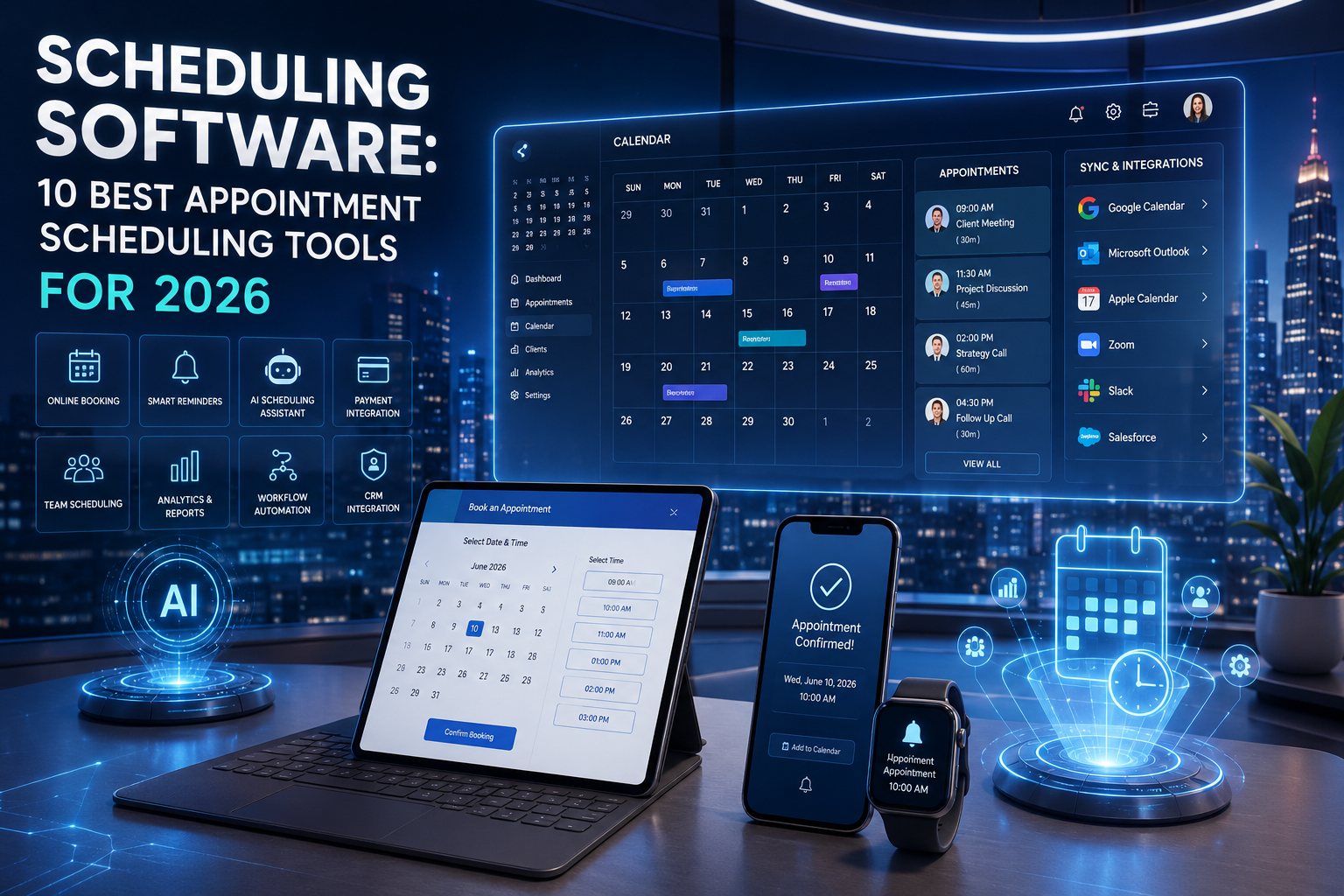
If there’s one lesson I’ve learned after more than 15 years of helping businesses improve their operations, it’s this: poor scheduling quietly drains productivity, revenue, and customer satisfaction. I’ve worked with startups managing dozens of weekly appointments, healthcare clinics handling thousands of patient bookings, consulting firms coordinating global teams, and service businesses trying to eliminate the endless back-and-forth of calendar emails. The right scheduling software consistently transforms how organizations operate.
Modern appointment scheduling software has evolved far beyond a simple online calendar. Today’s solutions use artificial intelligence, workflow automation, smart reminders, and seamless integrations to reduce administrative work while improving the customer experience. Whether you’re a freelancer, agency owner, healthcare provider, educator, or enterprise IT manager, choosing the right online scheduling software can save hours every week.
After testing dozens of scheduling platforms over the years, I’ve found that the best solutions don’t just organize appointments—they automate repetitive tasks, prevent scheduling conflicts, synchronize multiple calendars, connect with CRMs, and help businesses grow more efficiently.
In this guide, I’ll share my experience with the leading booking software platforms available in 2026, what differentiates them, and how to choose the one that best fits your business.

What Is Scheduling Software?
Scheduling software is a digital solution that automates appointment booking, calendar management, resource allocation, meeting coordination, and team scheduling. Unlike traditional calendars, modern calendar scheduling software allows customers or employees to book available time slots online while automatically checking availability across multiple calendars.
Most modern platforms integrate directly with:
- Google Calendar
- Microsoft 365
- Outlook Calendar
- Zoom
- Google Meet
- CRM systems
- Payment gateways
- Email marketing tools
- Team collaboration platforms
Instead of manually confirming appointments, today’s appointment scheduling software handles bookings, reminders, cancellations, rescheduling, and follow-up communication automatically.
From my consulting experience, businesses that implement quality online scheduling software often reduce scheduling-related administrative work by several hours each week while significantly lowering no-show rates.
Why Businesses Need Scheduling Software
One of the biggest mistakes I’ve seen businesses make is relying on manual scheduling long after they’ve outgrown spreadsheets or shared calendars. Manual processes lead to missed appointments, double bookings, delayed responses, and frustrated customers.
Today’s booking software helps solve these problems by introducing automation into everyday operations.
Businesses benefit through:
- Automatic appointment booking
- Calendar synchronization
- AI-assisted scheduling
- Automated reminders
- Reduced no-shows
- Better customer experience
- Improved employee productivity
- Simplified team coordination
- Accurate availability management
- Actionable scheduling analytics
In my experience, service businesses typically notice the fastest return on investment because fewer scheduling errors translate directly into more billable hours and happier clients.
Benefits of Appointment Scheduling Software
Choosing the right appointment scheduling software delivers advantages that extend well beyond calendar management.
Increased Productivity
Employees spend less time answering booking emails and more time focusing on meaningful work. Automated scheduling eliminates repetitive administrative tasks.
Better Customer Experience
Customers appreciate the convenience of booking appointments online 24/7 without waiting for business hours or exchanging multiple emails.
Fewer Scheduling Errors
Quality calendar scheduling software automatically prevents overlapping appointments, double bookings, and availability conflicts.
Improved Team Collaboration
Shared scheduling allows teams to coordinate meetings, resources, and workloads more effectively.
AI-Powered Automation
Modern online scheduling software uses artificial intelligence to recommend meeting times, optimize staff availability, predict scheduling conflicts, and automate repetitive workflows.

Higher Revenue
Many businesses discover that reducing appointment gaps and minimizing cancellations increases overall utilization rates and revenue.
Key Features to Look For in Scheduling Software
After evaluating dozens of platforms over the years, I’ve learned that feature lists alone don’t determine success. Instead, businesses should focus on capabilities that genuinely improve day-to-day operations.
Calendar Synchronization
The software should synchronize instantly with Google Calendar, Microsoft Outlook, Apple Calendar, and Microsoft 365 to eliminate conflicts.
Online Self-Service Booking
Customers should be able to schedule appointments independently through an intuitive booking page.
Automated Notifications
Look for email and SMS reminders that reduce missed appointments and improve attendance.
Workflow Automation
The best booking software automatically sends confirmations, follow-ups, invoices, surveys, and reminders without manual intervention.
Team Scheduling
Organizations with multiple employees need shared availability, round-robin scheduling, and workload balancing.
CRM Integrations
Native integrations with platforms like Salesforce, HubSpot, Zoho CRM, and Microsoft Dynamics streamline customer management.
Video Meeting Support
Built-in scheduling for Zoom, Microsoft Teams, and Google Meet has become essential for hybrid work environments.
Payment Processing
Many service businesses benefit from accepting payments or deposits during the booking process.
Analytics and Reporting
Comprehensive dashboards help businesses understand booking trends, cancellations, utilization, and employee performance.

Security
For healthcare, legal, and financial organizations, compliance with standards such as HIPAA and GDPR is critical.
Detailed Reviews of the Best Scheduling Software
Calendly – Best Overall Scheduling Software
After implementing Calendly for businesses ranging from solo consultants to enterprise teams, I continue to recommend it as one of the most reliable scheduling platforms available.
Best For
- Consultants
- Agencies
- Sales teams
- Coaches
- Remote organizations
Key Strengths
- Easy online booking
- AI-assisted scheduling
- Google Calendar synchronization
- Microsoft Outlook support
- Zoom and Google Meet integration
- Workflow automation
- Team scheduling
- Round-robin assignment
Limitations
Advanced workflows require premium plans, and organizations with highly customized booking rules may need additional configuration.
Microsoft Bookings – Best for Microsoft 365 Users
Organizations already invested in Microsoft 365 benefit significantly from Microsoft Bookings. In enterprise consulting projects, I’ve found its seamless integration with Outlook, Teams, and Microsoft Copilot particularly valuable for reducing scheduling friction.
Highlights
- Native Outlook Calendar integration
- Microsoft Teams meetings
- Microsoft 365 synchronization
- Enterprise-grade security
- Staff scheduling
- Shared calendars
Acuity Scheduling – Best for Service Businesses
Acuity Scheduling excels when businesses need appointment customization, payment collection, and client management in one platform.
It works particularly well for healthcare practices, wellness clinics, photographers, and consulting professionals who require flexible booking options.
SimplyBook.me – Best Booking Software for Growing Businesses
SimplyBook.me offers impressive customization, multilingual booking pages, and industry-specific features that make it suitable for service providers operating across multiple locations.
Its automation capabilities help reduce manual administrative work while improving customer satisfaction.
Zoho Bookings – Best for Businesses Using the Zoho Ecosystem
From my experience working with organizations already using Zoho CRM, Zoho Bookings provides one of the smoothest integrated scheduling experiences.
Appointments automatically connect with CRM records, marketing campaigns, and workflow automation, reducing duplicate data entry and improving operational efficiency.
Its affordability also makes it attractive for small and medium-sized businesses looking for enterprise-level functionality without a large software budget.
Detailed Reviews of the Best Scheduling Software (Continued)
Square Appointments – Best for Retail, Salons, and Local Service Businesses
Over the years, I’ve worked with salons, spas, barbershops, repair shops, and fitness studios where scheduling and payment collection needed to work together seamlessly. In these situations, Square Appointments consistently stood out because it combines appointment scheduling software, POS, payment processing, customer management, and staff scheduling in one ecosystem.
Best For
- Salons
- Beauty clinics
- Fitness studios
- Medical spas
- Local service businesses
Key Features
- Online appointment booking
- Built-in payment processing
- Automated SMS and email reminders
- Staff scheduling
- Calendar synchronization
- Customer history
- Inventory integration
- Mobile booking app
My Experience: If your business accepts appointments and payments at the same time, Square dramatically reduces administrative work.
HubSpot Meetings – Best for Sales Teams
For B2B companies and sales organizations, I frequently recommend HubSpot Meetings. It removes the endless email exchanges involved in scheduling discovery calls, demos, and consultations.
Because it connects directly with HubSpot CRM, every meeting becomes part of the customer journey automatically.
Strengths
- Free scheduling tools
- CRM integration
- Google Calendar sync
- Outlook Calendar sync
- Team scheduling
- Lead routing
- AI meeting assistance
- Meeting analytics
Best For
- SaaS companies
- Sales teams
- Marketing agencies
- Consultants
Doodle – Best for Group Scheduling
After coordinating meetings involving executives across multiple countries, I’ve learned that finding a common meeting time can become surprisingly difficult.
Doodle solves this problem with intelligent polling and collaborative scheduling.
Highlights
- Group polls
- Team scheduling
- Calendar synchronization
- Microsoft 365 integration
- Google Workspace integration
- Zoom scheduling
- Mobile applications
Although it isn’t as feature-rich as enterprise booking software, it’s one of the easiest tools for organizing meetings among large groups.

YouCanBookMe – Best for Consultants and Coaches
I’ve recommended YouCanBookMe to coaches, financial advisors, lawyers, and consultants who wanted greater control over their appointment booking process without overwhelming complexity.
The platform provides flexible booking rules, personalized confirmation emails, and reliable automation.
Advantages
- Personalized booking pages
- Calendar scheduling software
- CRM integrations
- Email automation
- Availability rules
- Time zone detection
- Custom workflows
Setmore – Best Free Appointment Scheduling Software
For startups and small businesses working with limited budgets, Setmore offers an impressive feature set without requiring a large investment.
While consulting early-stage businesses, I’ve found that Setmore often provides everything needed before upgrading to enterprise solutions.
Best Features
- Free plan
- Video meeting support
- Team calendars
- Online booking
- Customer management
- Mobile applications
- Payment integrations
- Automated reminders
AI Features in Modern Online Scheduling Software
The biggest transformation I’ve witnessed over the past few years is the rapid adoption of artificial intelligence within online scheduling software.
AI is no longer a marketing buzzword—it actively improves scheduling efficiency.
Leading platforms now provide:
- AI-powered meeting recommendations
- Intelligent conflict detection
- Smart availability optimization
- Automatic rescheduling
- Predictive staffing suggestions
- AI-generated follow-up emails
- Natural language scheduling
- Workflow automation
- Intelligent appointment routing
- Calendar prioritization
Some enterprise platforms also integrate AI assistants capable of analyzing meeting trends, identifying productivity bottlenecks, and recommending schedule improvements.
If I were choosing scheduling software today, AI automation would be one of my highest priorities because it significantly reduces manual work while improving customer experience.
Pricing Considerations
One mistake I’ve seen businesses make repeatedly is choosing software based solely on monthly subscription cost.
Instead, evaluate total value.
Consider:
- Number of users
- Appointment volume
- Automation features
- CRM integrations
- Payment processing fees
- SMS notification costs
- API availability
- Support quality
- Security certifications
- Future scalability
Sometimes paying an additional $20–30 per month saves hundreds of dollars in staff time.

Security & Compliance
Security should never be an afterthought, particularly if your business manages sensitive customer information.
When evaluating appointment scheduling software, I recommend looking for:
HIPAA Compliance
Essential for healthcare providers managing patient appointments.
GDPR Compliance
Necessary for businesses serving customers in the European Union.
Data Encryption
Look for encryption both in transit and at rest.
Single Sign-On (SSO)
Particularly valuable for enterprise organizations.
Multi-Factor Authentication (MFA)
Protects administrator accounts against unauthorized access.
Audit Logs
Useful for compliance and troubleshooting.
Enterprise scheduling platforms increasingly offer advanced compliance features designed for regulated industries.
Common Mistakes When Choosing Booking Software
After helping organizations implement scheduling systems for more than 15 years, I continue to see the same avoidable mistakes.
Choosing Based Only on Price
The cheapest solution often lacks automation that saves valuable time.
Ignoring Integrations
Your calendar scheduling software should integrate seamlessly with your CRM, accounting software, communication tools, and productivity platforms.
Forgetting Mobile Experience
Employees and customers increasingly manage appointments from smartphones.
Overlooking Scalability
Choose software that supports future growth rather than just current needs.
Skipping Staff Training
Even the best online scheduling software won’t deliver results if employees aren’t properly trained.
Expert Tips from 15 Years of Experience
After testing dozens of scheduling platforms and consulting businesses across multiple industries, several best practices consistently deliver excellent results.
Start With Existing Workflows
Understand your scheduling process before purchasing software.
Automate Repetitive Tasks
Appointment confirmations, reminders, follow-ups, and cancellations should all be automated.
Keep Booking Simple
Reduce unnecessary booking steps to improve conversion rates.
Connect Everything
Integrate your scheduling platform with:
- Google Calendar
- Microsoft Outlook
- Microsoft 365
- Zoom
- Google Meet
- CRM software
- Email marketing
- Payment processors
Monitor Analytics
Review booking trends regularly.
Analytics often reveal opportunities to improve staff utilization and customer satisfaction.
Test Before Full Deployment
Whenever possible, pilot new booking software with one department before company-wide implementation.
Frequently Asked Questions
What is the best scheduling software in 2026?
For most businesses, Calendly remains one of the best overall solutions due to its ease of use, AI capabilities, extensive integrations, and scalability.
What is appointment scheduling software?
Appointment scheduling software allows customers to book appointments online while automatically managing calendars, reminders, and confirmations.
What is the difference between booking software and scheduling software?
Booking software focuses primarily on customer reservations, while scheduling software often includes employee scheduling, workflow automation, resource management, analytics, and integrations.
Is online scheduling software suitable for small businesses?
Absolutely. Many platforms offer free plans and affordable pricing designed specifically for startups and small businesses.
Does scheduling software integrate with Google Calendar?
Yes. Nearly every leading calendar scheduling software platform supports Google Calendar synchronization.
Can scheduling software integrate with Microsoft Outlook?
Yes. Most enterprise solutions support Outlook Calendar and Microsoft 365 synchronization.
Which scheduling software supports Zoom and Google Meet?
Calendly, Acuity Scheduling, Microsoft Bookings, HubSpot Meetings, Setmore, and several other platforms integrate directly with Zoom and Google Meet.
Is AI improving appointment scheduling software?
Yes. AI now assists with scheduling optimization, conflict detection, automated reminders, meeting recommendations, and workflow automation.
Is scheduling software secure?
Leading providers offer encryption, role-based permissions, multi-factor authentication, GDPR compliance, and, in some cases, HIPAA compliance for healthcare organizations.
Which scheduling software is best for enterprises?
Microsoft Bookings, Calendly Enterprise, HubSpot Meetings, and enterprise-grade scheduling platforms are excellent choices for large organizations requiring advanced security, integrations, and administrative controls.

Final Verdict
After more than 15 years of evaluating, implementing, and recommending scheduling software across startups, SMBs, enterprises, healthcare providers, educational institutions, agencies, and service-based businesses, one conclusion remains consistent: the best solution is the one that fits your workflows, integrates with your existing tools, and scales alongside your growth.
Here’s how I typically recommend businesses choose:
- Freelancers and consultants: Calendly or YouCanBookMe for simplicity and professional client booking.
- Small businesses: Setmore, SimplyBook.me, or Square Appointments for affordability and ease of use.
- Growing companies: Acuity Scheduling or Zoho Bookings for advanced automation and CRM connectivity.
- Sales and marketing teams: HubSpot Meetings for seamless lead management and meeting scheduling.
- Microsoft-centric organizations: Microsoft Bookings for deep Microsoft 365, Outlook, and Teams integration.
- Large enterprises: Enterprise editions of Calendly or Microsoft Bookings, where advanced security, analytics, and governance are essential.
Looking ahead, AI will continue reshaping online scheduling software. Expect smarter appointment routing, predictive staffing, conversational booking assistants, automated follow-ups, and deeper integrations with CRM, communication, and productivity platforms. Businesses that embrace these capabilities early will reduce administrative overhead, improve customer satisfaction, and gain a meaningful competitive advantage.
If I were choosing appointment scheduling software today, I wouldn’t focus only on price. I’d prioritize automation, ease of use, integration capabilities, mobile accessibility, security, and long-term scalability. Investing in the right booking software isn’t just about organizing calendars—it’s about creating a more efficient, productive, and customer-focused business.
Author

razakh6402@gmail.com
Related Posts

Lead Generation Software: 12 Best Lead Generation Tools for B2B Sales (2026 Guide)
- 0
- 2,300 words
If someone had asked me 15 years ago what the biggest challenge in sales was, my answer would have been simple: finding...
Survey Software: 12 Best Online Survey Tools & Feedback Software for Businesses (2026 Guide)
- 0
- 1,871 word
Whether I was helping a SaaS startup validate a new feature, assisting an HR team with employee engagement, or optimizing customer experience...
Read out all
Online Course Platform: 12 Best LMS Software & eLearning Platforms for Course Creators (2026 Guide)
- 0
- 1,900 word
The online education industry has changed dramatically over the last 15 years. When I built my first digital training portal, simply uploading...

Team Communication Software: 12 Best Business Messaging Apps for Modern Workplaces in 2026 (Expert Tested)
- 0
- 2,305 words
I’ve personally tested dozens of team communication software platforms while consulting for marketing agencies, software companies, HR departments, remote development teams, and...
Invoice Software: 12 Best Invoicing Software for Small Business in 2026 (Expert Tested)
- 0
- 2,493 words
I’ve worked with freelancers chasing late payments, agencies managing hundreds of monthly invoices, startups scaling internationally, and established businesses struggling with outdated...

Generate one SEO-optimized title thatdigital asset management software
- 6
- 2,632 words
One of the most memorable projects I led involved migrating nearly half a million digital assets from a traditional file server into...
4 comments