
- 0
- 2,414 words
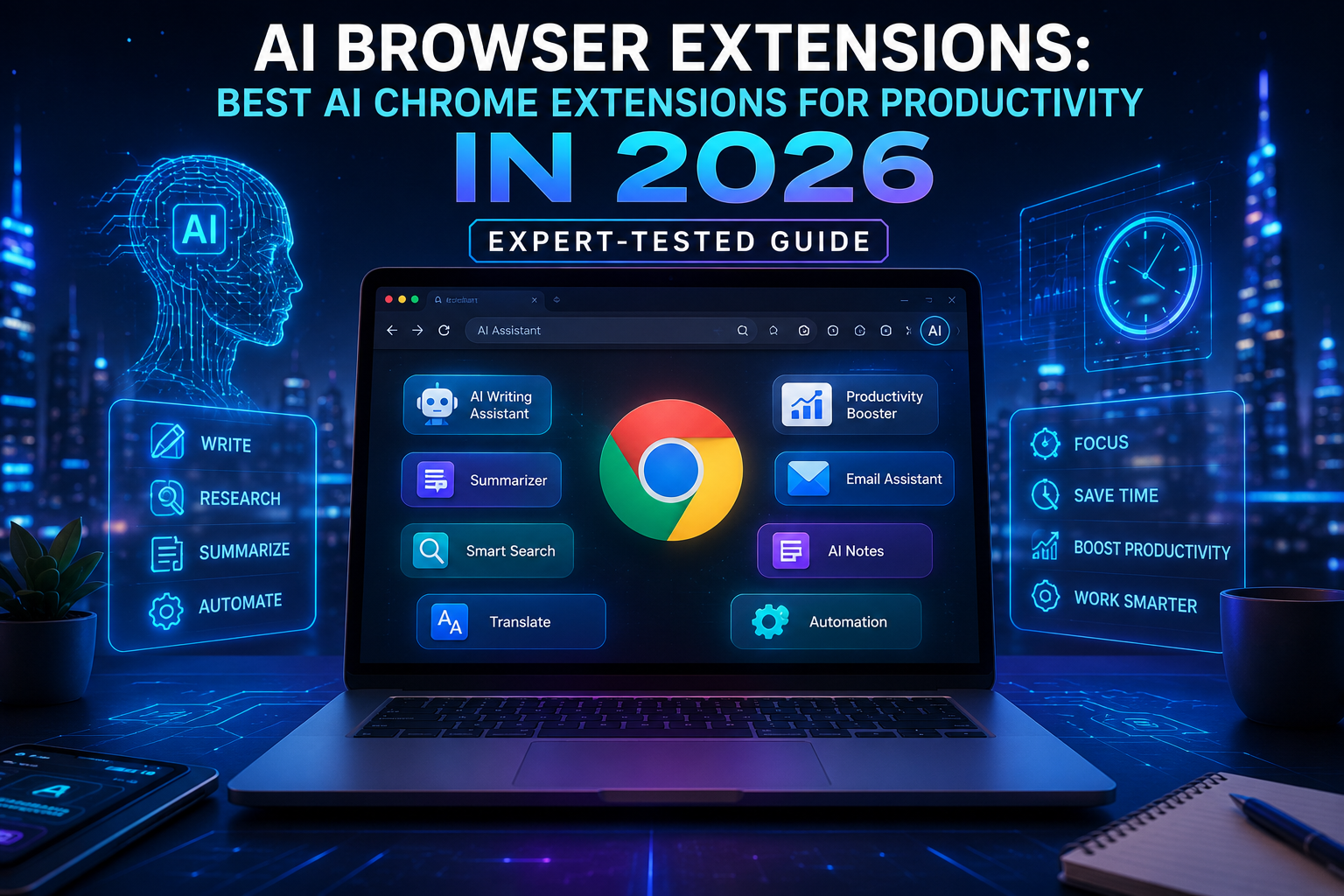
Artificial intelligence has quietly become one of the biggest productivity upgrades I’ve experienced during my career. Over the past 15 years of working with digital products, SaaS platforms, browser technologies, and online businesses, I’ve watched browser extensions evolve from simple utilities into intelligent assistants capable of writing emails, summarizing lengthy reports, researching competitors, debugging code, translating websites, and even helping make better business decisions.

When clients ask me where they should begin with AI, I rarely recommend downloading dozens of applications. Instead, I recommend starting with AI browser extensions because they’re always available inside the browser—the place where most professionals already spend six to ten hours every day.
Whether you’re a blogger researching your next article, a developer reviewing documentation, a marketer optimizing campaigns, or a student organizing research, the best AI Chrome extensions can remove repetitive work and help you focus on tasks that actually require human creativity.
That said, not every extension deserves a place in your browser. Over the years, I’ve tested hundreds of productivity tools, and many promised to save time but actually slowed my workflow by consuming memory, displaying unnecessary pop-ups, or producing unreliable AI responses.
In this guide, I’ll share the AI productivity extensions and AI browser tools I genuinely recommend in 2026, explain where they shine, discuss their limitations, and help you choose the right AI extensions for Chrome based on your workflow.

Why AI Browser Extensions Matter in 2026
The way professionals work has changed dramatically during the past few years. Instead of opening five different applications to complete one task, modern AI browser extensions bring intelligent assistance directly into your browser.
Today, almost every business relies on web-based software:
- Google Docs
- Gmail
- Notion
- Slack
- GitHub
- Google Search
- Microsoft 365
- Canva
- ChatGPT
- CRM platforms
Since these applications already live in your browser, adding AI extensions for Chrome means AI becomes available exactly where you work.
In my experience…
One of the biggest productivity breakthroughs wasn’t a faster laptop or a larger monitor—it was reducing context switching.
Years ago, I constantly copied information between ChatGPT, Google Docs, Gmail, and research websites. Every copy-paste interrupted my concentration.
Today’s AI browser tools eliminate much of that friction by bringing AI directly into webpages.
The difference seems small until you experience it yourself.
Saving just one minute on dozens of tasks each day adds up to hours every month.
Benefits of Using AI Browser Extensions
The best AI Chrome extensions help users:
- Write faster
- Research smarter
- Summarize webpages instantly
- Generate professional emails
- Improve grammar
- Translate languages
- Automate repetitive tasks
- Organize knowledge
- Improve coding productivity
- Analyze online content
Professionals across industries are now integrating AI productivity extensions into their daily workflows because they reduce manual work while improving consistency.
How AI Browser Extensions Improve Productivity
People often assume AI only writes content.
That couldn’t be further from reality.
The best AI browser extensions now support nearly every stage of digital work.
Research
Instead of reading twenty articles, AI summarizes the important information within seconds.
This is particularly valuable for consultants, students, journalists, and researchers.
Writing
Whether you’re creating blog posts, reports, proposals, or emails, AI productivity extensions can generate first drafts, improve readability, and rewrite awkward sentences without leaving your browser.

Email Productivity
Writing emails used to consume a surprising amount of my day.
Now I use AI to:
- Draft replies
- Rewrite messages
- Adjust tone
- Create follow-ups
- Generate meeting summaries
The result isn’t just faster communication—it also improves consistency.
Coding Assistance
Developers benefit enormously from modern AI browser tools.
AI can:
- Explain documentation
- Generate snippets
- Debug code
- Review pull requests
- Explain APIs
- Translate between programming languages
Online Research
Instead of opening dozens of tabs, AI now extracts:
- Key insights
- Product comparisons
- Important statistics
- Technical explanations
- Research summaries
This saves an incredible amount of time.
Content Creation
As someone who has managed SEO projects for years, I use AI extensions for Chrome during nearly every stage of content production:
- Keyword research
- Outline creation
- Competitor analysis
- Meta descriptions
- Content improvement
- Readability optimization
However, I never publish AI-generated text without editing. AI accelerates the writing process, but experience, originality, and fact-checking remain essential.

Best AI Browser Extensions for Productivity
After years of testing browser extensions across Chrome, Edge, and Chromium-based browsers, these are the tools I consistently recommend.
Rather than ranking them solely by popularity, I’ve evaluated each one based on:
- Real productivity gains
- AI quality
- Browser performance
- Ease of use
- Privacy practices
- Integration with existing workflows
- Overall value
ChatGPT for Chrome
Overview
When people think about AI browser extensions, ChatGPT is usually the first tool that comes to mind—and for good reason.
The official ChatGPT browser integration makes it easier to access AI without constantly switching tabs. Whether I’m brainstorming article ideas, rewriting emails, explaining code, or summarizing information, it’s one of the extensions I rely on daily.
Best Features
- Instant AI assistance
- Writing support
- Coding help
- Content summarization
- Brainstorming
- Research assistance
- Prompt history
Pros
- Excellent writing quality
- Fast responses
- Easy to use
- Strong reasoning capabilities
- Regular feature updates
Cons
- Some advanced features require a paid subscription
- Internet connection required
- AI responses still require fact-checking
Pricing
- Free plan available
- Premium subscription for advanced models and features
Who Should Use It?
- Bloggers
- Students
- Developers
- Researchers
- Business professionals
- Freelancers
- Marketing teams
My Personal Experience
If I had to install only one AI productivity extension, ChatGPT would be near the top of my list.
It doesn’t replace expertise, but it dramatically reduces repetitive work. I regularly use it to draft outlines, improve documentation, generate ideas, and simplify complex technical concepts before rewriting them in my own voice.
Productivity Tip
Instead of asking vague questions, create detailed prompts that include context, objectives, audience, and formatting requirements. Better prompts consistently produce better results.
Perplexity AI Browser Extension
Overview
Perplexity has become one of my favorite AI browser tools because it combines AI-generated answers with cited sources.
Unlike many AI assistants that simply generate text, Perplexity encourages verification by referencing reliable websites.
For research-heavy projects, this is invaluable.
Best Features
- AI-powered search
- Source citations
- Research summaries
- Follow-up questions
- Fast information retrieval
- Web context awareness
Pros
- Excellent research capabilities
- Reliable citations
- Clean interface
- Great for learning
- Accurate summaries
Cons
- Premium features require subscription
- Still requires manual verification for critical topics
Pricing
- Free version available
- Pro plan for advanced capabilities
Who Should Use It?
- Researchers
- Students
- Journalists
- SEO professionals
- Analysts
- Consultants
My Personal Experience
Whenever I begin researching a new topic, Perplexity is often my first stop.
Instead of spending thirty minutes opening search results individually, I can quickly identify the most useful sources before diving deeper.
That single workflow change has saved me countless hours over the past year.
Productivity Tip
Use Perplexity to gather verified information first, then switch to ChatGPT for brainstorming, editing, and refining your final content. Combining multiple AI browser extensions often produces better results than relying on one tool alone.
Monica AI
Overview
Monica has evolved into one of the most versatile AI extensions for Chrome, offering instant access to multiple AI models, webpage summarization, writing assistance, translation, and productivity tools directly inside your browser.
One feature I particularly appreciate is its ability to work across different websites without forcing you to leave your current workflow. Whether I’m replying to emails, reviewing documentation, or summarizing long-form articles, Monica helps reduce unnecessary context switching.
Best Features
- Multi-model AI support
- Webpage summarization
- AI writing assistant
- Email drafting
- Translation
- Instant text rewriting
- Quick-access sidebar
Pros
- Works across many websites
- Excellent summarization
- Helpful writing features
- Clean user interface
- Strong productivity focus
Cons
- Some advanced AI models require a paid plan
- Heavy usage may consume more browser memory than lightweight extensions
Pricing
- Free plan available
- Paid plans unlock premium AI models and higher usage limits
Who Should Use It?
- Content creators
- Remote workers
- Marketers
- Customer support teams
- Bloggers
- Business professionals
My Personal Experience
Monica has become one of the best AI Chrome extensions in my everyday toolkit because it minimizes interruptions. Instead of jumping between browser tabs and standalone AI applications, I can summarize articles, improve copy, and draft responses from the same page I’m already working on.
For anyone managing multiple projects simultaneously, that convenience translates into meaningful time savings
Grammarly AI
Overview
Grammarly has evolved far beyond grammar checking. In 2026, it’s one of the most practical AI productivity extensions for professionals who write emails, reports, proposals, blog posts, or client communications every day. While many AI tools focus on generating content, Grammarly excels at polishing and refining what you’ve already written.
Best Features
- AI rewriting
- Grammar and spelling correction
- Tone detection
- Clarity suggestions
- Email drafting
- Vocabulary enhancement
Pros
- Extremely accurate grammar checking
- Excellent tone recommendations
- Works across thousands of websites
- Minimal learning curve
Cons
- Premium features require a subscription
- Doesn’t replace human editing for creative writing
Pricing
- Free plan available
- Premium subscription with advanced AI writing features
Who Should Use It?
- Writers
- Business professionals
- Students
- Freelancers
- Marketing teams
My Personal Experience
Even after years of professional writing, Grammarly still catches mistakes I overlook after staring at the same document for hours. I especially rely on it before sending proposals and publishing articles because a polished final draft builds credibility.
Sider AI
Overview
Sider has quickly become one of the most versatile AI browser tools thanks to its sidebar interface that works alongside virtually any webpage. It supports document analysis, webpage summarization, translation, coding help, and AI chat without interrupting your workflow.
Best Features
- AI sidebar
- PDF summarization
- Webpage analysis
- Coding assistant
- Translation
- Multi-model support
Pros
- Excellent multitasking
- Supports multiple document formats
- Easy-to-use interface
- Strong productivity features
Cons
- Some premium models require payment
- Heavy document analysis can take time
Pricing
- Free version
- Premium plans available
Who Should Use It?
- Researchers
- Developers
- Students
- Business analysts
- Remote workers
My Personal Experience
I often use Sider while reviewing technical documentation because it allows me to summarize long pages without losing context. Instead of switching tabs repeatedly, I can ask follow-up questions from the sidebar, making research much more efficient.
Merlin AI
Overview
Merlin AI is one of the most feature-rich AI extensions for Chrome, integrating directly with websites like Google Search, Gmail, LinkedIn, YouTube, and social media platforms. It provides instant AI assistance wherever you’re browsing.
Best Features
- AI chat
- YouTube summaries
- LinkedIn content generation
- Email assistance
- Social media writing
- Research support
Pros
- Wide website compatibility
- Excellent content generation
- Easy onboarding
- Frequent updates
Cons
- Daily limits on the free plan
- Some advanced capabilities require a subscription
Pricing
- Free plan
- Premium subscription
Who Should Use It?
- Marketers
- Sales professionals
- Recruiters
- Bloggers
- Content creators
My Personal Experience
Merlin significantly speeds up my research workflow. When reviewing lengthy YouTube tutorials or webinars, its summarization feature helps me identify key takeaways before deciding whether to watch the entire video.

Comparison Table
| Extension | AI Features | Browser Support | Free Plan | Pricing | Best For | Ease of Use | Overall Rating |
|---|---|---|---|---|---|---|---|
| ChatGPT | Writing, coding, brainstorming | Chrome, Edge | Yes | Premium available | General productivity | ⭐⭐⭐⭐⭐ | ⭐⭐⭐⭐⭐ |
| Perplexity | AI search, citations | Chrome, Edge | Yes | Pro available | Research | ⭐⭐⭐⭐⭐ | ⭐⭐⭐⭐⭐ |
| Monica | Writing, summarization, translation | Chrome, Edge | Yes | Premium available | Business productivity | ⭐⭐⭐⭐⭐ | ⭐⭐⭐⭐☆ |
| Grammarly | Grammar, rewriting, tone | Chrome, Edge, Firefox | Yes | Premium available | Professional writing | ⭐⭐⭐⭐⭐ | ⭐⭐⭐⭐⭐ |
| Sider | Sidebar AI, PDF analysis | Chrome, Edge | Yes | Premium available | Research & documents | ⭐⭐⭐⭐☆ | ⭐⭐⭐⭐☆ |
| Merlin AI | AI assistant across websites | Chrome | Yes | Premium available | Content creators | ⭐⭐⭐⭐⭐ | ⭐⭐⭐⭐☆ |
How to Choose the Right AI Browser Extension
After testing dozens of AI browser extensions, I’ve learned that the “best” extension depends entirely on your workflow.
For Students
Choose tools that excel at:
- Research summaries
- Note-taking
- Citations
- Document explanations
Recommended:
- Perplexity
- ChatGPT
- Grammarly

For Bloggers
Focus on:
- Content outlines
- SEO optimization
- Editing
- Research
Recommended:
- ChatGPT
- Grammarly
- Monica
For Developers
Look for:
- Code explanation
- Documentation summaries
- API assistance
- Debugging
Recommended:
- ChatGPT
- Sider
For Researchers
Prioritize:
- Source citations
- AI search
- Document summaries
Recommended:
- Perplexity
- Sider
For Business Teams
Essential features include:
- Email drafting
- Meeting summaries
- Knowledge management
- Collaboration
Recommended:
- Monica
- Grammarly
- ChatGPT
For Marketers
Helpful capabilities include:
- Ad copy generation
- Social media writing
- Competitor research
- Campaign planning
Recommended:
- Merlin AI
- ChatGPT
- Grammarly
For Freelancers
Freelancers benefit most from a combination of:
- Proposal writing
- Client communication
- Research
- Time-saving automation
Recommended:
- ChatGPT
- Grammarly
- Monica
Security & Privacy Considerations
One lesson I’ve learned over the years is that convenience should never come at the expense of security.
Before installing any AI productivity extensions, consider the following:
- Review requested browser permissions.
- Install extensions only from official browser stores.
- Read the privacy policy.
- Avoid uploading confidential client information.
- Enable two-factor authentication whenever available.
- Keep extensions updated to receive security patches.
Even the best AI Chrome extensions process user data differently, so understanding how your information is handled is essential—especially for businesses working with sensitive data.
Latest AI Browser Trends in 2026
The latest generation of AI browser tools is moving well beyond simple chat interfaces.
Some of the biggest trends include:
- Autonomous AI agents within browsers
- Real-time webpage understanding
- Voice-controlled browsing
- AI-powered meeting summaries
- Multi-model AI assistants
- Workflow automation without coding
- Smarter knowledge management
- Enterprise AI integration
- Personalized AI recommendations
I expect browsers themselves to become increasingly AI-native over the next few years, making extensions even more powerful.

Conclusion
The landscape of AI browser extensions continues to evolve rapidly, and today’s best AI Chrome extensions are far more capable than the simple productivity tools of just a few years ago. Whether you’re looking for AI productivity extensions to streamline writing, powerful AI browser tools for research, or versatile AI extensions for Chrome that automate repetitive tasks, choosing the right combination can transform how you work.
From my experience, the biggest productivity gains don’t come from replacing human expertise—they come from removing repetitive tasks that consume valuable time. Use AI to handle routine work, verify important information, and keep your critical thinking at the center of every decision. By selecting trusted tools, maintaining good security practices, and integrating AI thoughtfully into your workflow, you’ll be well positioned to work smarter and stay productive throughout 2026 and beyond..
Author

razakh6402@gmail.com
Related Posts
Document Management Software: Top Document Management Software Compared (2026 Guide)
- 0
- 1,895 word
Not long ago, managing business documents meant overflowing filing cabinets, misplaced contracts, and countless hours spent searching for the right file. Even...
Read out all
AI Website Builder: Best AI Website Builders Compared (2026 Guide)
- 0
- 2,412 words
A decade ago, building a professional website meant writing HTML, CSS, JavaScript, and often PHP from scratch. Later, drag-and-drop builders like WordPress...
Read out all
AI vs Human Creativity: Can AI Replace Creative Jobs in 2026? (Expert Analysis)
- 0
- 2,449 words
The conversation around AI vs human creativity has become one of the most fascinating and controversial topics in technology. Every week, new...

AI Course Creator: Top AI Tools for Online Courses in 2026 (Expert-Tested Guide)
- 0
- 1,935 word
I’ve spent years researching instructional design, evaluating learning platforms, and following the evolution of educational technology. One trend has become impossible to...
Read out all
AI Agents in 2026: How AI Agents for Work Are Transforming Everyday Productivity
- 2
- 2,405 words
A few years ago, most businesses viewed artificial intelligence as a helpful assistant for answering questions or generating content. Today, the conversation...
Read out all
Best AI Search Engines in 2026: 10 AI Search Engine Alternatives That Can Replace Google
- 2
- 2,337 words
Google has dominated online search for more than two decades, and for many people, typing a query into Google has become second...
Read out all