
- 0
- 2,493 words
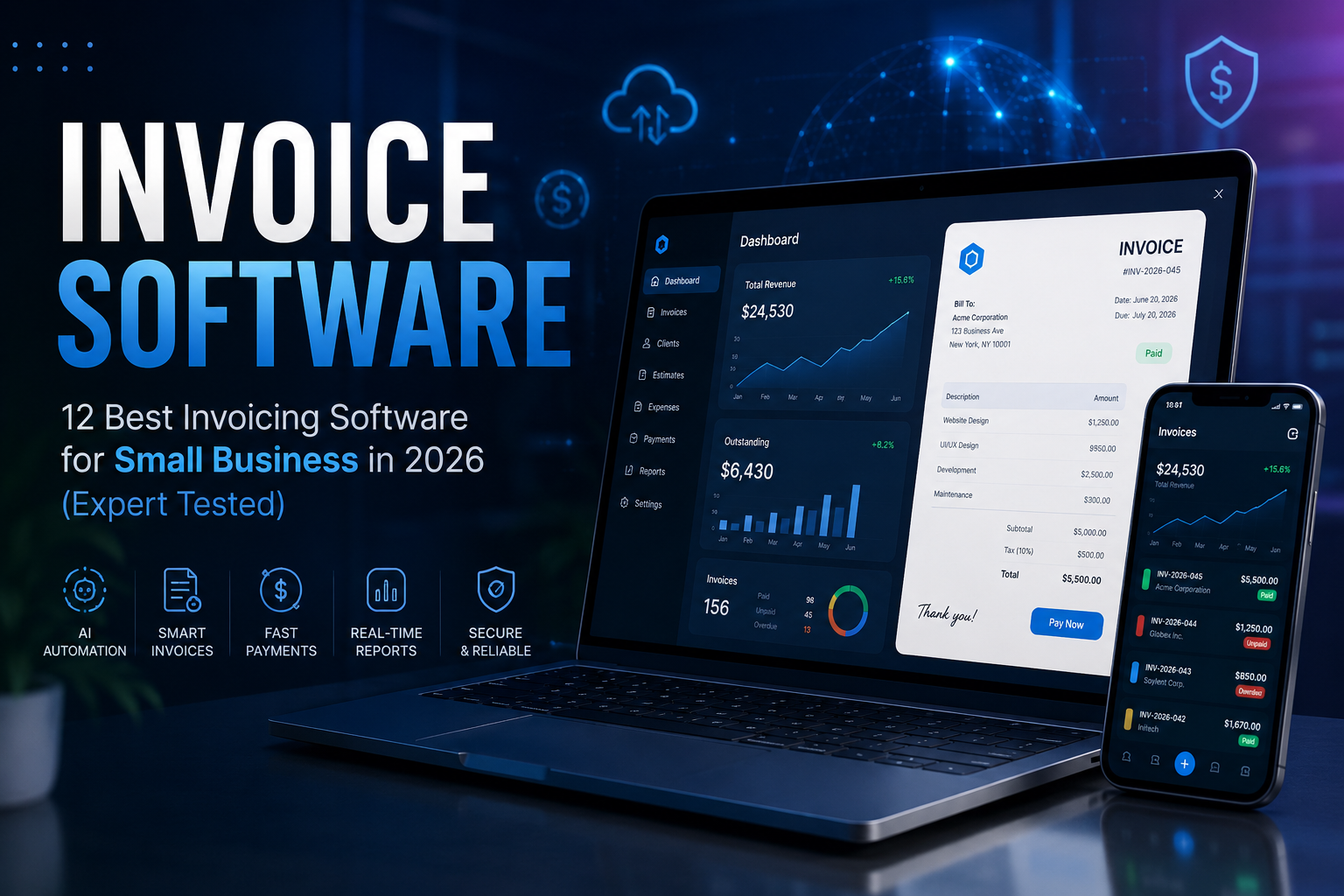
I’ve worked with freelancers chasing late payments, agencies managing hundreds of monthly invoices, startups scaling internationally, and established businesses struggling with outdated spreadsheets. In almost every case, switching to the right invoice software dramatically improved cash flow, reduced manual work, and minimized costly accounting mistakes.
Today’s invoicing software does far more than generate invoices. Modern platforms automate recurring billing, send intelligent payment reminders, track expenses, calculate taxes, reconcile payments, and even use AI to categorize expenses or predict payment delays. Many now integrate seamlessly with accounting software, CRMs, payment gateways, and cloud storage, creating a complete financial workflow instead of a standalone billing tool.
One mistake I see many businesses make is choosing software based solely on price. A cheap solution that lacks automation often costs far more in wasted hours than a premium platform that saves your team time every week.
After personally testing dozens of invoicing platforms over the years, I’ve selected the software that consistently delivers the best balance of usability, automation, pricing, reliability, and long-term scalability.
Why Modern Businesses Need Invoice Software
The days of creating invoices manually in Word or Excel are long gone.
Modern businesses need automation because clients expect professional invoices, multiple payment options, recurring billing, and accurate tax calculations. At the same time, business owners need visibility into cash flow without spending hours on administrative work.
In my experience, companies that implement professional invoice generator software typically notice improvements in three key areas:

- Faster payments
- Better financial organization
- Reduced accounting errors
Modern billing software also helps businesses:
- Create branded invoices in seconds
- Automate recurring invoices
- Accept online payments
- Track unpaid invoices
- Send automatic reminders
- Manage multiple currencies
- Calculate taxes automatically
- Generate financial reports
- Sync with accounting software
- Improve client experience through online portals
Cloud-based invoicing software for small business also enables remote teams to create, approve, and monitor invoices from anywhere.
As governments around the world continue adopting e-invoicing regulations, investing in reliable invoicing software is becoming less of a convenience and more of a necessity.
How I Evaluated the Best Invoice Software
I didn’t simply compare feature lists.
Over the years, I’ve implemented these tools for freelancers, marketing agencies, software companies, consulting firms, and retail businesses. My recommendations are based on real-world usability rather than marketing claims.
Evaluation Criteria
Ease of Use
A business owner shouldn’t need accounting expertise to create an invoice.
Automation
The best platforms automate repetitive work including:
- Recurring invoices
- Payment reminders
- Expense categorization
- Tax calculations
- Payment reconciliation
AI Capabilities
AI is becoming increasingly valuable for:
- OCR invoice scanning
- Expense categorization
- Payment predictions
- Cash flow forecasting
- Financial insights
Integrations
I prioritized platforms integrating with:
- Stripe
- PayPal
- QuickBooks
- Xero
- Google Workspace
- Microsoft 365
- CRM platforms
Scalability
The software should support growth without requiring a complete migration later.
Pricing
Good software isn’t always the cheapest.
Instead, I looked for products delivering the highest long-term value.
Best Invoice Software in 2026
FreshBooks
Overview
FreshBooks remains one of my favorite invoicing solutions for freelancers and service-based businesses.
What surprised me most after using FreshBooks for client projects was how quickly new users became comfortable with it. Even clients with little accounting experience learned the platform within an hour.
Key Features
- Professional invoice templates
- AI-powered expense categorization
- Recurring invoices
- Automatic payment reminders
- Time tracking
- Expense management
- Client portal
- Mobile invoicing
- Multi-currency billing
Pros
- Extremely easy to use
- Excellent automation
- Beautiful invoice templates
- Great mobile app
- Strong customer support
Cons
- Inventory management is limited
- Premium plans become expensive as businesses grow
Pricing
Starts around $21/month.
Best For
- Freelancers
- Consultants
- Creative agencies
My Experience
I’ve seen freelancers reduce invoice creation time by nearly 70% simply by using recurring templates and automated reminders.
QuickBooks Online
Overview
If invoicing and accounting need to work together, QuickBooks Online remains difficult to beat.
Instead of using separate billing software and bookkeeping tools, businesses can manage everything in one platform.
Key Features
- Invoice automation
- Expense tracking
- Bank reconciliation
- AI bookkeeping assistance
- Payroll integration
- Tax reporting
- Financial dashboards
Pros
- Complete accounting solution
- Powerful reporting
- Excellent integrations
- Highly scalable
Cons
- Learning curve
- Higher pricing than basic invoicing tools
Pricing
Starts around $35/month.
Best For
- Small businesses
- Growing companies
- Accountants
My Experience
Businesses moving from spreadsheets often save several hours every month after switching to QuickBooks because invoices, expenses, and financial reports stay synchronized automatically.

Xero
Overview
Xero combines excellent accounting with highly capable cloud invoicing.
Its interface feels clean, modern, and significantly less intimidating than many enterprise accounting systems.
Key Features
- Cloud invoicing
- Bank feeds
- Expense claims
- Inventory
- Multi-currency
- AI-powered reconciliation
- Payroll integrations
Pros
- Clean interface
- Strong reporting
- Excellent accountant collaboration
- Large app marketplace
Cons
- Payroll depends on region
- Some advanced reports require higher plans
Pricing
Starts around $20/month.
Best For
- Small businesses
- International companies
My Experience
Companies working with overseas clients particularly benefit from Xero’s multi-currency invoicing and international payment capabilities.
Zoho Invoice
Overview
Zoho Invoice continues to impress because it offers professional invoicing features at little or no cost for many users.
For startups with limited budgets, it’s one of the best entry points into professional invoice software.
Key Features
- Unlimited invoices
- Client portal
- Time tracking
- Expense tracking
- Payment reminders
- Workflow automation
- Mobile applications
Pros
- Free for many users
- Easy customization
- Excellent mobile experience
- Strong automation
Cons
- Advanced accounting requires other Zoho apps
- Limited third-party ecosystem compared to QuickBooks
Pricing
Free (with generous features).
Best For
- Freelancers
- Startups
- Small businesses
My Experience
I’ve recommended Zoho Invoice to several startups that later expanded into the broader Zoho ecosystem without needing to replace their invoicing workflow.
Wave
Overview
Wave remains one of the strongest free invoicing software for small business solutions available.
It provides an impressive combination of invoicing, payment processing, and accounting features.
Key Features
- Unlimited invoices
- Online payments
- Basic accounting
- Receipt scanning
- Expense tracking
- Financial reports
Pros
- Free plan
- User-friendly
- Professional invoices
- Great for startups
Cons
- Fewer automation features
- Limited scalability
Pricing
Free (payment processing fees apply).
Best For
- Freelancers
- Small businesses
- Side hustles
My Experience
Many first-time entrepreneurs start with Wave because it offers enough functionality to establish professional financial processes without increasing operating costs.
Invoice Ninja
Overview
Invoice Ninja is an underrated platform that deserves far more attention.
Its flexibility makes it particularly attractive for agencies and technology-focused businesses that want greater control over their invoicing workflow.

Key Features
- Invoice generation
- Recurring billing
- Expense tracking
- Client portal
- Quotes and proposals
- Time tracking
- Project management
- API support
Pros
- Open-source option
- Highly customizable
- Excellent API
- Strong automation
Cons
- Slight learning curve
- Interface isn’t as polished as some competitors
Pricing
Free plan available; paid plans start around $12/month.
Best For
- Agencies
- Developers
- Growing businesses
My Experience
For businesses needing custom integrations, Invoice Ninja consistently outperforms many mainstream platforms thanks to its robust API and flexible deployment options.

Overview
If your business has outgrown basic invoice software and needs accounting, inventory, tax compliance, and workflow automation in one place, Zoho Books is an excellent choice. I’ve implemented it for several growing businesses, and it consistently delivers outstanding value.
Key Features
- AI-powered invoice automation
- Expense tracking
- Inventory management
- Client portal
- Bank reconciliation
- GST/VAT support
- Workflow automation
- Mobile invoicing
- Multi-currency support
Pros
- Excellent value for money
- Powerful automation
- Strong tax compliance features
- Great integration with the Zoho ecosystem
Cons
- Some advanced features require higher-tier plans
- Initial setup can take time
Pricing
Starts at approximately $20/month.
Best For
Growing small businesses and service companies.
My Experience
Businesses expanding from spreadsheets appreciate Zoho Books because it scales well without overwhelming new users.
Square Invoices
Overview
Square Invoices is ideal for businesses that accept both online and in-person payments. If you already use Square POS, integration is effortless.
Key Features
- Online invoicing
- Card payments
- Payment reminders
- Estimates
- Recurring invoices
- Mobile invoicing
Pros
- Easy setup
- Excellent payment processing
- Free invoice creation
- Simple interface
Cons
- Limited accounting features
- Best suited for the Square ecosystem
Pricing
Free invoice creation; transaction fees apply.
Best For
Retail stores, salons, and local service businesses.
My Experience
I’ve seen local businesses significantly improve payment collection by allowing customers to pay directly from the invoice.
Sage Intacct
Overview
For larger organizations, Sage Intacct offers enterprise-grade financial management beyond traditional billing software.
Key Features
- AI financial insights
- Revenue recognition
- Multi-entity accounting
- Automated billing
- Cash flow reporting
- Compliance tools
Pros
- Enterprise scalability
- Advanced reporting
- Strong security
- Excellent automation
Cons
- Premium pricing
- More complex implementation
Pricing
Custom quote.
Best For
Mid-sized businesses and enterprises.
My Experience
This isn’t for freelancers, but it’s a fantastic solution for organizations managing multiple business entities.
Bill.com
Overview
Bill.com focuses on automating accounts payable and receivable, making it an excellent companion to accounting software.
Key Features
- Invoice approvals
- AI data extraction
- OCR invoice scanning
- Automated payments
- Vendor management
- Workflow approvals
Pros
- Saves significant administrative time
- Excellent OCR capabilities
- Strong integrations
- Secure payment workflows
Cons
- Higher pricing
- Best used alongside accounting software
Pricing
Starts around $45/month.
Best For
Finance teams and growing businesses.
My Experience
OCR invoice scanning alone has saved some clients hours of manual data entry every week.
Stripe Invoicing
Overview
If your business already processes payments through Stripe, Stripe Invoicing is one of the simplest invoice generator software solutions available.
Key Features
- Online invoices
- Subscription billing
- Recurring payments
- Payment tracking
- Global currencies
- API support
Pros
- Outstanding payment processing
- Developer-friendly
- Excellent subscription management
- Worldwide support
Cons
- Limited accounting functionality
- Reporting is less comprehensive
Pricing
No monthly fee; transaction fees apply.
Best For
SaaS businesses and online service providers.
My Experience
Subscription-based companies benefit tremendously from Stripe’s automated recurring billing and payment collection.
Bonsai
Overview
Bonsai is designed specifically for freelancers and consultants who want proposals, contracts, invoicing, and payments in one platform.
Key Features
- Proposal creation
- Contracts
- Invoicing
- Expense tracking
- Time tracking
- Client CRM
Pros
- Freelancer-focused
- Clean interface
- Easy client management
- Strong automation
Cons
- Limited accounting depth
- Less suitable for larger teams
Pricing
Starts around $25/month.
Best For
Freelancers and consultants.
My Experience
Freelancers often appreciate having contracts, invoices, and payments managed from one dashboard instead of multiple tools.
Comparison Table
| Software | Best For | Free Plan | Automation | AI Features | Payment Gateways | Starting Price | Overall Rating |
|---|---|---|---|---|---|---|---|
| FreshBooks | Freelancers | No | Excellent | Yes | Stripe, PayPal | $21/mo | 4.9/5 |
| QuickBooks Online | Small Business | No | Excellent | Yes | Multiple | $35/mo | 4.9/5 |
| Xero | Growing Businesses | No | Excellent | Yes | Multiple | $20/mo | 4.8/5 |
| Zoho Invoice | Startups | Yes | Very Good | Limited | Stripe, PayPal | Free | 4.8/5 |
| Wave | Freelancers | Yes | Good | Limited | Wave Payments | Free | 4.7/5 |
| Invoice Ninja | Agencies | Yes | Excellent | Limited | Multiple | $12/mo | 4.7/5 |
| Zoho Books | SMBs | Trial | Excellent | Yes | Multiple | $20/mo | 4.8/5 |
| Square Invoices | Retail | Yes | Good | No | Square | Free | 4.6/5 |
| Sage Intacct | Enterprise | No | Excellent | Yes | Multiple | Custom | 4.8/5 |
| Bill.com | Finance Teams | No | Excellent | Yes | ACH, Cards | $45/mo | 4.8/5 |
| Stripe Invoicing | SaaS | No | Excellent | Limited | Stripe | Transaction Fee | 4.8/5 |
| Bonsai | Consultants | Trial | Good | Limited | Stripe | $25/mo | 4.7/5 |
Key Features to Look For
Automation
Choose invoicing software that automates invoice creation, reminders, and payment tracking.
Recurring Invoices
Essential for subscriptions, retainers, and monthly service agreements.
Expense Tracking
Built-in expense management simplifies bookkeeping and tax preparation.
Payment Reminders
Automatic reminders improve cash flow without uncomfortable follow-up emails.
Tax Management
Look for automated VAT, GST, and sales tax calculations, especially if you serve multiple regions.
Reporting
Financial dashboards help you understand revenue, outstanding invoices, and profitability.
AI Automation
The newest invoice software includes:
- OCR invoice scanning
- AI expense categorization
- Smart payment predictions
- Automated data entry
- Financial insights
Just as AI tools for HR teams automate employee workflows, AI-powered invoicing platforms reduce repetitive financial tasks and improve accuracy.
Mobile Apps
Business owners increasingly manage invoices from smartphones and tablets.
Integrations
Ensure compatibility with:
- Stripe
- PayPal
- Google Workspace
- Microsoft 365
- CRM platforms
- Business accounting software
Security
Prioritize:
- Two-factor authentication
- Data encryption
- Role-based permissions
- Regular backups
- Compliance certifications
Invoice Software vs Billing Software
Many people use these terms interchangeably, but there are differences.
Invoice software focuses on creating, sending, and tracking invoices.
Billing software often includes broader financial capabilities such as:
- Subscription billing
- Payment collection
- Customer accounts
- Revenue management
- Financial reporting
In my experience, freelancers usually need dedicated invoice software, while larger organizations benefit from comprehensive billing software with advanced automation.

Common Mistakes Businesses Make
After reviewing countless implementations, I see the same mistakes repeatedly.
- Choosing software based only on price.
- Ignoring automation features.
- Not integrating with accounting software.
- Forgetting mobile accessibility.
- Overlooking recurring billing.
- Skipping employee training.
- Not reviewing hidden payment processing fees.
- Choosing software that cannot scale.
One of the biggest lessons I’ve learned is that migrating financial systems becomes much harder as your business grows. Selecting scalable software early saves both time and money.
Frequently Asked Questions
1. What is the best invoice software for freelancers?
FreshBooks, Bonsai, Wave, and Zoho Invoice are excellent options because they combine simplicity with professional features.
2. What is the best free invoicing software for small business?
Wave and Zoho Invoice offer generous free plans suitable for many small businesses.
3. Can invoice software automate recurring invoices?
Yes. Most modern invoicing software for small business supports recurring invoices, automatic reminders, and subscription billing.
4. Does invoice software support online payments?
Most leading platforms integrate with Stripe, PayPal, Square, and bank transfers for faster payments.
5. How does AI improve invoice software?
AI helps automate OCR invoice scanning, expense categorization, payment predictions, fraud detection, and financial reporting.
6. Is cloud invoicing secure?
Yes, provided you choose reputable providers offering encryption, secure backups, and multi-factor authentication.
7. Can invoice software integrate with accounting platforms?
Absolutely. Most leading platforms integrate with QuickBooks, Xero, Microsoft 365, Google Workspace, CRM systems, and payment gateways.
Final Verdict
After evaluating dozens of solutions over the years, no single invoice software fits every business.
Here’s what I generally recommend:
- Best Overall: FreshBooks
- Best for Small Businesses: QuickBooks Online
- Best Free Option: Zoho Invoice
- Best for Freelancers: Bonsai
- Best for Agencies: Invoice Ninja
- Best Enterprise Solution: Sage Intacct
- Best for SaaS: Stripe Invoicing
- Best Value: Zoho Books

Conclusion
The best invoice software is the one that fits your current needs while supporting your future growth. Whether you’re a freelancer sending a few invoices each month or a growing company managing hundreds of clients, modern invoicing software can streamline your financial workflow through automation, AI-powered features, cloud access, and seamless integrations.
From recurring invoices and payment tracking to OCR scanning, tax automation, and multi-currency support, today’s invoice generator software offers far more than simple billing. Investing in the right billing software not only helps you get paid faster but also reduces administrative work, improves accuracy, and provides valuable financial insights. Evaluate your business size, budget, and automation requirements carefully, and choose a solution that can grow with you for years to come.
Author

razakh6402@gmail.com
Related Posts

Lead Generation Software: 12 Best Lead Generation Tools for B2B Sales (2026 Guide)
- 0
- 2,300 words
If someone had asked me 15 years ago what the biggest challenge in sales was, my answer would have been simple: finding...
Survey Software: 12 Best Online Survey Tools & Feedback Software for Businesses (2026 Guide)
- 0
- 1,871 word
Whether I was helping a SaaS startup validate a new feature, assisting an HR team with employee engagement, or optimizing customer experience...
Read out all
Online Course Platform: 12 Best LMS Software & eLearning Platforms for Course Creators (2026 Guide)
- 0
- 1,900 word
The online education industry has changed dramatically over the last 15 years. When I built my first digital training portal, simply uploading...

Team Communication Software: 12 Best Business Messaging Apps for Modern Workplaces in 2026 (Expert Tested)
- 0
- 2,305 words
I’ve personally tested dozens of team communication software platforms while consulting for marketing agencies, software companies, HR departments, remote development teams, and...
Generate one SEO-optimized title thatdigital asset management software
- 6
- 2,632 words
One of the most memorable projects I led involved migrating nearly half a million digital assets from a traditional file server into...
Digital Asset Management Software: 10 Best DAM Software Solutions for Smarter Brand & Media Asset Management (2026 Guide)
- 1
- 2,252 words
This is where digital asset management software changes the game. A modern DAM software platform centralizes your digital content into a searchable,...