
- 1
- 2,252 words
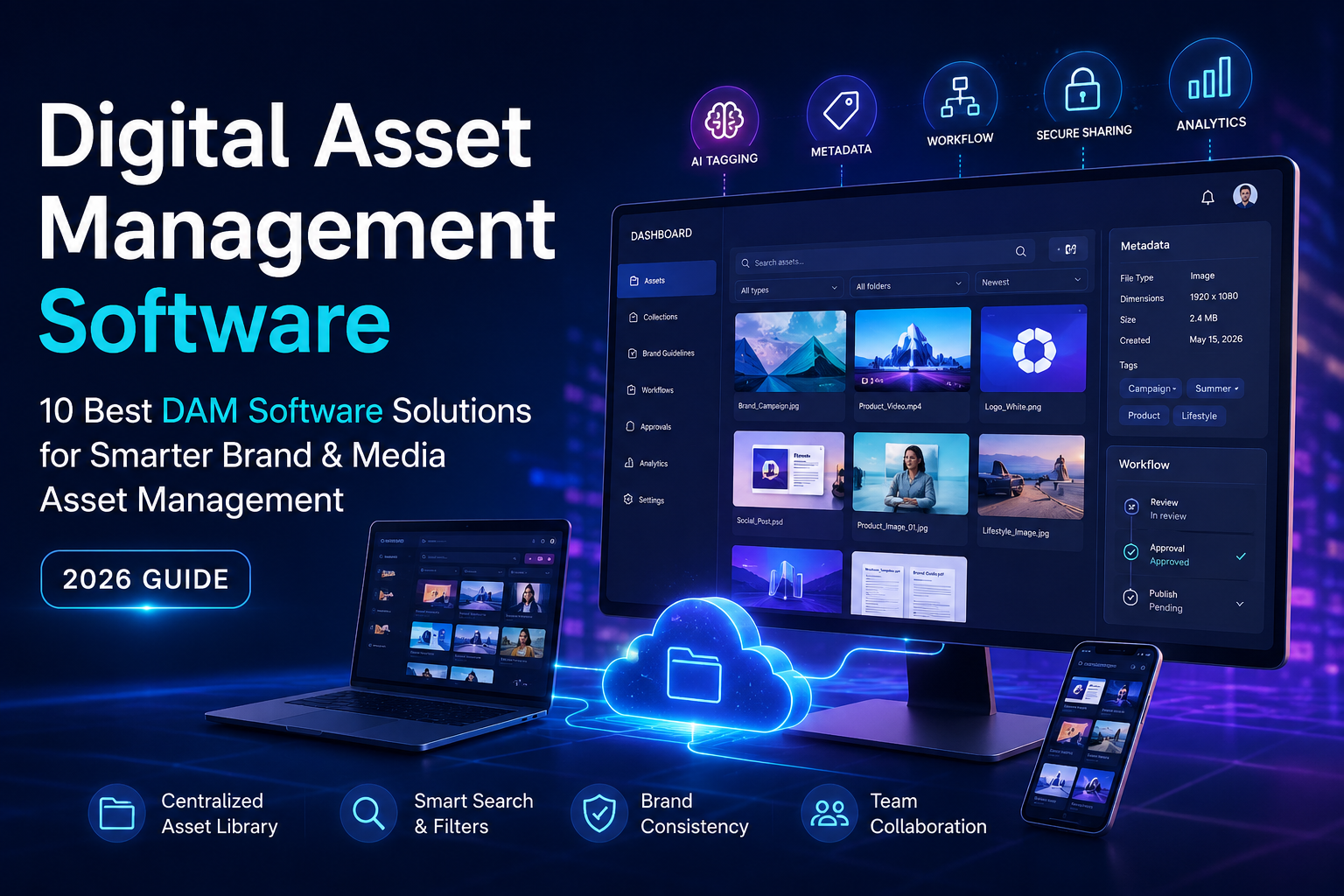
This is where digital asset management software changes the game. A modern DAM software platform centralizes your digital content into a searchable, secure repository while streamlining collaboration, maintaining brand consistency, and automating repetitive workflows. Whether you’re managing thousands of product images for an e-commerce store or coordinating global marketing campaigns across multiple regions, the right asset management software can dramatically improve productivity and reduce operational costs.
In 2026, artificial intelligence has become a core feature of leadingmedia asset management and brand asset management platforms. AI-powered tagging, semantic search, automated metadata generation, and intelligent workflow automation now help businesses locate assets in seconds instead of hours. These innovations not only save time but also ensure that teams consistently use the correct, approved content across every marketing channel.
This guide compares the best digital asset management software available today. Drawing on industry best practices and real-world implementation experience, I’ll explain where each platform excels, what challenges to anticipate during deployment, and how to choose a solution that will continue to scale as your business grows.

Why Digital Asset Management Software Matters in 2026
Organizations are producing more digital content than ever before. High-resolution photography, product videos, social media graphics, design files, presentations, podcasts, and AI-generated creative assets accumulate rapidly. Without a structured system, teams waste valuable hours searching for files, recreating missing assets, or using outdated versions.
Modern digital asset management software solves these problems by providing a centralized source of truth for every approved asset. Instead of storing files across multiple cloud storage services, organizations can organize, tag, secure, and distribute assets from one intelligent platform.
The Growing Need for Centralized Digital Assets
Today’s businesses operate across websites, marketplaces, mobile apps, social media, digital advertising, and internal collaboration platforms. Each channel requires hundreds—or even thousands of digital assets that must remain consistent with brand guidelines.
A centralized media asset management solution allows organizations to:
- Store every digital asset in one secure location.
- Maintain version history and approval workflows.
- Search files instantly using AI-generated metadata.
- Share assets securely with employees, agencies, and partners.
- Prevent duplicate files and outdated content.
One implementation lesson I’ve consistently observed is that organizations investing time in metadata planning before migration experience significantly higher user adoption. A well-designed folder structure combined with standardized naming conventions reduces confusion from day one.
Challenges Businesses Face Without DAM Software
Without dedicated DAM software, organizations often struggle with:
- Duplicate files across departments.
- Lost or deleted creative assets.
- Outdated logos being used in marketing campaigns.
- Slow approval processes.
- Inconsistent branding.
- Security risks caused by unrestricted file sharing.
- Difficulty locating media during product launches.
As businesses scale, these inefficiencies multiply, making a robust asset management software platform a strategic investment rather than a convenience.
What Is Digital Asset Management Software?
Digital asset management software is a centralized platform designed to store, organize, search, manage, and distribute digital content throughout its lifecycle. It enables organizations to control everything from product images and videos to design files, marketing collateral, documents, presentations, and brand guidelines.
Unlike traditional cloud storage, DAM software provides intelligent search capabilities, metadata management, automated workflows, version control, permissions, analytics, and AI-powered organization.
Media Asset Management Explained
Media asset management focuses specifically on organizing rich media such as:
- Videos
- Images
- Audio files
- Animations
- Creative design files
- Marketing graphics
Creative teams benefit from features such as visual previews, AI tagging, format conversion, and automated media optimization, making it easier to locate and reuse content across campaigns.
Brand Asset Management Explained
Brand asset management ensures that every employee, partner, and agency has access to the latest approved branding materials.
These typically include:
- Logos
- Brand guidelines
- Fonts
- Templates
- Marketing campaigns
- Product photography
- Corporate presentations
Effective brand asset management helps maintain consistency across global teams while reducing the risk of outdated or unauthorized assets being used.
DAM Software vs. Cloud Storage
Many organizations initially rely on cloud storage services like Google Drive or Microsoft OneDrive. While these platforms excel at file sharing, they are not purpose-built for managing thousands of digital assets.
A dedicated digital asset management software solution offers capabilities that cloud storage alone cannot provide, including:
| Feature | DAM Software | Traditional Cloud Storage |
|---|---|---|
| AI Search | ✔ | Limited |
| Metadata Management | ✔ | Basic |
| Version Control | ✔ | Limited |
| Brand Asset Management | ✔ | ✖ |
| Media Asset Management | ✔ | Partial |
| Workflow Automation | ✔ | Limited |
| Advanced Permissions | ✔ | Basic |
| Analytics | ✔ | Minimal |
For organizations managing large creative libraries, this distinction becomes increasingly important as content volumes grow.

Benefits of Using Digital Asset Management Software
Implementing the right digital asset management software delivers benefits that extend well beyond file storage. Organizations typically experience measurable improvements in collaboration, governance, efficiency, and brand consistency.
Better Collaboration
A centralized asset library allows marketing, design, sales, and external partners to work from the same approved files. This eliminates confusion caused by multiple versions stored across different systems.
Faster Asset Discovery
Modern DAM software uses AI-powered tagging, metadata, facial recognition, object detection, and semantic search to locate assets in seconds. Teams spend less time searching and more time creating.
Stronger Brand Consistency
A structured brand asset management system ensures employees always access the latest approved logos, templates, fonts, and campaign assets, reducing branding errors across digital and print channels.
Version Control
Every revision is automatically tracked, allowing users to restore previous versions or verify approval histories. This is especially valuable for regulated industries where audit trails are essential.
Improved Security
Enterprise-grade asset management software provides role-based permissions, secure sharing links, watermarking, and detailed access logs to protect sensitive creative assets.
Workflow Automation
Many leading platforms automate repetitive tasks such as approval routing, file conversions, metadata assignment, and content publishing, reducing manual work and accelerating project delivery.
AI-Powered Asset Tagging
Artificial intelligence now plays a pivotal role in media asset management. Leading DAM platforms automatically recognize objects, locations, products, faces, colors, and text within images and videos, generating searchable metadata without manual input.
One of the most effective implementation strategies is to combine AI-generated metadata with a standardized taxonomy created by your team. AI dramatically speeds up tagging, but human oversight ensures metadata aligns with your organization’s terminology and governance standards.
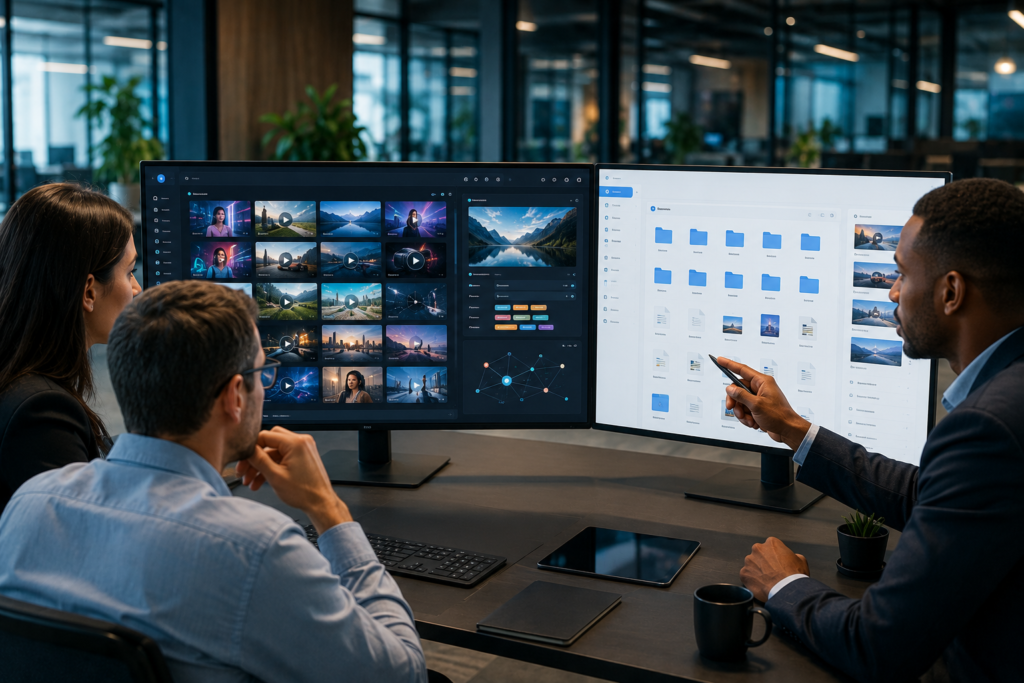
Best Digital Asset Management Tools (Top Picks)
1. Bynder
Overview
Bynder is one of the most mature and widely adopted digital asset management software platforms available today. It combines enterprise-grade brand asset management, AI-powered search, workflow automation, and collaborative creative review tools into a single cloud-native platform.
Best For
- Enterprise organizations
- Global marketing teams
- Large brands
- Multi-location businesses
Key Features
- AI-powered asset tagging
- Brand portals
- Creative workflow automation
- Advanced metadata management
- Version control
- Content lifecycle management
- Smart search
- Analytics dashboard
Pros
- Outstanding user experience
- Excellent brand governance
- Powerful AI capabilities
- Enterprise security
- Extensive integrations
Cons
- Premium pricing
- Requires planning during implementation
Pricing
Custom enterprise pricing.
Integrations
Adobe Creative Cloud, Microsoft 365, Google Workspace, Salesforce, Shopify, Canva, Slack, and many more.
Practical Implementation Insight
Organizations that establish a consistent metadata framework before importing assets typically achieve faster user adoption and more accurate search results. Investing time in governance upfront pays dividends as the asset library grows.
Expert Recommendation
Bynder remains one of the strongest choices for enterprises seeking scalable brand asset management and sophisticated workflow automation.
2. Brandfolder
Overview
Brandfolder is designed to simplify how organizations organize, distribute, and analyze branded content. It excels at helping marketing teams maintain consistency while giving external partners controlled access to approved assets.
Best For
- Marketing departments
- Branding teams
- Agencies
- Mid-sized to enterprise businesses
Key Features
- AI-powered search
- Smart collections
- Brand guidelines
- Usage analytics
- Approval workflows
- Custom portals
Pros
- Clean and intuitive interface
- Excellent analytics
- Strong collaboration tools
- Easy external sharing
Cons
- Advanced features are available on higher-tier plans.
- Smaller teams may find it more robust than necessary.
Pricing
Custom pricing based on business requirements.
Integrations
Adobe Creative Cloud, Canva, Salesforce, Microsoft Teams, Slack, and major CMS platforms.
Practical Implementation Insight
Successful Brandfolder deployments often begin with a content audit to eliminate outdated assets before migration. Starting with a clean library improves search quality and reduces long-term maintenance.
Expert Recommendation
If your priority is maintaining consistent branding across distributed teams and partners, Brandfolder is one of the most user-friendly and capable DAM solutions available.
How to Choose the Right Digital Asset Management Software
Selecting the best digital asset management software requires balancing current needs with future growth. Consider these factors:
- Business Size: Choose scalable platforms that won’t limit future expansion.
- Storage Capacity: Estimate growth over the next three to five years.
- AI Search: Prioritize semantic search and automated tagging.
- Metadata Management: Use standardized taxonomies and controlled vocabularies.
- Version Control: Ensure every revision is tracked.
- Security: Look for encryption, SSO, audit logs, and role-based permissions.
- User Permissions: Restrict access based on departments and responsibilities.
- Integrations: Confirm compatibility with Adobe Creative Cloud, Microsoft 365, Google Workspace, CRM systems, and CMS platforms.
- API Availability: APIs simplify custom workflows and automation.
- Workflow Automation: Automate approvals, publishing, and asset lifecycle management.
- Scalability: Select a platform capable of supporting increasing users and content volumes.
- Pricing: Consider total cost of ownership, including implementation and training.
- Customer Support: Responsive support and onboarding services can significantly improve adoption.
Common Mistakes to Avoid
Many DAM implementations fail because organizations underestimate planning and governance. Avoid these common pitfalls:
- Building a confusing folder structure instead of relying on metadata.
- Skipping metadata standards and naming conventions.
- Granting excessive user permissions.
- Ignoring AI-powered tagging capabilities.
- Operating without a governance policy.
- Choosing software based solely on price rather than business needs.
- Failing to train employees on search, tagging, and workflows.
A successful implementation starts with a content audit, clear governance policies, and ongoing user education.
Latest Digital Asset Management Trends (2026)
The DAM landscape continues to evolve rapidly. Key trends shaping 2026 include:
- AI-powered asset tagging
- Visual search
- Semantic search
- AI-generated metadata
- Workflow automation
- Brand governance platforms
- Enterprise AI assistants
- Cloud-native DAM architectures
- Generative AI integrations
- Content lifecycle automation
- Predictive analytics
- Intelligent permissions based on user behavior
Organizations adopting these innovations are reducing manual work while improving content discovery, governance, and operational efficiency.

Frequently Asked Questions
What is Digital Asset Management Software?
Digital asset management software centralizes, organizes, secures, and distributes digital content such as images, videos, documents, presentations, and marketing materials.
Who needs DAM Software?
Marketing teams, creative agencies, enterprises, e-commerce businesses, manufacturers, media companies, educational institutions, and nonprofits all benefit from DAM software.
What is the difference between DAM software and cloud storage?
Cloud storage primarily focuses on file storage and sharing, whereas DAM software adds metadata management, AI search, workflow automation, brand governance, permissions, analytics, and version control.
Which DAM software is best for small businesses?
Filecamp and Canto provide an excellent balance of affordability, ease of use, and professional asset management features for smaller teams.
Is DAM software worth it?
Yes. Organizations typically reduce time spent searching for assets, improve collaboration, maintain consistent branding, and strengthen security, delivering long-term operational value.
How secure is Digital Asset Management Software?
Leading platforms offer enterprise-grade encryption, role-based access control, audit logs, single sign-on (SSO), multi-factor authentication, and secure sharing options.
What features should I look for?
Prioritize AI-powered search, metadata management, version control, workflow automation, integrations, API access, advanced permissions, analytics, and scalability.
Which Digital Asset Management Software is best in 2026?
For enterprises, Bynder and Adobe Experience Manager Assets remain top choices. Marketing teams often prefer Brandfolder, while Cloudinary excels for developer-focused media delivery and Filecamp offers excellent value for small businesses.

Conclusion
Choosing the right digital asset management software is more than selecting a place to store files—it’s about building a scalable system that improves collaboration, protects your brand, and helps your team work more efficiently. Whether you’re a small business looking for an affordable DAM software solution or a global enterprise managing millions of digital assets, investing in the right platform can significantly enhance productivity and ensure consistent brand asset management across every channel.
If you’re just getting started, Filecamp and Canto offer excellent value and ease of use. Marketing teams will appreciate Brandfolder for its collaboration and branding features, while Bynder and Adobe Experience Manager Assets remain the top choices for enterprise organizations that need advanced media asset management, AI-powered automation, and robust governance. For developer-focused businesses and e-commerce brands, Cloudinary stands out with its powerful media optimization and API-first approach.
Before making a final decision, identify your organization’s current challenges, evaluate integration requirements, define a metadata strategy, and test a few platforms through free trials or live demos. The best asset management software is the one that not only meets your needs today but also scales with your business as your digital content library continues to grow. A thoughtful investment in the right DAM platform will save time, strengthen brand consistency, and deliver long-term value for your entire organization.
Author

razakh6402@gmail.com
Related Posts
Lead Generation Software: 12 Best Lead Generation Tools for B2B Sales (2026 Guide)
- 0
- 2,300 words
If someone had asked me 15 years ago what the biggest challenge in sales was, my answer would have been simple: finding...
Survey Software: 12 Best Online Survey Tools & Feedback Software for Businesses (2026 Guide)
- 0
- 1,871 word
Whether I was helping a SaaS startup validate a new feature, assisting an HR team with employee engagement, or optimizing customer experience...
Read out all
Online Course Platform: 12 Best LMS Software & eLearning Platforms for Course Creators (2026 Guide)
- 0
- 1,900 word
The online education industry has changed dramatically over the last 15 years. When I built my first digital training portal, simply uploading...
Team Communication Software: 12 Best Business Messaging Apps for Modern Workplaces in 2026 (Expert Tested)
- 0
- 2,305 words
I’ve personally tested dozens of team communication software platforms while consulting for marketing agencies, software companies, HR departments, remote development teams, and...
Invoice Software: 12 Best Invoicing Software for Small Business in 2026 (Expert Tested)
- 0
- 2,493 words
I’ve worked with freelancers chasing late payments, agencies managing hundreds of monthly invoices, startups scaling internationally, and established businesses struggling with outdated...
Generate one SEO-optimized title thatdigital asset management software
- 6
- 2,632 words
One of the most memorable projects I led involved migrating nearly half a million digital assets from a traditional file server into...
1 comment