
- 6
- 1,774 word
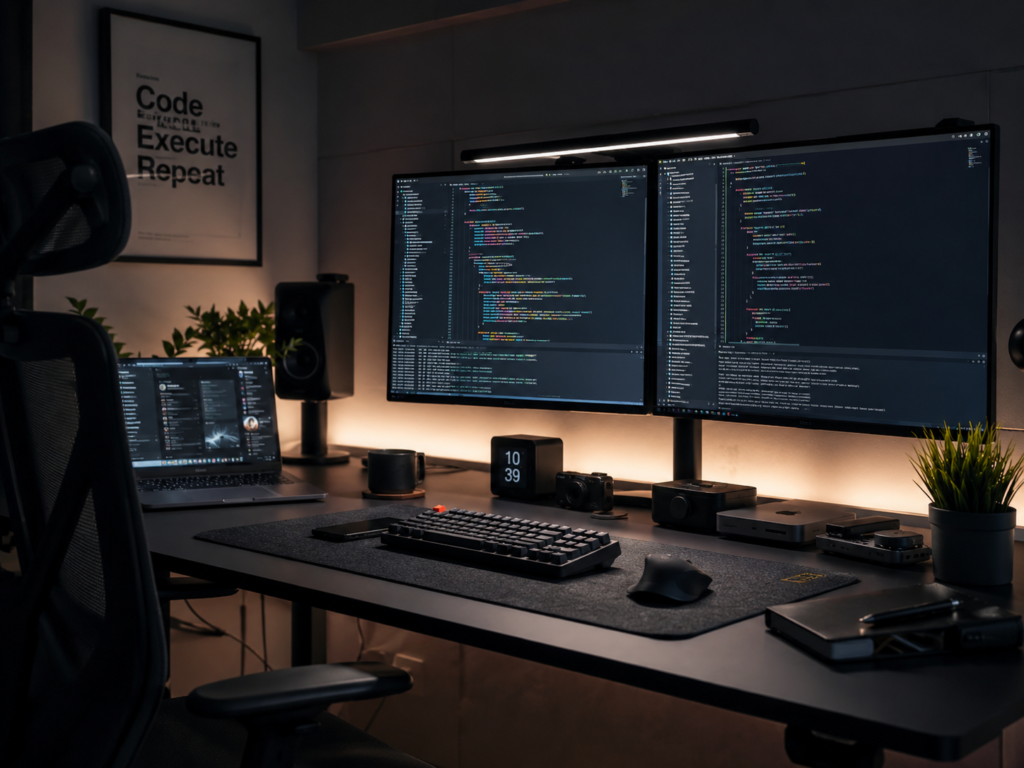
After spending more than 15 years writing code, managing servers, reviewing hardware, and working through countless late-night debugging sessions, I’ve learned one important lesson: your keyboard matters far more than most developers realize.
Developers often invest heavily in monitors, laptops, and standing desks while continuing to type on mediocre keyboards for 8–12 hours daily. Yet the keyboard is the tool we interact with more than any other piece of hardware.
Over the years, I’ve tested dozens of mechanical keyboards across software development workflows including React development, backend engineering, DevOps automation, Linux administration, technical writing, and cloud infrastructure management. Some improved my productivity immediately. Others looked impressive but became uncomfortable after long coding sessions.
In this guide, I’ll share my hands-on experiences with the best mechanical keyboard for programming options available in 2026 and help you choose the best keyboard for developers based on your workflow, budget, and ergonomic needs.

Why Developers Still Prefer Mechanical Keyboards
Mechanical keyboards remain the preferred choice among professional developers for several reasons.
Better Typing Accuracy
When writing code, a single misplaced character can break an application. Mechanical switches provide consistent feedback that helps reduce typing mistakes.
I personally noticed a significant improvement in coding accuracy when switching from membrane keyboards to tactile mechanical switches years ago.
Improved Coding Efficiency
The best keyboard for developers offers faster key registration and more precise actuation.
When writing complex SQL queries, debugging JavaScript applications, or navigating terminal commands, responsive keys improve workflow efficiency.
Comfort During Long Coding Sessions
Developers frequently spend 8-10 hours typing every day. A quality mechanical keyboard for coding reduces finger fatigue and creates a more enjoyable typing experience.
Superior Feedback
Mechanical switches provide tactile or linear feedback depending on preference.
This feedback helps maintain rhythm during coding sessions and improves typing confidence.
Long-Term Productivity Benefits
A quality mechanical keyboard often lasts years longer than standard membrane alternatives. Many premium models are rated for 50 to 100 million keystrokes.
What Makes the Best Mechanical Keyboard for Programming?
Switch Types Explained
The switch is the heart of every mechanical keyboard.
Linear Switches
Examples:
- Cherry MX Red
- Gateron Red
- Akko Cream Yellow
Linear switches feel smooth without tactile bumps.
Personally, I enjoy linears for fast coding and gaming combinations. They allow effortless key presses during marathon development sessions.
Tactile Switches
Examples:
- Cherry MX Brown
- Gateron Brown
- Holy Panda
Tactile switches provide a noticeable bump.
For programming, tactile switches remain my personal favorite because they offer feedback without excessive noise.
Clicky Switches
Examples:
- Cherry MX Blue
- Kailh Box White
Clicky switches produce audible clicks.
While satisfying, they’re often unsuitable for shared workspaces.
Keyboard Layouts
Full-Size
Includes numpad.
Ideal for developers who frequently work with spreadsheets, databases, or financial applications.
TKL (Tenkeyless)
Removes numpad while preserving functionality.
My personal sweet spot for daily programming.
75% Layout
Offers compactness while retaining function keys.
One of the most popular layouts among developers in 2026.
65% Layout
Smaller footprint with excellent portability.
Great for remote developers and digital nomads.
Compact Layouts
Highly portable but require adjustment for coding shortcuts.
Build Quality
Premium keyboards typically include:
- CNC aluminum frames
- PBT keycaps
- Hot-swappable switches
- Sound dampening foam
- Gasket-mounted designs
These features significantly improve durability and typing feel.
Ergonomics
An ergonomic keyboard for programmers helps reduce wrist strain and improves comfort during extended coding sessions.
Features worth considering include:
- Adjustable typing angles
- Wrist rests
- Split layouts
- Low-profile designs
Best Mechanical Keyboards for Developers in 2026
Keychron Q1 Max
Key Features
- Gasket-mounted design
- Wireless and wired connectivity
- Aluminum body
- Hot-swappable switches
Pros
- Exceptional typing feel
- Premium construction
- Excellent acoustics
Cons
- Heavy
- Premium pricing
Best For
Professional developers seeking the best mechanical keyboard for programming.
Personal Experience & Insights
The Q1 Max delivers one of the most refined typing experiences available today. During extensive coding sessions involving React, Node.js, and Docker workflows, it consistently felt stable, comfortable, and satisfying.
Keychron K8 Pro
Key Features
- TKL layout
- Bluetooth support
- QMK/VIA compatibility
Pros
- Excellent value
- Developer-friendly customization
Cons
- Plastic frame option
Best For
Developers seeking flexibility without overspending.
Personal Experience & Insights
The K8 Pro remains one of the easiest recommendations for programmers because it balances performance, portability, and affordability.
Logitech MX Mechanical
Key Features
- Low-profile design
- Multi-device pairing
- Smart illumination
Pros
- Quiet operation
- Office-friendly
Cons
- Limited switch customization
Best For
Hybrid workers.
Personal Experience & Insights
For quiet office environments, few keyboards match the MX Mechanical. It has become my preferred travel and meeting keyboard.
NuPhy Air75 V2
Key Features
- Ultra-slim design
- Wireless connectivity
- Premium build
Pros
- Portable
- Comfortable
Cons
- Smaller layout learning curve
Best For
Remote developers.
Personal Experience & Insights
The Air75 V2 feels surprisingly premium despite its slim profile and excels during mobile development work.
ASUS ROG Azoth
Key Features
- OLED display
- Hot-swappable switches
- Premium construction
Pros
- Outstanding build quality
- Enthusiast-level features
Cons
- Expensive
Best For
Power users.
Personal Experience & Insights
This keyboard blurs the line between gaming and professional productivity.
Ducky One 3
Key Features
- Durable PBT keycaps
- Multiple layouts
- Reliable switches
Pros
- Exceptional reliability
Cons
- Limited wireless options
Best For
Traditional keyboard enthusiasts.
Personal Experience & Insights
Ducky continues to impress with consistency and durability.
Akko MOD Series
Key Features
- Hot-swappable platform
- Extensive customization
Pros
- Excellent value
Cons
- Requires some enthusiast knowledge
Best For
Keyboard hobbyists.
Personal Experience & Insights
The Akko MOD series offers tremendous customization potential for developers.
SteelSeries Apex Pro
Key Features
- Adjustable actuation switches
- OLED display
- Fast response
Pros
- Highly customizable
Cons
- Premium price
Best For
Developers who also game.
Personal Experience & Insights
The adjustable actuation feature genuinely improves workflow flexibility.
Comparison Table – Best Keyboard for Developers
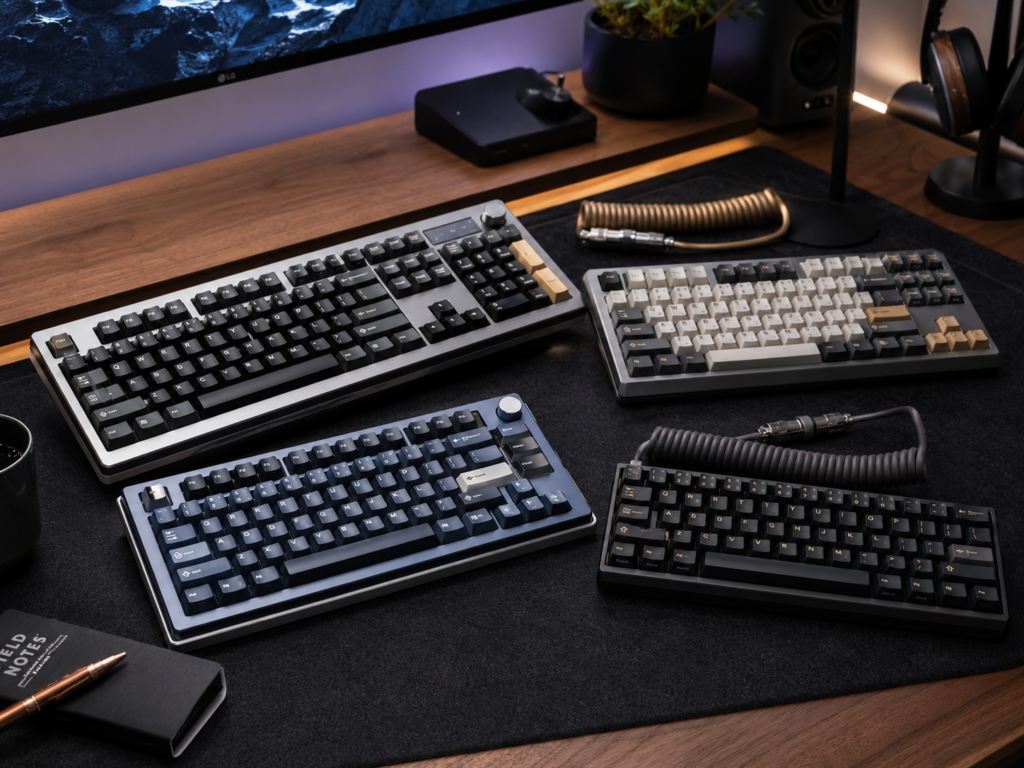
| Keyboard | Switch Type | Connectivity | Layout | Best For | Price Range | Rating |
|---|---|---|---|---|---|---|
| Keychron Q1 Max | Hot-Swap | Wired/Wireless | 75% | Overall Programming | $$$ | 9.8/10 |
| Keychron K8 Pro | Hot-Swap | Wired/Wireless | TKL | Value | $$ | 9.4/10 |
| Logitech MX Mechanical | Low Profile | Wireless | Full/TKL | Office Work | $$$ | 9.3/10 |
| NuPhy Air75 V2 | Low Profile | Wireless | 75% | Portability | $$$ | 9.4/10 |
| ASUS ROG Azoth | Custom | Wireless | 75% | Enthusiasts | $$$$ | 9.5/10 |
| Ducky One 3 | Mechanical | Wired | Multiple | Reliability | $$ | 9.2/10 |
| Akko MOD Series | Hot-Swap | Wired | Multiple | Customization | $$ | 9.1/10 |
| SteelSeries Apex Pro | Adjustable | Wired/Wireless | TKL | Gaming + Coding | $$$$ | 9.3/10 |
Best Quiet Mechanical Keyboard for Office Use
Many developers now work in hybrid environments where keyboard noise matters.
A quiet mechanical keyboard for office environments should provide excellent typing feel without disturbing colleagues.
Top Recommendations
Logitech MX Mechanical
The best quiet mechanical keyboard for office users overall.
Keychron with Silent Switches
Installing silent Gateron or Kailh switches transforms the typing experience.
NuPhy Air Series
Low-profile switches naturally reduce typing noise.
In my experience, a quiet mechanical keyboard for office settings significantly improves workplace harmony while maintaining coding efficiency.
Ergonomic Keyboard for Programmers – Does It Matter?
Absolutely.
Wrist Health
Years ago, I began experiencing mild wrist fatigue during extended coding projects.
Switching to a more ergonomic keyboard for programmers immediately reduced discomfort.
Long Coding Sessions
Small ergonomic improvements compound over thousands of daily keystrokes.
Split Keyboard Designs
Popular options include split ergonomic layouts that reduce wrist deviation.
Proper Typing Posture
Even the best ergonomic keyboard for programmers cannot compensate for poor posture.
Key recommendations:
- Keep wrists neutral
- Position elbows at 90 degrees
- Use a wrist rest when necessary
- Maintain monitor eye level
For developers coding 40+ hours weekly, investing in an ergonomic keyboard for programmers is often worthwhile.
Mechanical Keyboard for Coding vs Membrane Keyboard
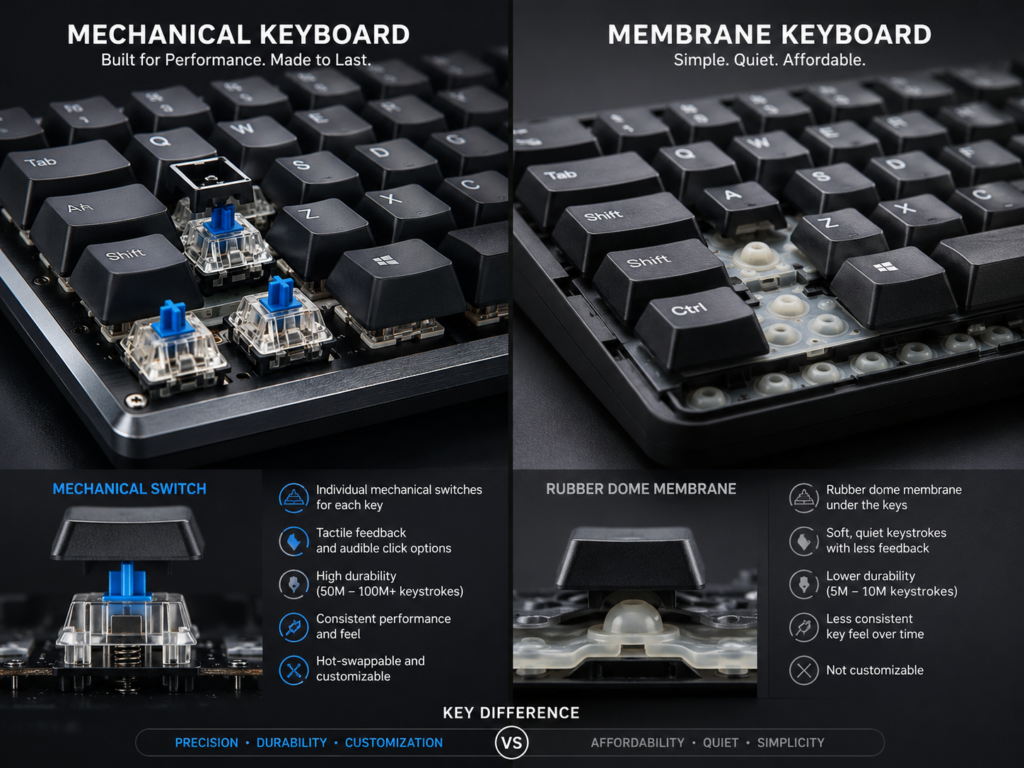
| Feature | Mechanical Keyboard | Membrane Keyboard |
| Typing Feel | Precise & consistent | Soft & mushy |
| Durability | 50M-100M keystrokes | Lower lifespan |
| Customization | Extensive | Minimal |
| Speed | Faster response | Slower response |
| Comfort | Better for long sessions | Less comfortable |
Developers generally prefer a mechanical keyboard for coding because of superior feedback, durability, and customization options.
Essential Features Every Developer Should Look For
Hot-Swappable Switches
Allows switch replacement without soldering.
Wireless Connectivity
Modern wireless keyboards offer near-zero latency.
Multi-Device Support
Useful for developers working across Windows, macOS, Linux, and tablets.
Programmable Keys
Custom macros can significantly accelerate development workflows.
Mac & Windows Compatibility
The best mechanical keyboard for programming should support both platforms.
Battery Life
Look for at least several weeks of real-world battery performance.
When evaluating the best keyboard for developers, these features often matter more than flashy RGB lighting.
Common Mistakes Developers Make When Buying Keyboards
Choosing Based Only on RGB
RGB looks attractive but rarely improves productivity.
Ignoring Ergonomics
Comfort should always take priority.
Wrong Switch Selection
Many developers buy clicky switches without considering noise.
Buying Cheap Keycaps
Poor-quality keycaps wear quickly and affect typing feel.
Ignoring Software Support
Customization software plays a major role in productivity.
I’ve seen developers spend hundreds on hardware only to discover missing software features later.
Final Verdict
Best Overall
Keychron Q1 Max
The most balanced combination of build quality, typing feel, customization, and productivity.
Best Budget Choice
Keychron K8 Pro
Outstanding value for developers entering the mechanical keyboard world.
Best Wireless Keyboard
NuPhy Air75 V2
Excellent portability and performance.
Best Quiet Mechanical Keyboard for Office
Logitech MX Mechanical
The ideal quiet mechanical keyboard for office professionals.
Best Ergonomic Keyboard for Programmers
Logitech MX Mechanical and split-layout alternatives.
Best Premium Option
ASUS ROG Azoth
An enthusiast-grade keyboard with exceptional features.
Conclusion
If you’re serious about software development, investing in the best mechanical keyboard for programming is one of the smartest productivity upgrades you can make.
After testing countless keyboards throughout my career, I consistently recommend prioritizing comfort, switch quality, ergonomics, and build quality over aesthetics. A great mechanical keyboard for coding becomes an invisible productivity tool one that helps you write cleaner code, stay comfortable longer, and enjoy every keystroke.
For most developers in 2026, the Keychron Q1 Max remains the best keyboard for developers overall. However, your ideal choice depends on your workspace, budget, typing preferences, and workflow requirements.
Before purchasing, consider testing different switch types, evaluating your ergonomic needs, and researching expert resources such as MechanicalKeyboards.com, Keychron Official, Logitech Official, Rtings, Tom’s Hardware, PC Gamer, Wirecutter, and Keyboard University to ensure you choose the perfect keyboard for your development environment.
Author

razakh6402@gmail.com
Related Posts

Gifts for Programmers: Top Tech Gifts for Developers Worth Buying in 2026
- 0
- 2,340 words
Finding the perfect gifts for programmers isn’t as simple as buying the latest gadget. After spending more than 15 years as a...
Read out all
Best Monitor for Video Editing: Top Color Accurate Monitors for Content Creators (2026 Guide)
- 0
- 2,338 words
Choosing the best monitor for video editing is one of the smartest investments you can make as a creator. Whether you’re editing...

AI Smart Home Devices (2026): Best Smart Home AI, AI Home Automation & AI Home Assistant Gadgets
- 0
- 2,446 words
best portable SSDA decade ago, building a smart home meant controlling a few lights with your smartphone. Today, AI smart home devices...
Read out all
USB-C Hub & Best USB-C Docking Station Guide (2026): Best USB-C Hub, Laptop Docking Station & Thunderbolt Dock Compared
- 0
- 2,195 words
If you’ve purchased a modern laptop in the last few years, you’ve probably noticed one major trend: manufacturers continue removing traditional ports...
Read out all
Best Portable SSD: Top Portable SSD for Video Editing & Creator SSDs (2026 Guide)
- 1
- 2,399 words
Storage has become one of the biggest bottlenecks in modern content creation. A few years ago, I could comfortably edit 1080p footage...
Read out all
Best Smart Home Devices for Beginners (2026): Complete Smart Home Starter Guide for New Users
- 4
- 1,664 word
Smart homes are no longer a luxury reserved for tech enthusiasts. In 2026, connected devices have become easier to install, more affordable,...
6 comments