
- 0
- 1,698 word
Browser Fingerprinting Explained: What Is Browser Fingerprinting and How Does It Work?
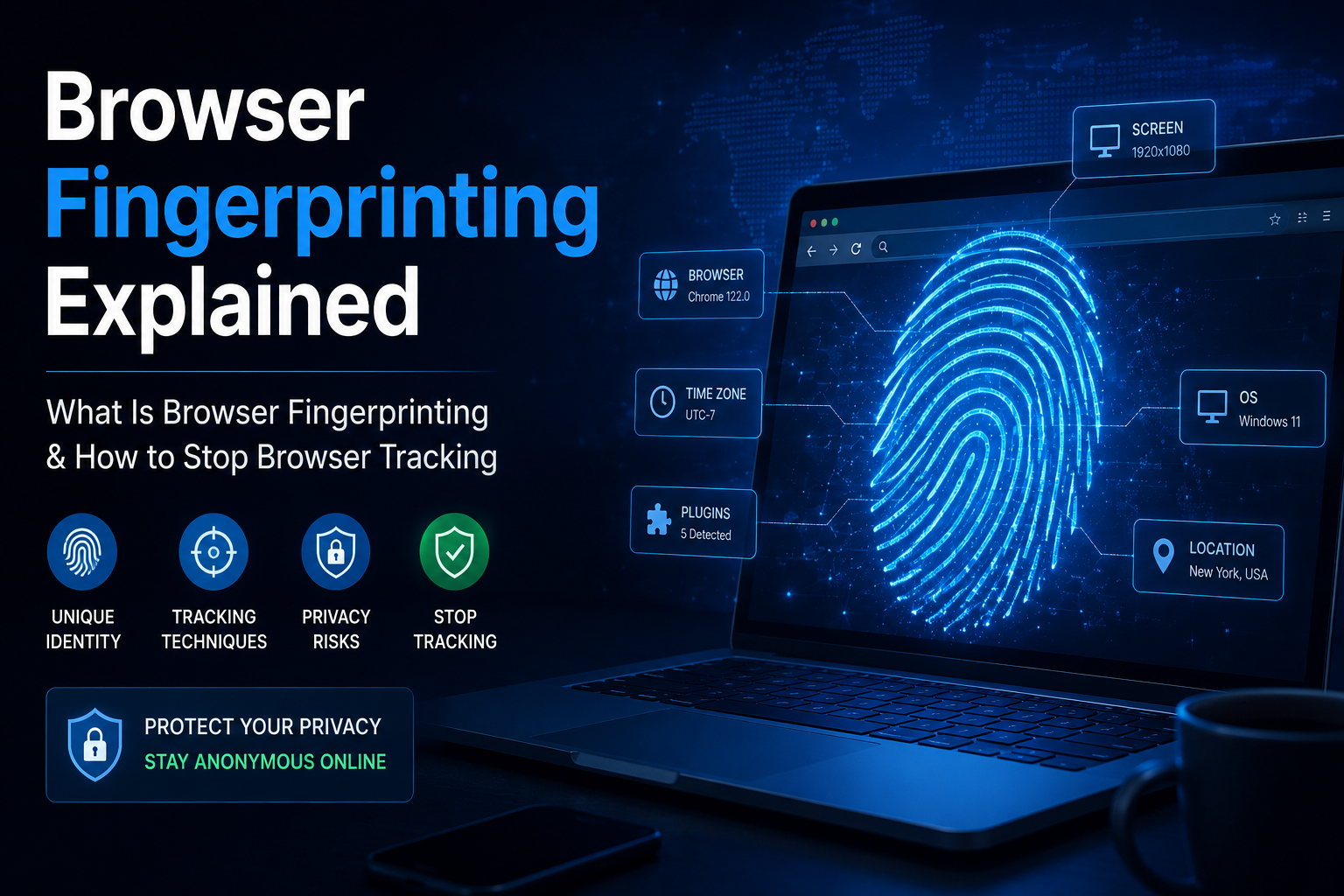
Every time you visit a website, your browser quietly shares dozens of technical details. These details include your browser version, operating system, screen resolution, language preferences, installed fonts, graphics settings, and much more.
Individually, these details seem harmless. However, when combined together, they can create a unique digital profile known as a browser fingerprint.
Browser fingerprinting has become one of the most advanced browser tracking methods used by websites, advertisers, cybersecurity companies, and fraud detection platforms. Unlike cookies, browser fingerprints can often identify users even after cookies have been deleted.
In this comprehensive guide, you’ll learn:
- What is browser fingerprinting
- How browser fingerprinting works
- Browser fingerprinting examples
- Browser tracking methods
- Benefits and risks of browser fingerprinting
- How fraud detection companies use fingerprints
- How to stop browser fingerprinting
What Is Browser Fingerprinting?
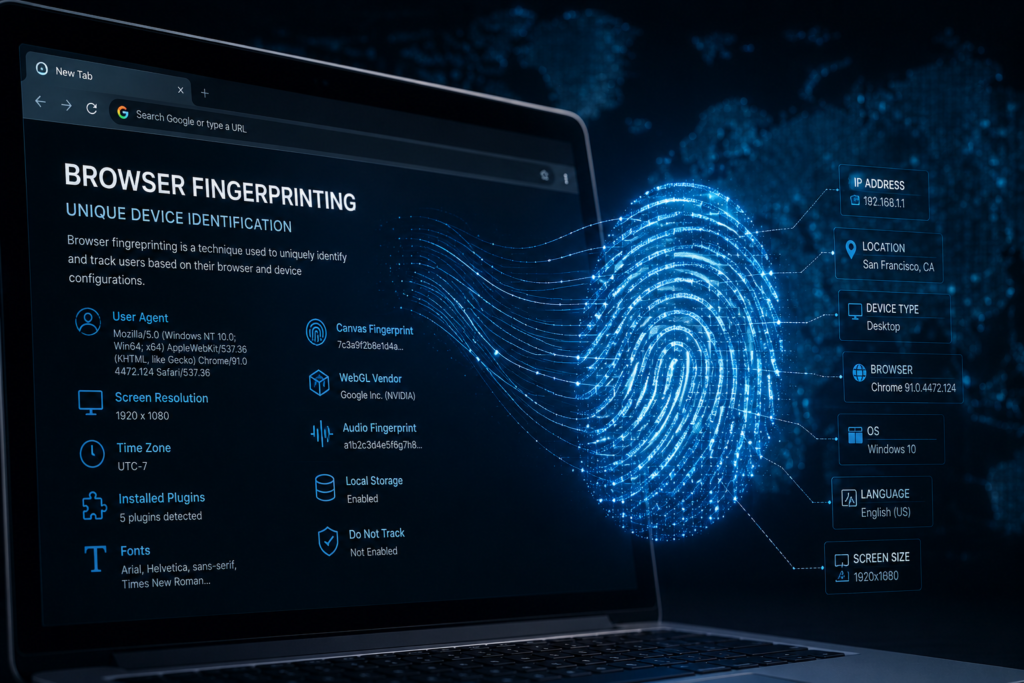
Browser fingerprinting is a tracking technique that collects information about your browser and device configuration to create a unique identifier.
Instead of storing information on your computer like cookies, browser fingerprinting observes characteristics already available through your browser.
These characteristics may include:
- Browser type
- Browser version
- Operating system
- Screen size
- Installed fonts
- Language settings
- Time zone
- Device hardware
- Graphics card information
- Audio processing characteristics
When combined, these data points create a highly unique profile that can distinguish one user from millions of others.
Browser Fingerprinting Explained Simply
Think of browser fingerprinting like a real fingerprint.
No single ridge identifies a person. However, the combination of thousands of small details creates a unique identity.
Similarly, no single browser attribute identifies you. But when hundreds of browser signals are combined, they create a unique browser fingerprint.
Why Browser Fingerprinting Is Becoming More Popular
Traditional tracking methods rely heavily on cookies.
However:
- Users delete cookies.
- Browsers block third-party cookies.
- Privacy regulations are becoming stricter.
- Users browse in incognito mode.
Because of these changes, companies increasingly use browser fingerprinting as an alternative tracking mechanism.
Browser fingerprints can often remain effective even when:
- Cookies are deleted
- Cache is cleared
- Incognito mode is used
- VPNs are enabled
This makes browser fingerprinting one of the most powerful browser tracking methods available today.
How Browser Fingerprinting Works
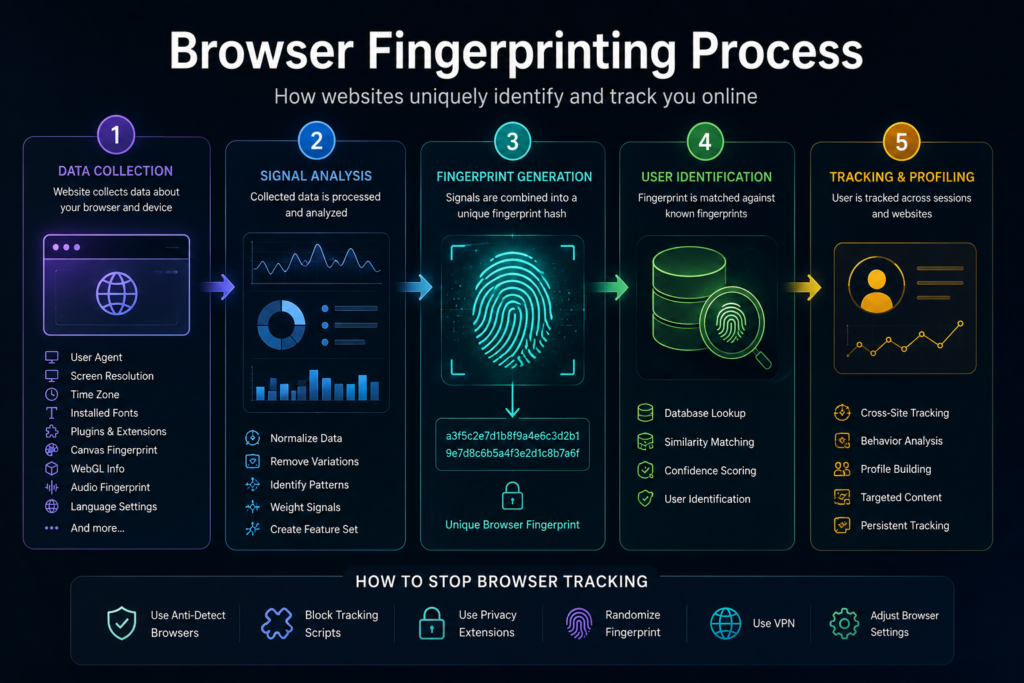
Browser fingerprinting typically works in four steps.
Step 1: Data Collection
When you visit a website, JavaScript gathers browser information.
Common data points include:
- Browser name
- Browser version
- Operating system
- Screen resolution
- Installed plugins
- Time zone
- Language preferences
Step 2: Signal Analysis
The collected data is analyzed and normalized.
Even small differences can help distinguish one browser from another.
Step 3: Hash Generation
The collected information is converted into a unique identifier known as a hash.
This hash acts like a digital fingerprint.
Step 4: Matching and Recognition
Future visits are compared against previously stored fingerprints.
If a match is found, the system recognizes the returning user.
Common Browser Fingerprinting Techniques
Modern browser fingerprinting systems use dozens of techniques.
1. User-Agent Fingerprinting
The User-Agent string reveals:
- Browser name
- Browser version
- Operating system
Example:
Chrome 137 on Windows 11 creates a different fingerprint than Firefox on Linux.
2. Canvas Fingerprinting
Canvas fingerprinting uses HTML5 graphics rendering.
Different devices render the same image slightly differently due to hardware variations.
This creates a unique identifier.
3. WebGL Fingerprinting
WebGL analyzes graphics rendering characteristics.
It can reveal:
- GPU model
- Graphics drivers
- Rendering capabilities
4. Audio Fingerprinting
Audio fingerprinting measures how a device processes sound.
Tiny differences in audio rendering create unique signals.
5. Font Fingerprinting
Installed fonts vary between users.
The combination of fonts often contributes significantly to uniqueness.
6. Screen Resolution Detection
Websites collect:
- Screen width
- Screen height
- Color depth
These values help build a fingerprint.
7. Time Zone Analysis
Time zone settings help identify geographic patterns.
8. Hardware Fingerprinting
Some advanced systems analyze:
- CPU information
- Memory characteristics
- Device capabilities
Browser Fingerprinting vs Cookies
| Feature | Browser Fingerprinting | Cookies |
|---|---|---|
| Stored On Device | No | Yes |
| Easily Deleted | Difficult | Easy |
| Works in Incognito | Often Yes | Limited |
| User Control | Low | High |
| Persistence | High | Medium |
Cookies are becoming less reliable, while browser fingerprints remain difficult to remove completely.
Browser Fingerprinting Examples
Fraud Detection
Banks use browser fingerprints to identify suspicious logins.
If an account suddenly logs in from a completely different browser configuration, the system may request additional verification.
E-Commerce Security
Online stores use browser fingerprints to detect:
- Payment fraud
- Fake accounts
- Chargeback abuse
Account Takeover Detection
When hackers steal credentials, browser fingerprints help identify unusual login behavior.
Bot Detection
Automated bots often generate abnormal fingerprints.
These unusual signatures help security teams detect malicious traffic.

Browser Fingerprinting in Cybersecurity
Cybersecurity professionals increasingly rely on browser fingerprinting for threat detection.
Benefits include:
Detecting Multi-Account Abuse
Fraudsters often create multiple accounts.
Browser fingerprints reveal hidden connections between those accounts.
Preventing Credential Stuffing
Attackers use stolen username-password combinations.
Fingerprinting helps identify automated login attempts.
Stopping Bot Attacks
Bots often exhibit fingerprint inconsistencies that humans do not.
Identifying VPN Abuse
Fingerprinting can uncover suspicious combinations of:
- VPN usage
- Proxy services
- Browser spoofing
Privacy Risks of Browser Fingerprinting
While browser fingerprinting helps security teams, it also raises privacy concerns.
Lack of Transparency
Many users don’t realize websites are fingerprinting their browsers.
Persistent Tracking
Unlike cookies, fingerprints can continue identifying users after data deletion.
Cross-Site Tracking
Advertising networks may use browser fingerprints across multiple websites.
Reduced Anonymity
Even privacy-conscious users may still be identifiable through unique browser configurations.
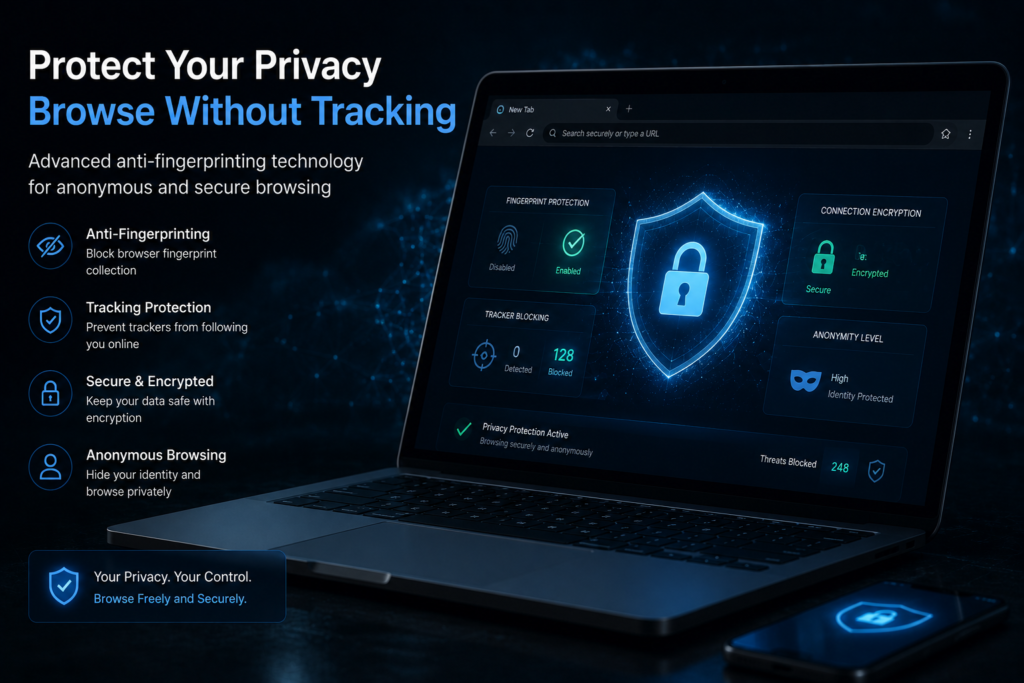
How to Stop Browser Fingerprinting
Many users search for ways to stop browser fingerprinting.
Although complete prevention is difficult, you can reduce fingerprint uniqueness.
Use Privacy-Focused Browsers
Examples include:
- Brave Browser
- Tor Browser
- Mozilla Firefox
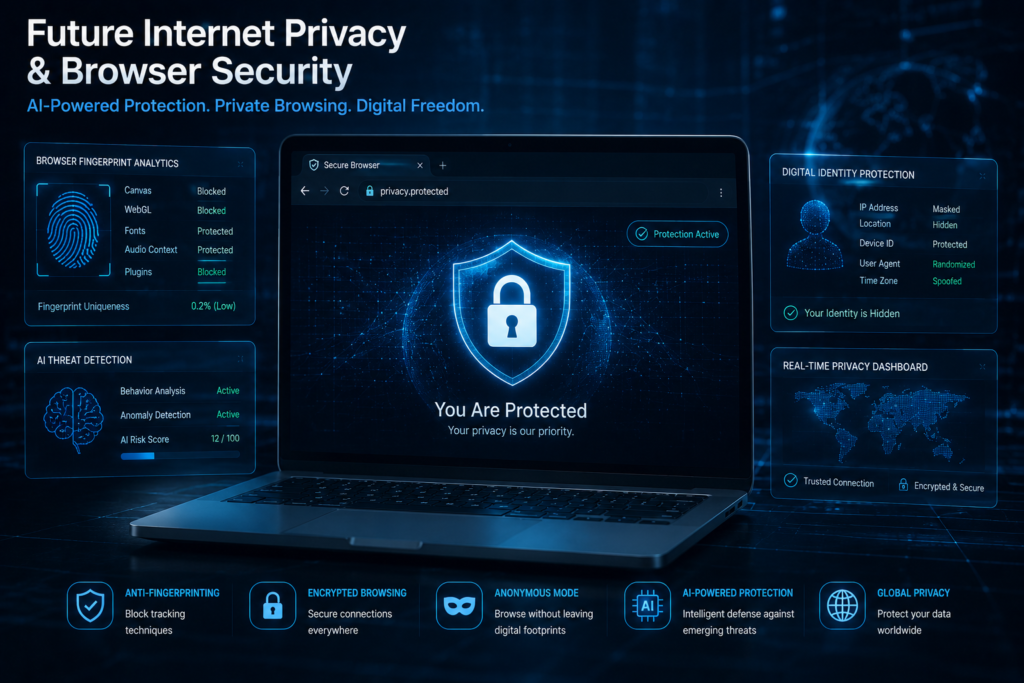
Enable Anti-Fingerprinting Protection
Modern browsers offer fingerprinting protection features.
Install Privacy Extensions
Popular options include:
- Canvas blockers
- Script blockers
- Privacy protection extensions
Use Tor Browser
Tor standardizes browser settings, making users appear similar.
This significantly reduces fingerprint uniqueness.
Disable JavaScript
Many fingerprinting techniques depend on JavaScript.
However, disabling JavaScript can break website functionality.
Regularly Update Your Browser
Updates reduce exposure to fingerprinting vulnerabilities.
Future of Browser Fingerprinting
Browser fingerprinting technology continues evolving.
Future trends include:
AI-Powered Fingerprinting
Machine learning systems can identify subtle behavioral patterns.
Behavioral Fingerprinting
Instead of device characteristics, systems analyze:
- Mouse movement
- Typing speed
- Scrolling behavior
Stronger Privacy Regulations
Laws worldwide may restrict how companies collect fingerprinting data.
Browser-Level Protection
Major browsers are introducing stronger anti-fingerprinting features.
Is Browser Fingerprinting Legal?
Browser fingerprinting is generally legal in many countries.
However, legality depends on:
- Local privacy laws
- Data collection practices
- User consent requirements
- Intended usage
Businesses should always comply with privacy regulations such as GDPR and other applicable laws.
Frequently Asked Questions (FAQ)
What is browser fingerprinting?
Browser fingerprinting is a tracking method that identifies users based on browser and device characteristics rather than cookies.
Is browser fingerprinting better than cookies?
For tracking purposes, browser fingerprinting is often more persistent than cookies because it does not rely on stored browser data.
Can a VPN stop browser fingerprinting?
No. A VPN hides your IP address but does not prevent browser fingerprinting.
Is browser fingerprinting accurate?
Modern browser fingerprinting systems can be highly accurate when multiple signals are combined.
Can I completely stop browser fingerprinting?
Complete prevention is difficult, but privacy-focused browsers and anti-fingerprinting tools can significantly reduce tracking.
Why do companies use browser fingerprinting?
Companies use browser fingerprinting for fraud prevention, cybersecurity, account protection, analytics, and risk assessment.
Does incognito mode prevent browser fingerprinting?
No. Incognito mode mainly prevents your browser from saving history, cookies, and site data locally. Websites can still collect browser fingerprinting signals such as screen resolution, browser version, language settings, and device characteristics during your browsing session.
What information is collected through browser fingerprinting?
Browser fingerprinting can collect various technical details including browser type, operating system, screen resolution, time zone, language preferences, installed fonts, plugins, WebGL data, canvas rendering information, and audio processing characteristics. These signals are combined to create a unique browser profile.
How is browser fingerprinting used for fraud prevention?
Fraud prevention platforms use browser fingerprinting to identify suspicious behavior, detect account takeovers, prevent multi-account abuse, uncover bot activity, and recognize returning fraudsters even when they change IP addresses or clear cookies.
What is the difference between browser fingerprinting and device fingerprinting?
Browser fingerprinting focuses on browser-specific characteristics such as plugins, fonts, and browser settings. Device fingerprinting goes further by analyzing hardware-related attributes including device type, operating system details, graphics hardware, and other device-level signals.
Are anti-fingerprinting browsers effective?
Yes, privacy-focused browsers such as Brave and Tor Browser can reduce the effectiveness of browser fingerprinting by limiting the amount of identifying information websites can access. However, no solution can guarantee complete protection because fingerprinting techniques continue to evolve.
Conclusion
Browser fingerprinting has become one of the most powerful browser tracking methods used across the internet. By combining dozens of browser and device characteristics, websites can identify returning users even when cookies are deleted.
For cybersecurity teams, browser fingerprinting plays a crucial role in fraud prevention, account takeover detection, bot mitigation, and risk analysis. However, privacy concerns continue growing as tracking technologies become more sophisticated.
Understanding browser fingerprinting, how it works, and how to stop browser fingerprinting gives users greater control over their online privacy while helping businesses implement responsible security practices.
Author

razakh6402@gmail.com
Related Posts

Browser Security Extensions: Top Chrome Security Extensions & Privacy Browser Extensions You Need in 2026
- 0
- 2,358 words
best budgeting appsEvery year, browsers become smarter, websites become faster, and online services become more convenient. Unfortunately, cybercriminals evolve just as quickly....
Read out all
Passkeys: How Passwordless Authentication Is Replacing Passwords in 2026
- 0
- 2,452 words
If you’ve ever forgotten a password, reset the same account multiple times, or worried that your login credentials were exposed in a...
Read out all
Cybersecurity Checklist: Essential Small Business Cybersecurity Guide (2026)
- 0
- 2,462 words
Cyberattacks are no longer a problem reserved for large enterprises. Over the last 15 years, I’ve worked with startups, retail stores, healthcare...

Secure Cloud Storage: Best Secure Cloud Storage Services for Business & Personal Use (2026 Guide)
- 0
- 2,443 words
Whether you’re backing up family photos, sharing confidential client documents, or managing sensitive business files, choosing the right secure cloud storage service...

AI Scams: How to Protect Yourself from AI-Powered Scams in 2026 (Expert Guide)
- 0
- 1,918 word
Artificial intelligence has transformed the way we work, communicate, and manage our finances. Unfortunately, cybercriminals have embraced the same technology to create...
Read out all
Future of Cybersecurity: Top Cybersecurity Trends 2026, AI Innovations, and Predictions for the Next Decade
- 1
- 2,173 words
Twenty-five years ago, cybersecurity focused primarily on protecting desktop computers, on-premises servers, and corporate networks. Firewalls, antivirus software, and perimeter defenses formed...