
- 2
- 2,699 words
Over the past 25 years, I’ve conducted cloud security audits, investigated ransomware incidents, reviewed enterprise storage deployments, and helped organizations recover from costly data breaches. One lesson has remained consistent throughout that time: where you store your data matters just as much as how you protect it.
Today, individuals and businesses rely heavily on secure cloud storage for everything from financial records and legal documents to customer databases and intellectual property. Unfortunately, cybercriminals understand this dependency. Ransomware groups actively target cloud-connected environments, attackers exploit weak passwords, and privacy concerns continue growing as users become more aware of how their information is collected, analyzed, and stored.
Choosing the right secure cloud storage provider is no longer simply about storage capacity. Modern users need encrypted cloud storage that delivers strong privacy protection, secure file sharing, reliable backups, and protection against unauthorized access.
In my consulting work, I regularly encounter organizations that assume all cloud providers offer the same level of security. They don’t. Some platforms implement zero knowledge encryption and end-to-end encryption, while others retain access to customer data through server-side key management.
Understanding those differences can significantly impact your privacy, regulatory compliance, and overall cloud storage security.
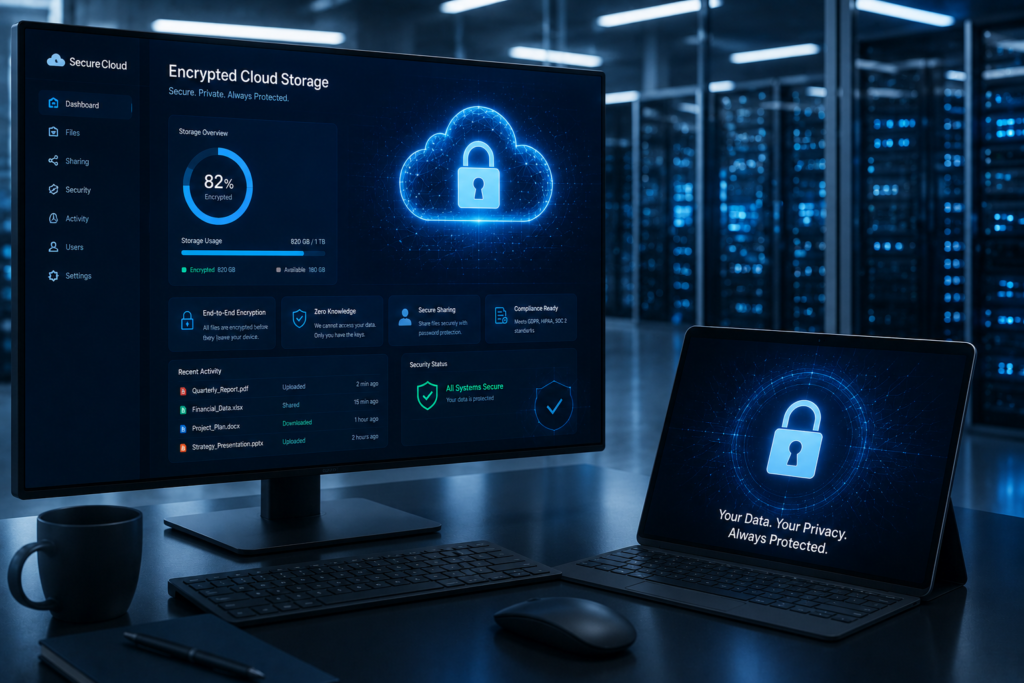
What Makes a Secure Cloud Storage Platform?
End-to-End Encryption
End-to-end encryption remains one of the most important security features in modern cloud storage.
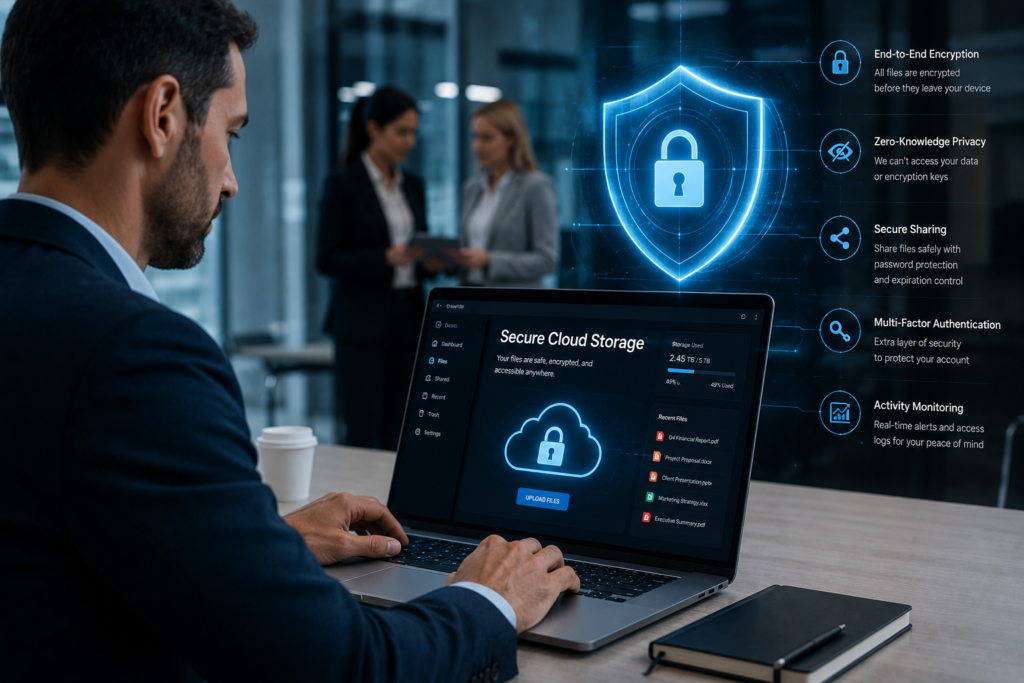
With end-to-end encryption, files are encrypted before leaving your device and remain encrypted until accessed by an authorized user.
Even if attackers intercept data during transmission, they cannot read the contents without the encryption keys.
For sensitive information, I strongly recommend prioritizing providers that offer true end-to-end encryption.
Zero-Knowledge Architecture
Zero knowledge encryption takes privacy one step further.
In a zero-knowledge environment:
- The provider cannot view your files
- Encryption keys remain under your control
- Employees cannot access stored data
- Data remains private even during legal requests
Privacy focused cloud storage providers such as Proton Drive, Sync.com, Tresorit, and Internxt have built their reputations around this model.
From a security perspective, zero-knowledge architecture significantly reduces insider risk.
Multi-Factor Authentication
Passwords alone are no longer sufficient.
Every secure online storage platform should support:
- Authentication apps
- Security keys
- Biometric verification
- Passkeys
Multi-factor authentication blocks many account takeover attempts, even when passwords are compromised.
Secure File Sharing
File sharing frequently becomes the weakest link in secure document storage.
Look for:
- Password-protected links
- Expiration dates
- Download restrictions
- Access auditing
- Encrypted file sharing
These controls help prevent accidental exposure of sensitive data.
Compliance Standards
Organizations operating in regulated industries should verify compliance requirements before selecting a provider.
Common certifications include:
- GDPR compliant cloud storage
- HIPAA compliant cloud storage
- SOC 2
- ISO 27001
- PCI DSS
Compliance does not guarantee security, but it demonstrates maturity and operational discipline.
Data Redundancy and Backup
Many people confuse cloud storage with backup.
They are not the same.
A secure data storage provider should maintain:
- Geographic redundancy
- Multiple data copies
- Disaster recovery capabilities
- Version history
- Encrypted backups
Strong cloud backup security ensures files remain recoverable after ransomware, hardware failures, or accidental deletion.
Why Secure Cloud Storage Is More Important Than Ever
Growing Cybersecurity Threats
Threat actors continue targeting cloud environments because that’s where valuable data resides.
Recent attack trends include:
- Credential theft
- Cloud account hijacking
- API abuse
- Ransomware campaigns
- Supply chain attacks
Cloud storage accounts often become gateways to much larger datasets.
Rising Data Breaches
Every year brings additional reports of exposed customer information, intellectual property theft, and compromised cloud environments.
In many incidents I have investigated, weak access controls—not sophisticated hacking—created the initial opening.
Privacy Regulations
Governments worldwide continue strengthening privacy laws.
Organizations increasingly face requirements related to:
- Data residency
- Data retention
- User consent
- Encryption
- Breach reporting
Selecting secure cloud storage providers with strong privacy controls simplifies compliance efforts.
Remote Work Security Challenges
Remote and hybrid work models have permanently changed business operations.
Employees now access secure file storage online from:
- Home offices
- Mobile devices
- Shared networks
- Public Wi-Fi
Cloud storage security must account for these realities by combining encryption, access control, device verification, and identity protection.
In my experience, organizations that prioritize secure cloud storage early avoid many of the security problems that emerge later as teams grow and collaboration expands.
Best Secure Cloud Storage Providers in 2026

Proton Drive
Security Features
- End-to-end encryption
- Zero-knowledge encryption
- Open-source cryptography
- Secure file sharing
- Swiss privacy laws
Pros
- Exceptional privacy protection
- Strong encryption architecture
- Transparent security model
Cons
- Smaller ecosystem than major competitors
- Collaboration features still evolving
Pricing
Free tier available, with paid plans for additional storage.
Best For
Privacy-conscious individuals, journalists, activists, and security professionals.
My Professional Assessment
From a pure privacy perspective, Proton Drive is one of the strongest secure cloud storage providers available today. Its security-first approach aligns closely with what I recommend for highly sensitive information.
Sync.com
Security Features
- Zero-knowledge encryption
- End-to-end encryption
- Secure document storage
- Password-protected sharing
- Remote device management
Pros
- Excellent balance of usability and privacy
- Affordable business plans
- Strong compliance support
Cons
- Slightly slower syncing compared to mainstream providers
Pricing
Competitive pricing for both personal and business users.
Best For
Small businesses, remote teams, and professionals handling confidential files.
My Professional Assessment
Sync.com consistently ranks among my top recommendations for organizations seeking encrypted cloud storage without sacrificing usability.
Tresorit
Security Features
- End-to-end encryption
- Zero-knowledge architecture
- Advanced access controls
- GDPR compliance tools
- Enterprise-grade security
Pros
- Outstanding business security
- Excellent compliance capabilities
- Strong administrative controls
Cons
- Higher pricing than many competitors
Pricing
Premium pricing aimed at business users.
Best For
Healthcare, legal firms, financial services, and regulated industries.
My Professional Assessment
Tresorit remains one of the most mature privacy focused cloud storage solutions for organizations requiring strict compliance and secure data storage.
pCloud
Security Features
- Optional pCloud Encryption
- Secure file sharing
- Version history
- Client-side encryption add-on
- Data redundancy
Pros
- Lifetime plan options
- Excellent performance
- User-friendly interface
Cons
- Zero-knowledge encryption requires an additional purchase
Pricing
Flexible subscription and lifetime plans.
Best For
Personal users and professionals seeking long-term value.
My Professional Assessment
pCloud offers a strong combination of convenience and security, but I recommend enabling pCloud Encryption for users storing sensitive information.
Internxt
Security Features
- Zero-knowledge encryption
- End-to-end encryption
- Open-source architecture
- GDPR-focused design
Pros
- Strong privacy focus
- Transparent development
- Competitive pricing
Cons
- Smaller feature ecosystem
Pricing
Affordable personal and business plans.
Best For
Privacy-focused individuals and startups.
My Professional Assessment
Internxt has gained attention as a modern secure online storage platform built around privacy rather than advertising or data monetization.
SpiderOak One Backup
Security Features
- Zero-knowledge encryption
- Encrypted backups
- Secure synchronization
- Private cloud storage
Pros
- Strong backup capabilities
- Excellent privacy controls
Cons
- Interface feels dated compared to competitors
Pricing
Subscription-based plans.
Best For
Backup-focused users and privacy advocates.
My Professional Assessment
SpiderOak remains one of the pioneers of zero knowledge encryption and continues to be a strong choice for secure backup storage.
Google Drive
Security Features
- Encryption in transit
- Encryption at rest
- Advanced threat detection
- Workspace security controls
Pros
- Outstanding collaboration
- Massive ecosystem
- Excellent productivity integration
Cons
- Not zero-knowledge
- Google manages encryption keys
Pricing
Generous free plan and scalable business options.
Best For
Businesses prioritizing collaboration and productivity.
My Professional Assessment
Google Drive offers excellent cloud storage security but should not be considered a true privacy focused cloud storage platform.
Microsoft OneDrive
Security Features
- Encryption at rest
- Microsoft Defender integration
- Ransomware recovery
- Enterprise compliance features
Pros
- Strong Microsoft ecosystem integration
- Excellent enterprise controls
Cons
- Not zero-knowledge
Pricing
Often bundled with Microsoft 365 subscriptions.
Best For
Businesses already invested in Microsoft environments.
My Professional Assessment
For organizations using Microsoft 365, OneDrive provides strong business cloud storage capabilities and security controls.
Dropbox
Security Features
- Encryption at rest
- Secure sharing controls
- File versioning
- Device management
Pros
- Excellent file synchronization
- Easy collaboration
- Mature platform
Cons
- No native zero-knowledge encryption
Pricing
Flexible plans for individuals and businesses.
Best For
Teams focused on collaboration and workflow efficiency.
My Professional Assessment
Dropbox remains highly effective for collaboration, but privacy-focused users may prefer providers offering stronger encryption models.
Comparison Table – Best Secure Cloud Storage Platforms
| Provider | Zero-Knowledge Encryption | End-to-End Encryption | Free Plan | Best For | Security Rating |
|---|---|---|---|---|---|
| Proton Drive | Yes | Yes | Yes | Privacy Users | 9.8/10 |
| Sync.com | Yes | Yes | Yes | Small Business | 9.7/10 |
| Tresorit | Yes | Yes | Limited | Enterprise Security | 9.8/10 |
| pCloud | Optional | Optional | Yes | General Users | 9.0/10 |
| Internxt | Yes | Yes | Yes | Privacy Focused Users | 9.4/10 |
| SpiderOak One Backup | Yes | Yes | No | Backup Security | 9.3/10 |
| Google Drive | No | Partial | Yes | Collaboration | 8.5/10 |
| Microsoft OneDrive | No | Partial | Yes | Microsoft Users | 8.8/10 |
| Dropbox | No | Partial | Yes | Team Collaboration | 8.4/10 |
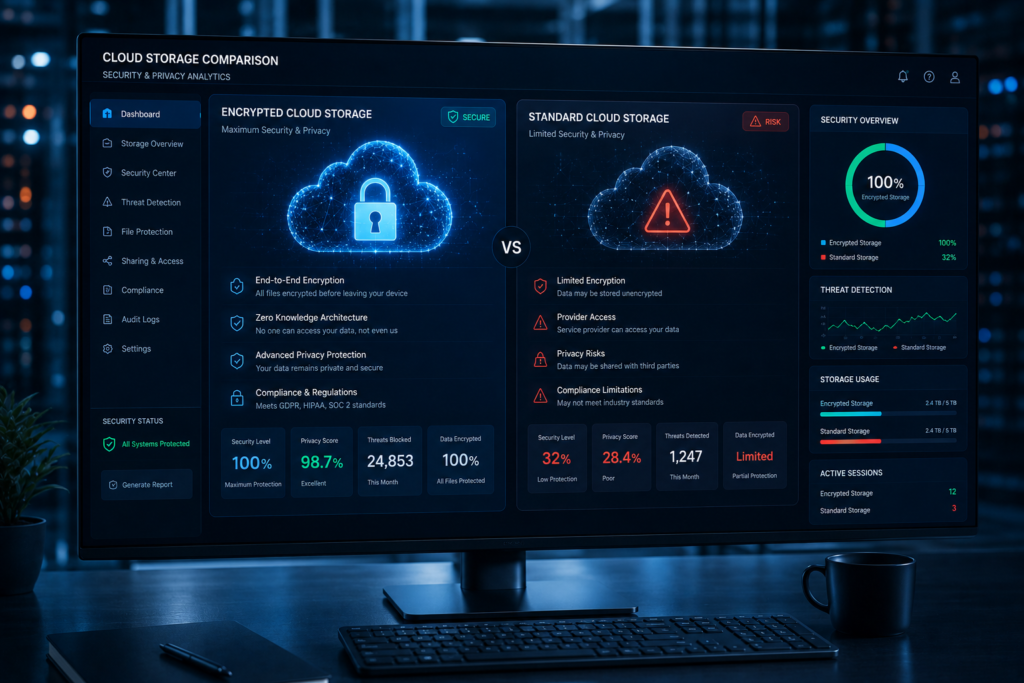
Encrypted Cloud Storage vs Traditional Cloud Storage
| Feature | Encrypted Cloud Storage | Traditional Cloud Storage |
|---|---|---|
| Privacy | Very High | Moderate |
| Encryption Control | User-Controlled | Provider-Controlled |
| Security | Excellent | Good |
| Sharing | Secure and Controlled | Convenient but Less Private |
| Recovery | More Complex if Keys Are Lost | Easier Recovery Options |
| Performance | Slightly Lower | Typically Faster |
Key Differences Explained
The biggest difference comes down to who controls the encryption keys.
With encrypted cloud storage and zero-knowledge encryption, only the user can access the data. The provider cannot view files, scan content, or share access with third parties.
Traditional cloud storage providers often encrypt data but maintain control over encryption keys. This allows easier account recovery and collaboration but reduces privacy protection.
For highly sensitive files such as legal records, healthcare information, financial documents, and intellectual property, I generally recommend encrypted cloud storage providers with true zero-knowledge encryption.
For everyday collaboration and productivity, mainstream providers like Google Drive, OneDrive, and Dropbox remain excellent options, provided organizations implement strong access controls and multi-factor authentication.
Best Privacy Focused Cloud Storage for Different Users
Journalists
Journalists often handle confidential sources, leaked documents, and sensitive communications.
Recommended Providers:
- Proton Drive
- Tresorit
- Sync.com
These platforms offer strong zero-knowledge encryption and privacy protection.
Businesses
Organizations require a balance of security, collaboration, and compliance.
Recommended Providers:
- Tresorit
- Microsoft OneDrive
- Sync.com
Remote Workers
Remote employees need secure file storage online with reliable synchronization and secure sharing.
Recommended Providers:
- Sync.com
- Proton Drive
- Dropbox
Healthcare Organizations
Healthcare providers must prioritize HIPAA compliant cloud storage and secure document storage.
Recommended Providers:
- Tresorit
- Microsoft OneDrive
- Sync.com
Lawyers
Law firms manage highly confidential client information.
Recommended Providers:
- Tresorit
- Proton Drive
- SpiderOak One Backup
Content Creators
Content creators need storage, collaboration, and backup capabilities.
Recommended Providers:
- pCloud
- Dropbox
- Google Drive
Security Features You Should Never Ignore
Two-Factor Authentication
Always enable MFA. In many cloud security investigations I’ve conducted, MFA could have prevented account compromise.
Hardware Security Keys
Physical security keys provide one of the strongest defenses against phishing attacks.
Encryption Key Management
Understanding who controls your encryption keys is critical when evaluating encrypted cloud storage providers.
Device Verification
Restrict account access to trusted devices whenever possible.
Version History
Version history helps recover files after accidental deletion or unauthorized changes.
Ransomware Recovery
Choose providers that support version rollback and encrypted backups to recover quickly after ransomware incidents.
Common Mistakes People Make When Choosing Secure File Storage Online
Trusting Marketing Claims
Not every provider advertising “secure cloud storage” offers true zero-knowledge encryption.
Ignoring Encryption Standards
Always verify whether encryption occurs client-side or server-side.
Not Reviewing Privacy Policies
Many users overlook how providers handle metadata, analytics, and account information.
Weak Password Practices
Strong encryption becomes useless if attackers gain account credentials.
Skipping MFA
MFA remains one of the most effective cloud storage security controls available.
How to Choose the Right Secure Cloud Storage Provider
Assess Security Requirements
Ask yourself:
- How sensitive is the data?
- Who needs access?
- What are the consequences of exposure?
Evaluate Compliance Needs
Consider industry regulations such as:
- GDPR
- HIPAA
- SOC 2
- ISO 27001
Compare Pricing
Avoid choosing solely on price. Security and privacy features often justify higher subscription costs.
Review Sharing Features
Evaluate:
- Password-protected links
- Access expiration
- Activity logs
- Permission controls
Consider Long-Term Scalability
Choose a secure cloud storage provider capable of growing alongside your needs.
Future Trends in Secure Cloud Storage
Passwordless Authentication
Passkeys and biometric authentication will gradually replace traditional passwords.
AI-Based Threat Detection
Cloud providers increasingly use AI to detect suspicious access patterns and account abuse.
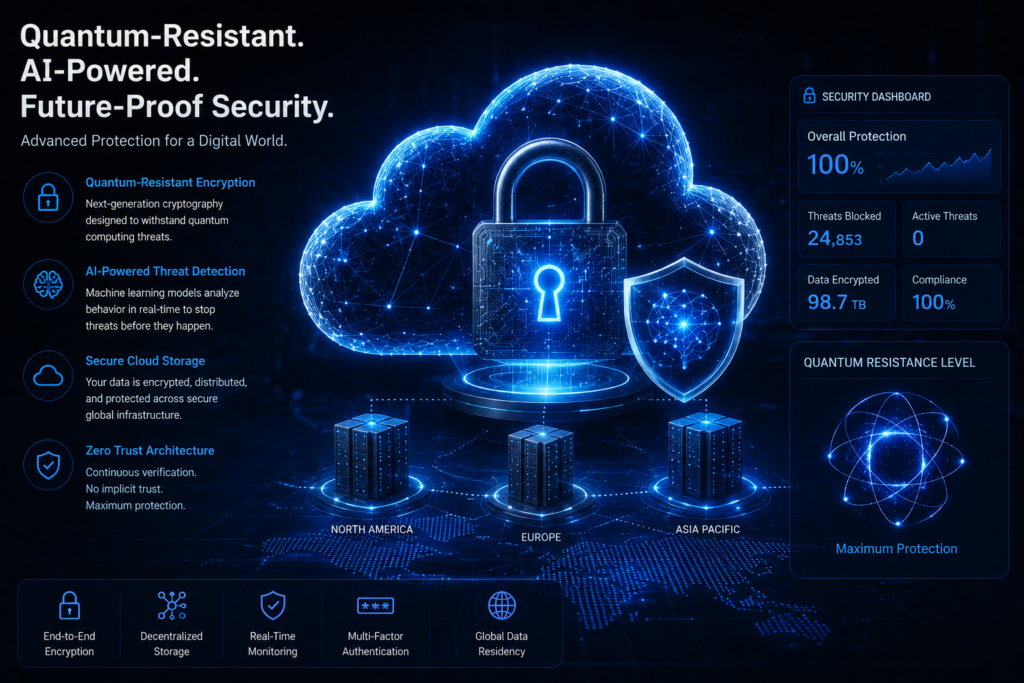
Quantum-Resistant Encryption
As quantum computing advances, providers will adopt new cryptographic standards designed to resist future attacks.
Decentralized Storage
Emerging decentralized storage models reduce reliance on centralized infrastructure.
Zero-Trust Architectures
Zero Trust principles will continue shaping secure online storage strategies.
Cloud Security Statistics and Market Trends
Current industry trends show:
- Cloud adoption continues growing across organizations of all sizes.
- Ransomware remains one of the fastest-growing cyber threats.
- Businesses increasingly require encrypted cloud storage for compliance and risk management.
- Enterprise spending on cloud security continues to rise annually.
- More organizations are implementing zero-knowledge encryption and secure data storage strategies.
- Privacy regulations continue expanding worldwide.
What These Trends Mean
The future of secure cloud storage is clear: stronger encryption, better privacy protection, increased automation, and more sophisticated threat detection.
Organizations that invest early in cloud storage security will reduce long-term risk and improve regulatory readiness.
Frequently Asked Questions
What is the most secure cloud storage service?
Proton Drive and Tresorit are widely regarded among the most secure cloud storage providers due to their zero-knowledge encryption models.
What is zero-knowledge encryption?
Zero-knowledge encryption ensures only the user can access encryption keys and stored files.
Is Google Drive secure enough?
For most users, yes. However, Google controls encryption keys, making it less private than zero-knowledge providers.
Which cloud storage is best for privacy?
Proton Drive, Sync.com, Tresorit, and Internxt are among the strongest privacy focused cloud storage options.
Can encrypted cloud storage be hacked?
No system is completely immune, but strong encryption significantly reduces risk when combined with MFA and secure passwords.
Is cloud storage safer than external hard drives?
In most cases, yes. Secure cloud storage offers redundancy, backup protection, and disaster recovery capabilities.
Which provider is best for businesses?
Tresorit, Sync.com, and Microsoft OneDrive remain excellent choices for business cloud storage.
How does end-to-end encryption work?
Files are encrypted before leaving your device and remain encrypted until authorized users access them.
What is the safest way to store sensitive files?
Use encrypted cloud storage with zero-knowledge encryption, MFA, and strong password practices.
Which secure cloud storage provider offers the best value?
Sync.com offers one of the best balances of security, features, and pricing.
Final Verdict
After 25 years of evaluating storage platforms, conducting cloud security assessments, and helping organizations secure sensitive information, my recommendation is simple: choose a provider based on your privacy requirements rather than storage capacity alone.
Best for Personal Users
pCloud and Sync.com
Best for Privacy-Conscious Users
Proton Drive and Tresorit
Best for Small Businesses
Sync.com and Microsoft OneDrive
Best for Enterprises
Tresorit and Microsoft OneDrive
Best for Journalists
Proton Drive and Tresorit
Best for Remote Teams
Sync.com and Dropbox
The strongest secure cloud storage strategy combines zero-knowledge encryption, multi-factor authentication, secure sharing controls, encrypted backups, and regular security reviews.
No cloud platform can fully protect data if users ignore basic security practices. Enable MFA, use strong passwords, review sharing permissions regularly, and understand who controls your encryption keys.
Those simple steps will do more to improve cloud storage security than any marketing promise ever will.
Author

razakh6402@gmail.com
Related Posts
Browser Security Extensions: Top Chrome Security Extensions & Privacy Browser Extensions You Need in 2026
- 0
- 2,358 words
best budgeting appsEvery year, browsers become smarter, websites become faster, and online services become more convenient. Unfortunately, cybercriminals evolve just as quickly....
Read out all
Passkeys: How Passwordless Authentication Is Replacing Passwords in 2026
- 0
- 2,452 words
If you’ve ever forgotten a password, reset the same account multiple times, or worried that your login credentials were exposed in a...
Read out all
Cybersecurity Checklist: Essential Small Business Cybersecurity Guide (2026)
- 0
- 2,462 words
Cyberattacks are no longer a problem reserved for large enterprises. Over the last 15 years, I’ve worked with startups, retail stores, healthcare...
Secure Cloud Storage: Best Secure Cloud Storage Services for Business & Personal Use (2026 Guide)
- 0
- 2,443 words
Whether you’re backing up family photos, sharing confidential client documents, or managing sensitive business files, choosing the right secure cloud storage service...
AI Scams: How to Protect Yourself from AI-Powered Scams in 2026 (Expert Guide)
- 0
- 1,918 word
Artificial intelligence has transformed the way we work, communicate, and manage our finances. Unfortunately, cybercriminals have embraced the same technology to create...
Read out all
Future of Cybersecurity: Top Cybersecurity Trends 2026, AI Innovations, and Predictions for the Next Decade
- 1
- 2,173 words
Twenty-five years ago, cybersecurity focused primarily on protecting desktop computers, on-premises servers, and corporate networks. Firewalls, antivirus software, and perimeter defenses formed...
2 comments