
- 1
- 1,917 word
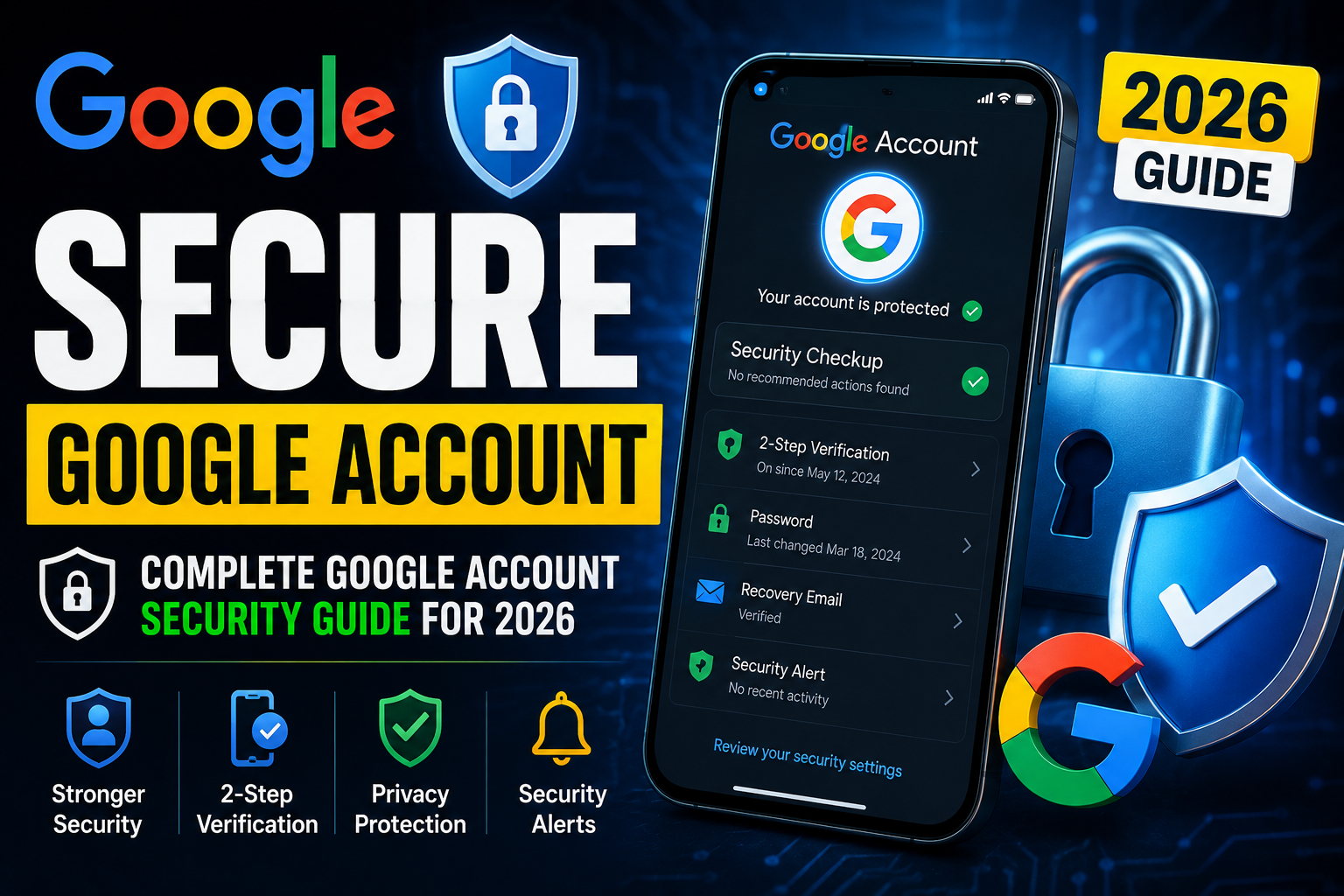
Over the past 25 years working in cybersecurity, I’ve investigated thousands of compromised online accounts. If there is one account that cybercriminals consistently target, it’s the Google account.
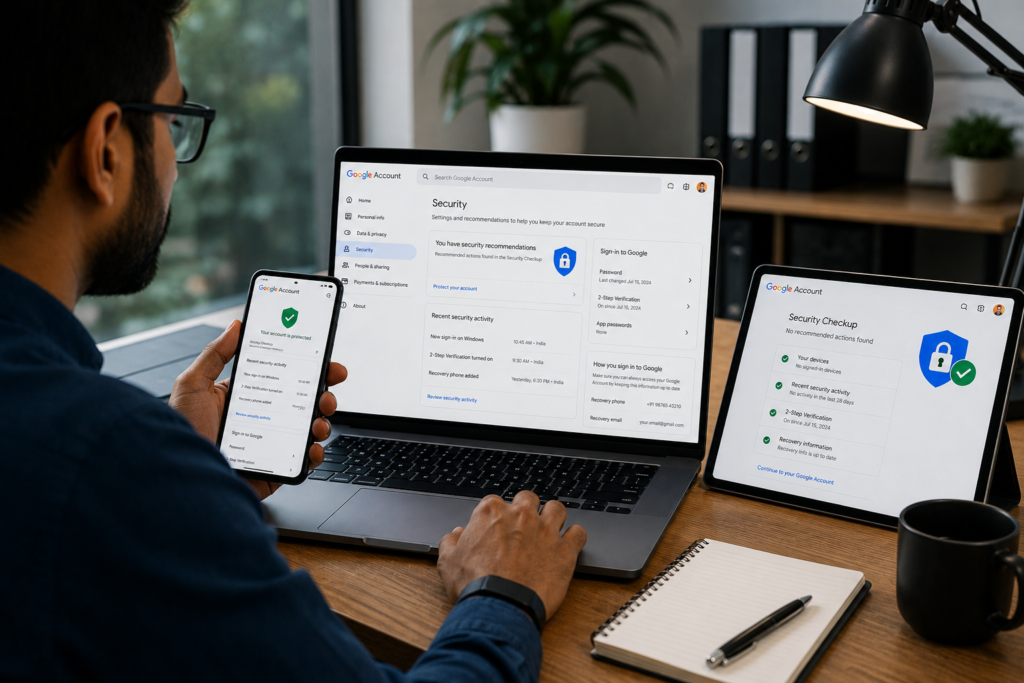
The reason is simple. A single Google account often contains email, contacts, passwords, documents, photos, payment information, business data, cloud backups, and access to dozens of connected services. In many cases, gaining access to a Gmail account gives attackers the keys to a person’s entire digital life.
In 2026, cyber threats have become more sophisticated than ever. Phishing kits are sold as a service, AI-powered scams are becoming increasingly convincing, and credential theft remains one of the most common causes of account compromise. As a result, understanding how to protect Google account access is no longer optional.
Whether you’re an individual user, freelancer, business owner, or enterprise professional, implementing strong Google account security practices can dramatically reduce your risk of becoming a victim of cybercrime.
In this guide, I’ll share practical lessons learned from decades of helping users secure Google account access, recover compromised accounts, and prevent future attacks.
Why Google Account Security Matters More Than Ever
What Information Hackers Can Access
Many users underestimate how much information is stored inside a Google account.
Attackers who gain access may obtain:
- Gmail communications
- Google Drive files
- Google Photos
- Saved passwords
- Browser history
- Contacts
- Calendar data
- YouTube account access
In breach investigations I’ve conducted, compromised Gmail accounts often became the starting point for wider attacks against banking, social media, and business systems.
Financial Risks
Cybercriminals frequently use compromised accounts to:
- Reset banking passwords
- Access payment services
- Conduct fraudulent transactions
- Steal cryptocurrency assets
Financial damage can occur within minutes after account compromise.
Identity Theft Risks
Identity theft remains one of the fastest-growing cybercrime categories worldwide.
Personal information stored within Gmail and Google services can be used to:
- Open fraudulent accounts
- Commit financial fraud
- Launch social engineering attacks
Business and Professional Risks
For businesses, a compromised Google Workspace account can expose:
- Client information
- Confidential contracts
- Intellectual property
- Internal communications
I’ve seen organizations suffer major reputational damage because a single employee ignored basic Google account security settings.
Common Ways Google Accounts Get Hacked
Phishing Attacks
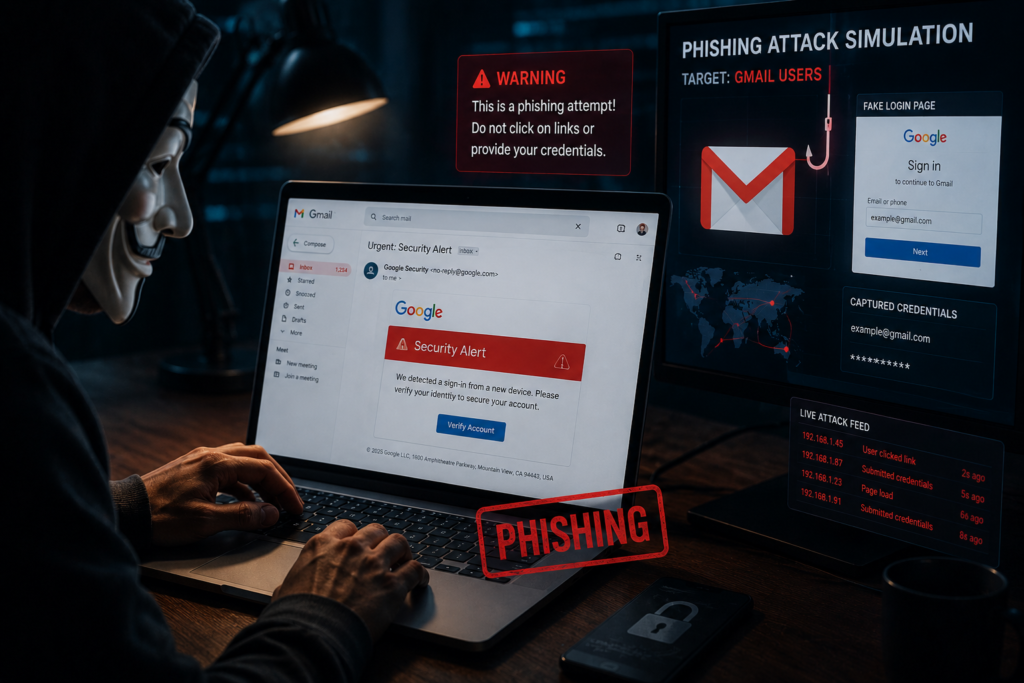
Phishing remains the most successful attack method.
Attackers create fake Google login pages that closely resemble legitimate websites.
Real-world example:
A client received an email claiming their Gmail storage was full. The message linked to a fake login page. Within minutes of entering credentials, attackers accessed the account and created forwarding rules to steal future emails.
Weak Passwords
Simple passwords remain a major security risk.
Examples include:
- Password123
- Welcome2026
- Birthdates
- Pet names
Attackers use automated tools that can test millions of password combinations rapidly.
Password Reuse
Using the same password across multiple websites significantly increases risk.
When one website experiences a breach, attackers often attempt the stolen credentials on Google accounts.
Public Wi-Fi Risks
Unsecured networks can expose users to:
- Session hijacking
- Man-in-the-middle attacks
- Credential theft
Malware and Keyloggers
Malicious software can record:
- Keystrokes
- Screenshots
- Authentication tokens
Social Engineering Attacks
Many attackers never hack systems directly.
Instead, they manipulate people into revealing information voluntarily.
How to Secure Google Account Step by Step
Use a Strong Unique Password
Your password should be:
- At least 16 characters
- Unique to Google
- Randomly generated
I strongly recommend using a password manager rather than creating passwords manually.
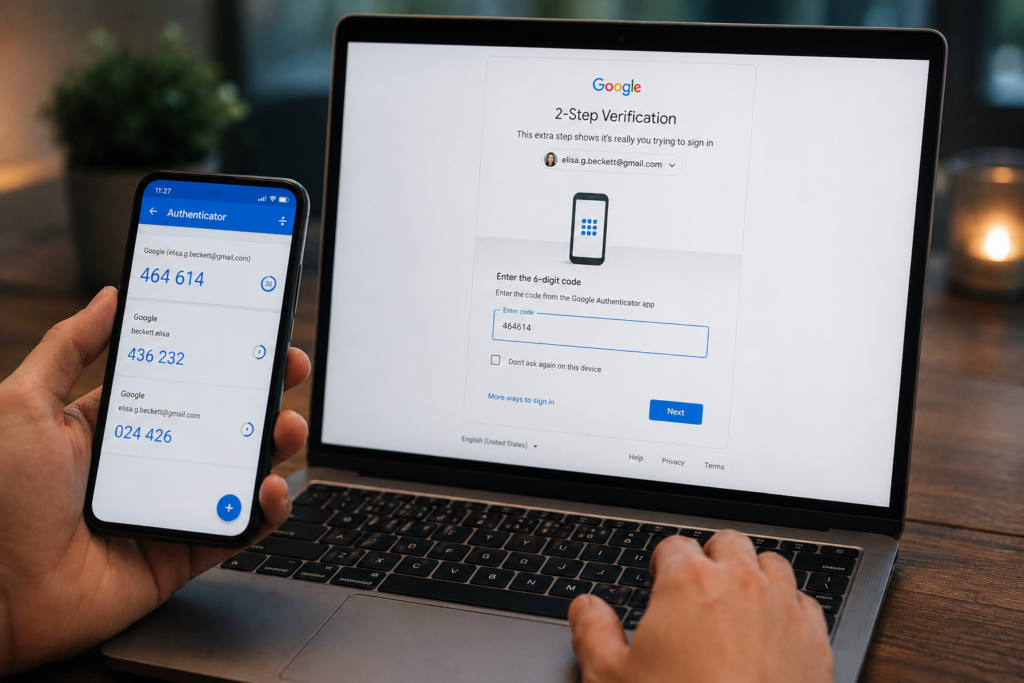
Enable Two-Factor Authentication (2FA)
Two-factor authentication significantly improves Google account security.
To enable:
- Open Google Account settings.
- Navigate to Security.
- Select 2-Step Verification.
- Follow setup instructions.
Even if attackers steal your password, they still need the second authentication factor.
Use Google Authenticator
Authenticator apps are generally safer than SMS verification.
Benefits include:
- Offline code generation
- Protection against SIM-swapping attacks
- Stronger authentication security
Set Up Backup Codes
Always generate backup codes.
Store them securely offline.
These codes provide emergency account access if your primary authentication method becomes unavailable.
Add Recovery Email and Phone Number
Recovery options are critical for account recovery.
Verify that:
- Recovery email is current
- Recovery phone number is active
Review Connected Devices
Regularly inspect devices with account access.
Remove:
- Unknown devices
- Old phones
- Unused computers
Remove Unused Third-Party Apps
Third-party applications can create hidden security risks.
Review permissions regularly and revoke unnecessary access.
Enable Security Alerts
Security alerts provide early warning of:
- Suspicious logins
- Password changes
- New device activity
Best Google Account Security Settings You Should Enable
Security Checkup
Google’s Security Checkup provides a quick review of account security.
Helpful resource:
Advanced Protection Program
For high-risk users, this program offers enhanced defenses.
Recommended for:
- Journalists
- Executives
- Activists
- Government personnel
Learn more:
Google Advanced Protection Program
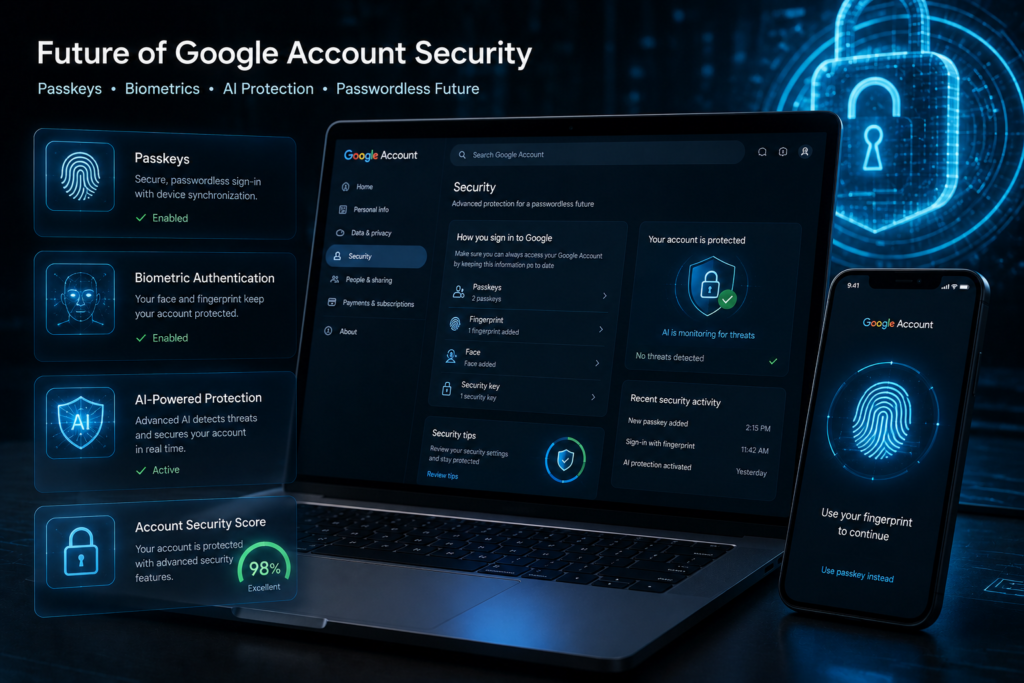
Passkeys
Passkeys represent the future of authentication.
Benefits include:
- Phishing resistance
- Improved usability
- Strong cryptographic security
Learn more:
Safe Browsing
Enable Enhanced Safe Browsing to improve phishing protection and malware detection.
Password Manager
Google Password Manager helps:
- Generate strong passwords
- Detect compromised credentials
- Prevent password reuse
Device Verification
Device verification adds additional security checks when new devices attempt account access.
Passkeys vs Passwords
| Feature | Passwords | Passkeys |
|---|---|---|
| Security | Moderate | Excellent |
| Ease of Use | Good | Excellent |
| Phishing Resistance | Limited | Excellent |
| Device Compatibility | Universal | Growing Support |
| Recovery Options | Traditional Recovery | Device-Based Recovery |
Expert Recommendation
Based on current threat trends, passkeys provide significantly stronger protection against phishing attacks and credential theft than traditional passwords.
Best Tools for Google Account Hacked Prevention
| Tool | Purpose | Security Level | Recommended For |
|---|---|---|---|
| Google Authenticator | MFA Verification | High | All Users |
| Password Manager | Credential Security | High | All Users |
| Security Keys | Hardware Authentication | Very High | High-Risk Users |
| Antivirus Software | Malware Protection | High | All Users |
| VPN Services | Network Protection | Medium | Frequent Travelers |
Helpful resources:
Mistakes That Put Your Google Account at Risk
Reusing Passwords
One breached website can expose multiple accounts.
Ignoring Security Alerts
Many victims receive warnings but fail to act.
Using Public Computers
Public systems may contain malware or monitoring software.
Downloading Suspicious Files
Malicious downloads remain a major infection source.
Sharing Recovery Information
Recovery emails and phone numbers should remain private.
Future Trends in Google Account Security
Passwordless Authentication
Passwords are gradually being replaced by more secure alternatives.
AI-Based Threat Detection
Artificial intelligence now helps identify suspicious activity in real time.
Passkeys
Passkeys are becoming the new security standard.
Biometric Security
Fingerprint and facial recognition technologies continue improving.
Hardware Security Keys
Hardware-based authentication offers exceptional protection.
Identity Verification Systems
Future systems will combine behavioral analysis, biometrics, and device intelligence.
Google Account Security Statistics (Latest Data)
Recent cybersecurity research continues to show alarming trends:
- Phishing remains one of the leading causes of account compromise.
- Billions of stolen credentials circulate on criminal marketplaces.
- Multi-factor authentication can block the vast majority of automated account takeover attempts.
- Identity theft incidents continue to affect millions of consumers annually.
- Credential stuffing attacks remain one of the most common attack techniques.
Authoritative resources:
Frequently Asked Questions
How do I secure my Google account completely?
Use a strong unique password, enable 2FA, use passkeys when available, review connected devices, and regularly perform Security Checkups.
Is Google Authenticator better than SMS verification?
Yes. Authenticator apps provide stronger protection against SIM-swapping attacks.
What are passkeys?
Passkeys are passwordless authentication credentials that use cryptographic technology and are highly resistant to phishing attacks.
How often should I change my Google password?
Change it immediately if you suspect compromise. Otherwise, focus on using a strong unique password and MFA rather than frequent password changes.
Can hackers bypass two-factor authentication?
Advanced attackers may attempt sophisticated methods, but properly configured MFA dramatically reduces risk.
What should I do if my Google account gets hacked?
Immediately reset credentials, revoke suspicious sessions, review recovery options, and follow Google’s recovery process.
Is Google’s Advanced Protection Program worth it?
Absolutely for high-risk users who require maximum account protection.
What is the safest way to protect a Gmail account?
Use passkeys or security keys, enable MFA, maintain updated devices, and stay alert for phishing attempts.
How can I check if someone is using my Google account?
You can review active sessions by visiting your Google Account Security page and checking the “Your Devices” section. If you notice an unfamiliar device, location, or login activity, immediately sign out of that device, change your password, and enable two-factor authentication to strengthen Google account security.
Are passkeys safer than passwords for Google accounts?
Yes. Passkeys are generally much safer than traditional passwords because they use cryptographic authentication and are resistant to phishing attacks. Unlike passwords, passkeys cannot be easily stolen through fake login pages, making them one of the most effective tools for Google account hacked prevention.
Should I use a security key for my Google account?
If you handle sensitive information or want maximum protection, a hardware security key is one of the best investments you can make. Security keys provide strong phishing protection and are widely recommended by cybersecurity professionals for securing high-value Google accounts.
Can hackers access my Gmail without knowing my password?
In some cases, yes. Cybercriminals may gain access through malware, stolen authentication cookies, phishing attacks, compromised devices, or weaknesses in account recovery settings. This is why strong Google account security requires more than just a secure password.
What is the first thing I should do after receiving a Google security alert?
Never ignore a Google security alert. Review the alert immediately, verify whether the activity was authorized, change your password if necessary, revoke suspicious device access, and perform a complete Security Checkup. Quick action can often stop attackers before they gain full control of your account.
Final Thoughts
After spending more than 25 years investigating cyber incidents, one lesson remains consistent: prevention is far easier than recovery.
Most compromised Google accounts result from preventable mistakes such as weak passwords, phishing attacks, password reuse, or ignored security warnings. Fortunately, modern Google account security tools provide exceptional protection when properly configured.
My strongest recommendations are simple:
- Use a strong unique password.
- Enable two-factor authentication immediately.
- Adopt passkeys whenever possible.
- Review security settings regularly.
- Stay vigilant against phishing attacks.
If you take these steps today, you’ll significantly reduce the likelihood of becoming a victim of account takeover, identity theft, or financial fraud. The best time to secure Google account access is before an attacker ever gets the opportunity.
Author

razakh6402@gmail.com
Related Posts

Browser Security Extensions: Top Chrome Security Extensions & Privacy Browser Extensions You Need in 2026
- 0
- 2,358 words
best budgeting appsEvery year, browsers become smarter, websites become faster, and online services become more convenient. Unfortunately, cybercriminals evolve just as quickly....
Read out all
Passkeys: How Passwordless Authentication Is Replacing Passwords in 2026
- 0
- 2,452 words
If you’ve ever forgotten a password, reset the same account multiple times, or worried that your login credentials were exposed in a...
Read out all
Cybersecurity Checklist: Essential Small Business Cybersecurity Guide (2026)
- 0
- 2,462 words
Cyberattacks are no longer a problem reserved for large enterprises. Over the last 15 years, I’ve worked with startups, retail stores, healthcare...

Secure Cloud Storage: Best Secure Cloud Storage Services for Business & Personal Use (2026 Guide)
- 0
- 2,443 words
Whether you’re backing up family photos, sharing confidential client documents, or managing sensitive business files, choosing the right secure cloud storage service...
AI Scams: How to Protect Yourself from AI-Powered Scams in 2026 (Expert Guide)
- 0
- 1,918 word
Artificial intelligence has transformed the way we work, communicate, and manage our finances. Unfortunately, cybercriminals have embraced the same technology to create...
Read out all
Future of Cybersecurity: Top Cybersecurity Trends 2026, AI Innovations, and Predictions for the Next Decade
- 1
- 2,173 words
Twenty-five years ago, cybersecurity focused primarily on protecting desktop computers, on-premises servers, and corporate networks. Firewalls, antivirus software, and perimeter defenses formed...
1 comment