
- 10
- 1,641 word
If you’ve ever left a meeting wondering, “What exactly did we decide?” you’re not alone.
After spending more than 15 years managing remote teams, consulting for SaaS companies, and evaluating productivity software, I’ve witnessed one challenge remain constant: meetings generate valuable information, but capturing and organizing that information has always been difficult.
The rise of remote work, hybrid collaboration, and global teams has made this problem even bigger. Team members juggle multiple video calls daily, important action items get buried in notes, and critical decisions often disappear into meeting recordings nobody revisits.
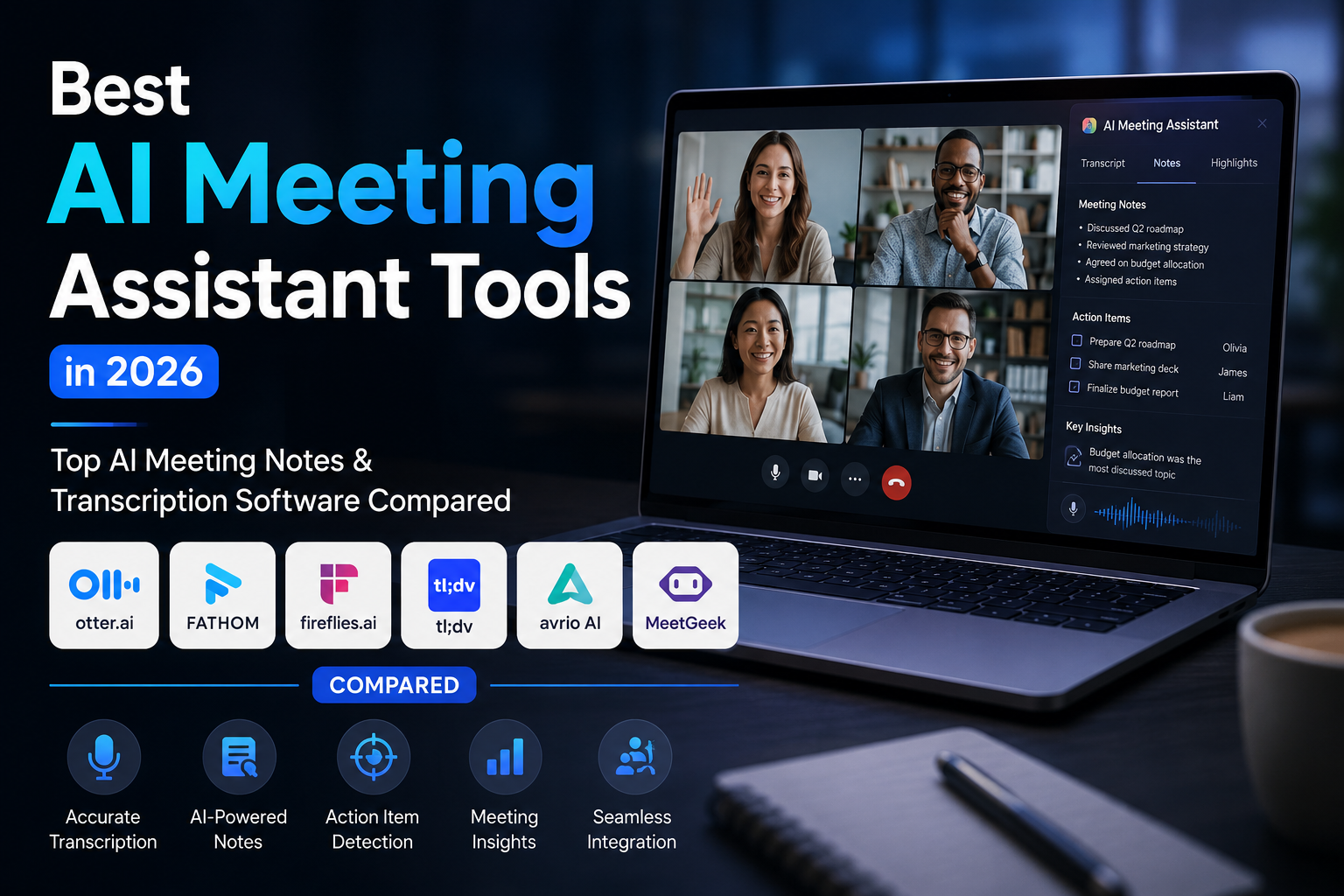
This is precisely why the best AI meeting assistant platforms have become essential business tools in 2026.
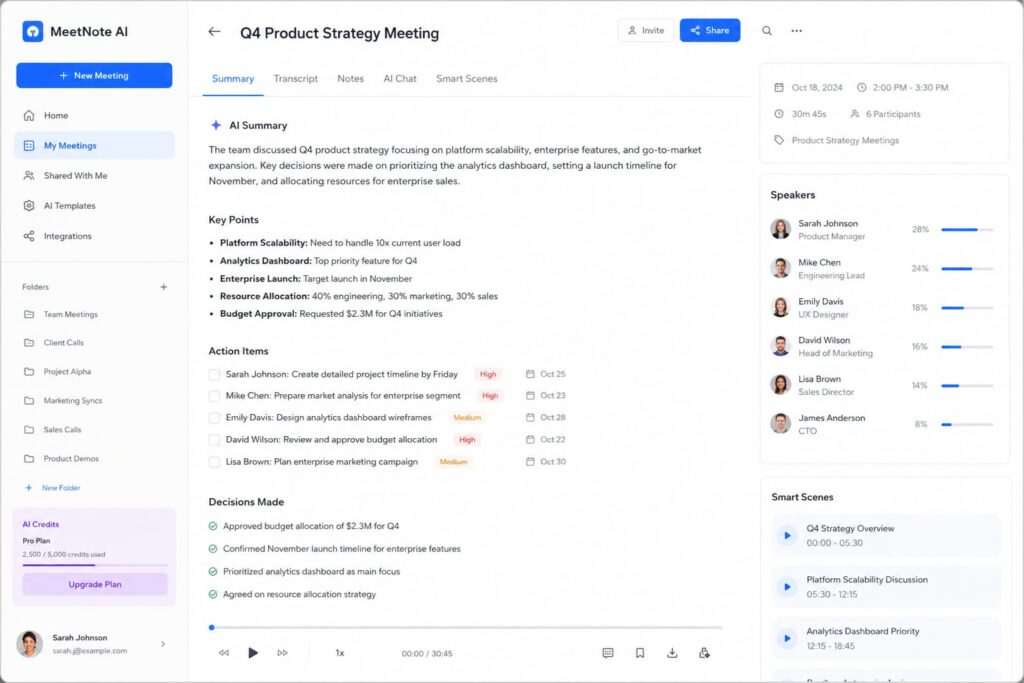
Modern AI meeting assistant tools can automatically join meetings, create summaries, generate action items, provide searchable transcripts, and even identify risks or missed commitments. Instead of manually documenting discussions, teams now rely on AI meeting notes software and meeting transcription AI solutions to handle the heavy lifting.
Whether you’re looking for advanced AI note taking apps for meetings or enterprise-grade collaboration software, today’s AI-powered solutions can dramatically improve productivity while reducing administrative work.

What Is an AI Meeting Assistant?
An AI meeting assistant is software designed to automate meeting documentation, collaboration, and follow-up activities.
Instead of assigning someone to take notes, these platforms automatically:
- Record meetings
- Generate transcripts
- Create summaries
- Extract action items
- Track decisions
- Provide searchable archives
- Integrate with workplace tools
Core Functions
Real-Time Transcription
The software converts speech into text during meetings.
AI Summaries
AI identifies key discussion points and generates concise summaries.
Action Item Detection
Tasks and responsibilities are automatically assigned and highlighted.
Collaboration Support
Team members can search, share, and revisit meeting insights later.
Why Businesses Are Adopting AI Meeting Assistant Tools
The adoption of AI-powered meeting software has accelerated dramatically over the last few years.
From my consulting experience, several factors drive this shift.
Remote Work Expansion
Distributed teams rely heavily on virtual meetings.
Significant Time Savings
Employees spend less time documenting discussions.
Improved Documentation Accuracy
AI captures information consistently.
Better Knowledge Retention
Meeting intelligence becomes searchable and accessible.
Reduced Administrative Burden
Managers can focus on strategic decisions instead of note-taking.
One trend I’ve consistently observed is that organizations adopting AI meeting assistants often reduce post-meeting administrative work by several hours per week per employee.
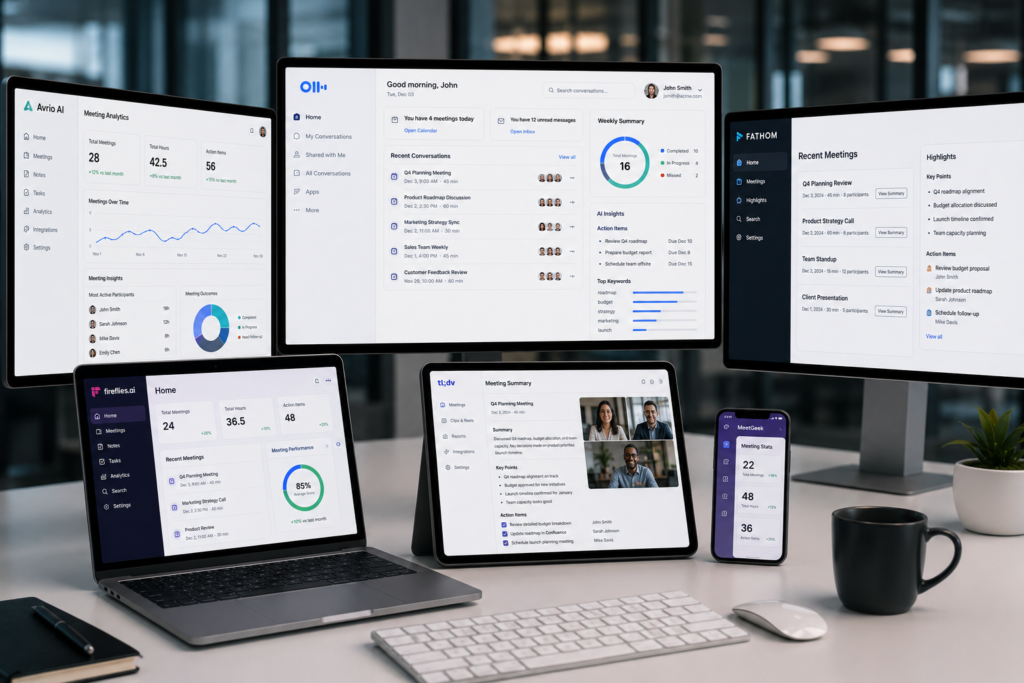
Best AI Meeting Assistant Tools Comparison Table
| Tool | Best For | AI Notes | Transcription | Integrations | Pricing |
|---|---|---|---|---|---|
| Otter.ai | General Business Teams | Yes | Excellent | Zoom, Teams, Meet | Free + Paid |
| Fireflies.ai | Sales & Operations | Yes | Excellent | CRM & Productivity Apps | Free + Paid |
| Fathom | Individuals & SMBs | Yes | Excellent | Zoom, HubSpot | Free |
| Krisp | Noise Cancellation + Notes | Yes | Very Good | Zoom, Meet, Teams | Free + Paid |
| Avoma | Revenue Teams | Advanced | Excellent | Salesforce, HubSpot | Paid |
| tl;dv | Meeting Documentation | Yes | Excellent | Slack, Notion, CRM | Free + Paid |
| Notta | Multilingual Teams | Yes | Excellent | Productivity Tools | Free + Paid |
| MeetGeek | Analytics & Insights | Advanced | Excellent | CRM & Collaboration Apps | Free + Paid |
Best AI Meeting Assistant Tools in 2026
Otter.ai
Otter.ai remains one of the most recognized AI meeting assistant tools.
Key Features
- Real-time transcription
- AI summaries
- Meeting highlights
- Team collaboration
Pros
- Excellent accuracy
- Easy onboarding
- Reliable integrations
Cons
- Advanced features require paid plans
Best Use Case
General business meetings.
Pricing
Free plan available with premium upgrades.
Personal Recommendation
Ideal for companies adopting AI meeting notes software for the first time.
Fireflies.ai
Fireflies.ai excels in meeting intelligence and workflow automation.
Pros
- Strong CRM integrations
- Powerful search
- Automated workflows
Cons
- Interface can feel overwhelming initially
Best Use Case
Sales teams and client-facing organizations.
Personal Recommendation
One of the strongest choices for revenue teams.
Fathom
Fathom has become extremely popular among professionals seeking free AI meeting assistants.
Pros
- Generous free plan
- Instant summaries
- User-friendly
Cons
- Limited advanced analytics
Best Use Case
Freelancers and small businesses.
Personal Recommendation
Best free option currently available.
Krisp
Krisp combines AI note-taking with industry-leading noise cancellation.
Pros
- Noise removal
- AI summaries
- Excellent call quality
Cons
- Some advanced features require upgrades
Best Use Case
Remote professionals.
Personal Recommendation
Excellent for hybrid work environments.
Avoma
Avoma focuses heavily on conversation intelligence.
Pros
- Deep analytics
- Sales coaching
- Revenue intelligence
Cons
- Premium pricing
Best Use Case
Enterprise sales organizations.
Personal Recommendation
A powerful enterprise-grade platform.
tl;dv
tl;dv specializes in searchable meeting knowledge.
Pros
- Meeting clips
- Search functionality
- Strong integrations
Cons
- Learning curve for advanced workflows
Best Use Case
Knowledge-heavy organizations.
Notta
Notta stands out for multilingual transcription.
Pros
- Multiple languages
- Accurate transcripts
- Strong collaboration
Cons
- Fewer enterprise features
Best Use Case
International teams.
MeetGeek
MeetGeek offers strong analytics and meeting intelligence.
Pros
- Automated insights
- Workflow automation
- Meeting analytics
Cons
- Advanced reporting requires higher plans
Best Use Case
Growing businesses seeking data-driven meetings.
Best AI Note Taking Apps for Meetings
When evaluating AI note taking apps for meetings, I focus on four criteria:
| Tool | Note Quality | AI Summary | Search | Automation |
|---|---|---|---|---|
| Otter.ai | Excellent | Excellent | Excellent | Good |
| Fireflies.ai | Excellent | Excellent | Excellent | Excellent |
| Fathom | Very Good | Excellent | Good | Good |
| Avoma | Excellent | Excellent | Excellent | Excellent |
| MeetGeek | Excellent | Excellent | Excellent | Excellent |
For most businesses, Fireflies.ai and Avoma provide the best balance of note quality and workflow automation.
How Meeting Transcription AI Is Transforming Productivity
Meeting transcription AI has evolved dramatically.
Early transcription tools frequently struggled with accents, background noise, and multiple speakers.
Today’s systems offer:
Improved Accuracy
Many platforms exceed 90% accuracy under normal conditions.
Speaker Recognition
Automatic speaker identification improves readability.
Multilingual Support
Global organizations benefit from language flexibility.
Compliance Readiness
Many vendors support enterprise security requirements.
Meeting Intelligence
AI goes beyond transcription and identifies trends, risks, and opportunities.
AI Meeting Notes Software vs Traditional Note Taking
| Feature | AI Meeting Notes Software | Traditional Notes |
|---|---|---|
| Speed | Instant | Manual |
| Accuracy | High | Variable |
| Scalability | Excellent | Limited |
| Searchability | Instant Search | Difficult |
| Collaboration | Real-Time | Limited |
| Follow-Up Tracking | Automated | Manual |
The productivity gap becomes significant as teams scale.

Key Features to Look for in AI Meeting Assistant Tools
Real-Time Transcription
Fast, accurate speech-to-text conversion remains essential.
Automated Meeting Summaries
The best AI meeting assistant platforms provide concise executive summaries.
Action Item Tracking
Tasks should automatically sync with project management systems.
CRM Integrations
Sales teams benefit from Salesforce and HubSpot integrations.
Collaboration Features
Shared workspaces improve organizational knowledge.
Security & Compliance
Look for:
- SOC 2 compliance
- Encryption
- GDPR support
- Access controls
Common Mistakes When Choosing AI Meeting Assistant Software
Overpaying for Unused Features
Many organizations purchase enterprise plans unnecessarily.
Ignoring Integrations
Software must fit existing workflows.
Overlooking Security
Data protection should be evaluated carefully.
Accepting Poor Transcription Quality
Accuracy should always be tested before deployment.
My Experience Using AI Meeting Assistants Over the Years
Fifteen years ago, meeting documentation meant handwritten notes, spreadsheets, and manually written summaries.
I remember assigning team members to take notes during client calls. Not only was it inefficient, but documentation quality varied dramatically depending on who was responsible.
The first generation of transcription software was helpful but often unreliable.
Today’s AI meeting assistant tools are entirely different.
The biggest productivity improvement I’ve seen isn’t transcription itself it’s automated follow-up.
Modern AI meeting notes software automatically identifies decisions, assigns tasks, and creates searchable knowledge repositories.
For consulting projects, product development meetings, and sales calls, this has significantly reduced administrative workload while improving accountability.
The result is fewer forgotten commitments and much stronger organizational alignment.
Frequently Asked Questions
What is the best AI meeting assistant?
Fireflies.ai and Otter.ai remain among the strongest overall options, while Avoma excels for enterprise environments.
Which AI meeting notes software is most accurate?
Otter.ai, Fireflies.ai, and Avoma consistently deliver high transcription accuracy.
Are AI note taking apps for meetings secure?
Most leading providers offer encryption, access controls, and compliance certifications.
Can meeting transcription AI replace human note takers?
For most business meetings, yes. However, strategic meetings may still benefit from human oversight.
What are the best free AI meeting assistant tools?
Fathom and Otter.ai provide excellent free plans.
Do AI meeting assistants work with Zoom?
Yes. Most major platforms support Zoom integrations.
Can AI meeting assistants work with Microsoft Teams?
Yes. Enterprise-focused solutions commonly integrate with Microsoft Teams.
Are AI-generated meeting summaries accurate?
Modern AI summaries are highly accurate but should be reviewed for critical decisions.
Which tool is best for sales teams?
Avoma and Fireflies.ai are particularly strong choices.
Which AI meeting assistant is best for small businesses?
Fathom offers excellent value for small teams.

Final Verdict
After evaluating dozens of platforms and implementing meeting intelligence solutions across various organizations, here are my top recommendations:
Best Overall Choice
Fireflies.ai
Outstanding balance of automation, integrations, and usability.
Best Free Option
Fathom
Exceptional value with a generous free plan.
Best Enterprise Solution
Avoma
Advanced analytics, coaching, and revenue intelligence.
Best for Small Teams
Otter.ai
Simple, reliable, and easy to adopt.
Final Recommendation
If you’re investing in your first AI-powered meeting platform, start with Fireflies.ai or Otter.ai. Both provide an excellent introduction to modern meeting intelligence.
For organizations managing large volumes of meetings, implementing the best AI meeting assistant can quickly deliver measurable productivity gains, stronger accountability, and significantly improved knowledge management.
Author

razakh6402@gmail.com
Related Posts
Document Management Software: Top Document Management Software Compared (2026 Guide)
- 0
- 1,895 word
Not long ago, managing business documents meant overflowing filing cabinets, misplaced contracts, and countless hours spent searching for the right file. Even...
Read out all
AI Website Builder: Best AI Website Builders Compared (2026 Guide)
- 0
- 2,412 words
A decade ago, building a professional website meant writing HTML, CSS, JavaScript, and often PHP from scratch. Later, drag-and-drop builders like WordPress...
Read out all
AI vs Human Creativity: Can AI Replace Creative Jobs in 2026? (Expert Analysis)
- 0
- 2,449 words
The conversation around AI vs human creativity has become one of the most fascinating and controversial topics in technology. Every week, new...
AI Course Creator: Top AI Tools for Online Courses in 2026 (Expert-Tested Guide)
- 0
- 1,935 word
I’ve spent years researching instructional design, evaluating learning platforms, and following the evolution of educational technology. One trend has become impossible to...
Read out all
AI Browser Extensions: Best AI Chrome Extensions for Productivity in 2026 (Expert-Tested Guide)
- 0
- 2,414 words
Artificial intelligence has quietly become one of the biggest productivity upgrades I’ve experienced during my career. Over the past 15 years of...
Read out all
AI Agents in 2026: How AI Agents for Work Are Transforming Everyday Productivity
- 2
- 2,405 words
A few years ago, most businesses viewed artificial intelligence as a helpful assistant for answering questions or generating content. Today, the conversation...
Read out all
10 comments