
- 2
- 3,063 words
Cyberattacks are no longer a problem reserved for large corporations. Over the last 25 years working in cybersecurity, I have watched cybercriminals shift their attention toward smaller organizations because they often present easier targets and faster opportunities for profit.
When I first started helping small businesses secure their systems, most attacks involved simple viruses and spam emails. Today, ransomware gangs, phishing campaigns, business email compromise scams, and automated website attacks operate like professional businesses. They target organizations of every size.
One of the biggest misconceptions I still encounter is the belief that hackers only target large enterprises. In reality, cyber threats for small businesses have increased dramatically because attackers know many smaller organizations lack dedicated security teams, advanced monitoring systems, and formal security policies.
Cybersecurity for small business refers to the technologies, processes, policies, and training used to protect business systems, websites, customer data, cloud applications, networks, and employees from cyber threats.
Throughout my consulting career, I have helped businesses recover from devastating ransomware attacks, clean infected WordPress websites, investigate email fraud, and rebuild customer trust after data breaches. One lesson remains constant:
The cost of prevention is always lower than the cost of recovery.
What Is Cybersecurity for Small Business?
Simple Definition
Cybersecurity for small business is the practice of protecting digital assets, customer information, websites, cloud services, devices, and networks from unauthorized access, cyberattacks, data breaches, and operational disruption.
Why Small Businesses Are Prime Targets
Small business cybersecurity often receives less attention than it deserves.
Cybercriminals understand that many small organizations operate with:
- Limited security budgets
- No dedicated IT department
- Outdated software
- Weak password practices
- Insufficient employee training
- Inadequate backup procedures
I recently worked with a regional retailer that believed antivirus software alone provided sufficient protection. A single phishing email compromised an employee account and allowed attackers to access sensitive customer information within hours.
The company learned an expensive lesson that many small businesses unfortunately experience.
The Real Cost of a Cyberattack
Many business owners focus only on immediate financial losses. The actual damage usually extends much further.
Cyberattacks can lead to:
- Revenue loss
- Operational downtime
- Legal expenses
- Regulatory penalties
- Customer churn
- Brand reputation damage
- Recovery costs
- Employee productivity losses
I have seen businesses spend months rebuilding customer trust after a breach. In several cases, the reputational damage exceeded the direct financial impact.
Common Cyber Threats for Small Businesses
Phishing Attacks
Phishing remains one of the most common cyber threats for small businesses.
Attackers send fraudulent emails designed to trick employees into:
- Clicking malicious links
- Downloading malware
- Sharing credentials
- Approving fraudulent payments
Why are small businesses vulnerable?
Many employees receive limited cybersecurity awareness training and may not recognize sophisticated phishing attempts.
Prevention Strategies:
- Security awareness training
- Email filtering solutions
- Multi-factor authentication
- Regular phishing simulations
Ransomware
Ransomware encrypts files and demands payment for restoration.
Over the past decade, ransomware has become one of the most destructive threats affecting small business cybersecurity.
I have worked with businesses that lost access to years of accounting records, customer databases, and operational systems after a single employee opened a malicious attachment.
Prevention Strategies:
- Offline backups
- Endpoint protection
- Network segmentation
- Employee education
- Rapid patch management
Malware Infections
Malware includes viruses, spyware, trojans, worms, and other malicious software.
Infections typically occur through:
- Email attachments
- Unsafe downloads
- Compromised websites
- Infected USB devices
Prevention Strategies:
- Endpoint protection
- Web filtering
- Application control
- Security monitoring
Business Email Compromise (BEC)
BEC attacks involve criminals impersonating executives, vendors, or trusted contacts.
A manufacturing client once transferred thousands of dollars to attackers after receiving what appeared to be a legitimate invoice from a supplier.
The email address differed by only one character.
Prevention Strategies:
- Verification procedures
- MFA implementation
- Employee awareness training
- Payment approval workflows
Insider Threats
Not all threats come from outside the organization.
Insider threats may involve:
- Malicious employees
- Negligent users
- Excessive permissions
- Poor data handling practices
Prevention Strategies:
- Access controls
- Role-based permissions
- User monitoring
- Security policies
Weak Password Attacks
Weak passwords remain one of the most preventable security problems.
Common examples include:
- Password123
- CompanyName2026
- Reused credentials
Prevention Strategies:
- Password managers
- MFA
- Strong password policies
- Passwordless authentication where possible
Website and WordPress Attacks
Small business websites face continuous automated attacks.
Common attack vectors include:
- Vulnerable plugins
- Outdated themes
- Weak administrator passwords
- Unpatched software
I have cleaned hundreds of compromised WordPress websites throughout my career. Most breaches could have been prevented through routine maintenance and monitoring.
Prevention Strategies:
- Regular updates
- Website firewalls
- Malware scanning
- Security monitoring
Cloud Security Risks
Cloud adoption offers flexibility but introduces new risks.
Common issues include:
- Misconfigured storage
- Weak access controls
- Excessive permissions
- Unsecured integrations
Prevention Strategies:
- Zero Trust principles
- MFA enforcement
- Cloud monitoring
- Security reviews
Small Business Cyber Security Checklist
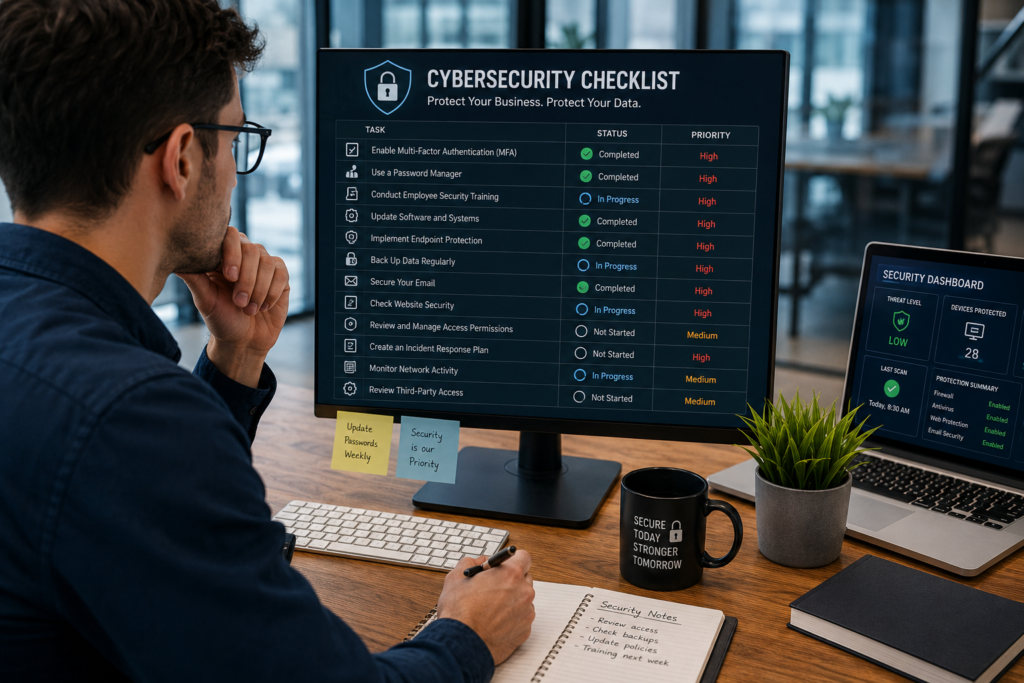
One of the most effective ways to improve small business cybersecurity is to follow a structured checklist. Over the years, I have found that organizations that consistently implement basic security controls experience significantly fewer security incidents than those chasing expensive security tools without a clear plan.
| Security Measure | Priority Level | Implementation Difficulty |
|---|---|---|
| Multi-Factor Authentication | High | Easy |
| Password Manager | High | Easy |
| Employee Training | High | Medium |
| Endpoint Protection | High | Medium |
| Data Backups | High | Medium |
| Software Updates | High | Easy |
| Firewall Protection | Medium | Medium |
| Incident Response Plan | High | Medium |
| Website Security Monitoring | High | Medium |
| Email Security Protection | High | Easy |
Multi-Factor Authentication (MFA)
If I could recommend only one cybersecurity improvement for a small business, it would be MFA.
MFA requires users to verify their identity using multiple factors, such as:
- Password
- Mobile authentication app
- Hardware security key
- Biometric verification
Even if attackers steal passwords, MFA often prevents account compromise.
Password Manager
Strong password management eliminates one of the most common security weaknesses.
A password manager helps employees:
- Create unique passwords
- Store credentials securely
- Reduce password reuse
- Improve overall security posture
Employee Training
Employees represent both the greatest risk and strongest defense.
Effective training should cover:
- Phishing identification
- Social engineering awareness
- Safe browsing practices
- Password security
- Data handling procedures
I have witnessed companies reduce phishing success rates dramatically after implementing ongoing awareness programs.
Endpoint Protection
Modern endpoint protection goes beyond traditional antivirus software.
Advanced tools provide:
- Behavioral analysis
- Threat detection
- Malware prevention
- Automated response capabilities
Data Backups
Backups remain your last line of defense against ransomware and system failures.
Best practices include:
- Daily backups
- Automated backup schedules
- Offline backup copies
- Routine restoration testing
Software Updates
Attackers frequently exploit known vulnerabilities.
Businesses should:
- Patch operating systems
- Update applications
- Maintain plugins
- Remove unsupported software
Firewall Protection
Firewalls help control network traffic and block unauthorized access attempts.
A properly configured firewall creates an additional security layer between business systems and external threats.
Incident Response Plan
Every business needs a documented response plan.
The plan should define:
- Who responds
- Communication procedures
- Recovery steps
- Escalation processes
Organizations recover significantly faster when they prepare before an incident occurs.
Website Security Monitoring
Website monitoring identifies threats before major damage occurs.
Monitoring should include:
- Malware detection
- Uptime monitoring
- File integrity monitoring
- Vulnerability scanning
Email Security Protection
Email remains the primary delivery method for cyberattacks.
Organizations should implement:
- Spam filtering
- Phishing detection
- Email authentication controls
- User awareness programs
Essential Cyber Security Tips for Small Businesses
The most effective cyber security tips for small businesses are often the simplest.
Use Strong Authentication
Require unique passwords for every business account.
Avoid:
- Shared credentials
- Reused passwords
- Predictable password patterns
Enable Multi-Factor Authentication Everywhere
Enable MFA on:
- Email systems
- Cloud platforms
- Financial accounts
- Administrative portals
- Website dashboards
In my consulting experience, MFA prevents a large percentage of account takeover attempts.
Train Employees Regularly
Security awareness training should occur throughout the year.
Topics should include:
- Phishing attacks
- Social engineering
- Password security
- Remote work risks
- Data protection
Secure Business Email Systems
Email security should include:
- Advanced filtering
- Domain protection
- Sender authentication
- Suspicious activity monitoring
Keep Software Updated
Outdated software remains one of the easiest attack paths.
Create a formal patch management schedule and follow it consistently.
Protect Remote Workers
Remote employees require additional protection.
Recommended measures include:
- VPN usage
- Device encryption
- Secure Wi-Fi practices
- Endpoint monitoring
Implement Regular Backups
Businesses should maintain:
- Daily backups
- Multiple backup copies
- Offsite storage
- Recovery testing
Monitor Network Activity
Continuous monitoring helps identify:
- Unauthorized access
- Malware activity
- Suspicious behavior
- Data exfiltration attempts
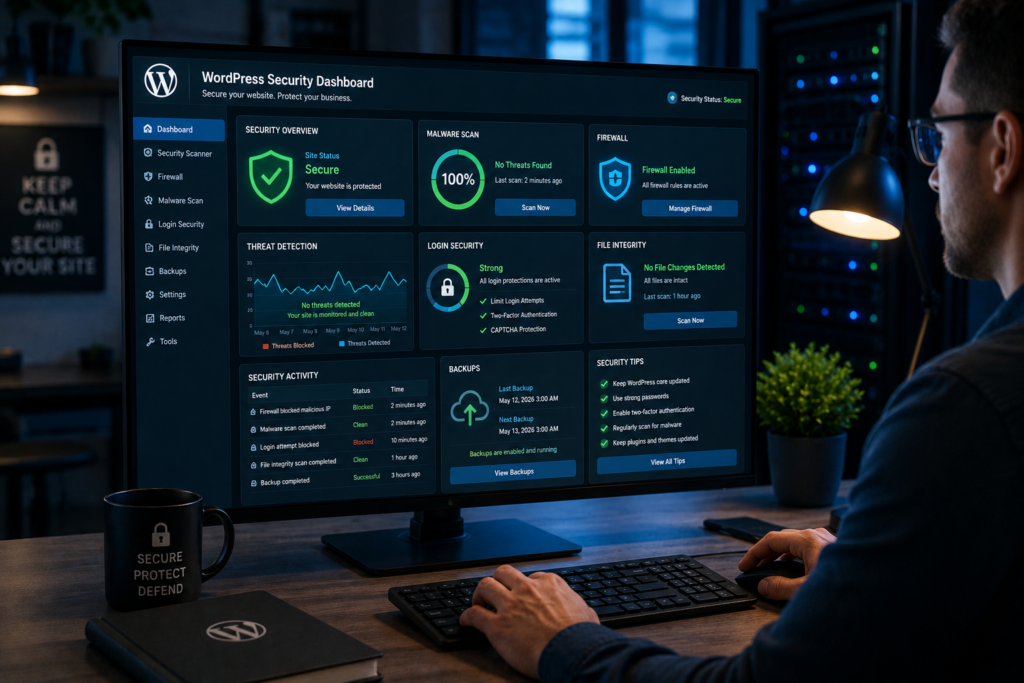
Secure WordPress and Business Websites
Website security should include:
- Strong administrator passwords
- Security plugins
- Firewalls
- Routine updates
- Backup solutions
Many small businesses underestimate website security until a compromise affects customer trust or search engine rankings.
Traditional Security vs Modern Small Business Cybersecurity
The cybersecurity landscape has evolved dramatically. Traditional approaches often fail to address today’s sophisticated threats.
| Feature | Traditional Approach | Modern Cybersecurity Approach |
|---|---|---|
| Password Security | Password Only | MFA & Passwordless |
| Threat Detection | Reactive | Proactive |
| Monitoring | Occasional | Continuous |
| Employee Training | Rare | Ongoing |
| Data Backup | Manual | Automated |
| Incident Response | Unplanned | Prepared |
| Cloud Security | Limited | Comprehensive |
Why Modern Approaches Work Better
Traditional security focused on preventing threats at the perimeter.
Modern cybersecurity for small business focuses on:
- Continuous monitoring
- Identity protection
- Threat intelligence
- Automation
- Zero Trust principles
Today’s attackers move faster than ever. Businesses need security programs that detect and respond to threats in real time.
Cybersecurity for Small Business Websites and WordPress Sites
Why Websites Are Common Attack Targets
Business websites are publicly accessible and continuously scanned by automated attack tools.
Attackers often target websites to:
- Steal customer information
- Distribute malware
- Redirect traffic
- Damage reputation
- Conduct fraud
I routinely see websites attacked within hours of being launched online.
WordPress Security Risks
WordPress powers a significant portion of the internet, making it a popular target.
Most successful attacks exploit:
- Outdated plugins
- Vulnerable themes
- Weak passwords
- Poor hosting configurations
WordPress itself is generally secure when properly maintained.
Plugin Vulnerabilities
Plugin vulnerabilities remain one of the most common website security issues.
I have investigated numerous website compromises caused by abandoned or poorly maintained plugins.
Recommendations:
- Remove unused plugins
- Update regularly
- Use trusted developers
- Limit plugin installations
Brute Force Attacks
Brute force attacks attempt thousands of login combinations until attackers gain access.
Mitigation strategies include:
- MFA
- Login rate limiting
- CAPTCHA
- Strong passwords
- Security plugins
Website Backup Strategies
Effective website backup plans include:
- Daily backups
- Automated backup systems
- Offsite storage
- Recovery testing
A backup that cannot be restored provides little value during an emergency.
Website Firewall Protection
Website application firewalls help block:
- Malicious bots
- Injection attacks
- Credential stuffing
- Exploitation attempts
Firewalls provide critical protection for eCommerce stores and customer-facing websites.
Security Monitoring Tools
Security monitoring helps identify problems before they become major incidents.
Monitoring should include:
- Malware scanning
- Vulnerability detection
- File changes
- Suspicious login attempts
- Uptime monitoring
Over the years, proactive monitoring has prevented countless website compromises for my clients.
How to Build a Cybersecurity Strategy for Small Businesses
Many business owners believe cybersecurity requires expensive technology. In reality, an effective cybersecurity for small business strategy starts with understanding risk and creating a structured plan.
Assess Current Risks
Begin with a comprehensive risk assessment.
Identify:
- Existing vulnerabilities
- Business processes
- Third-party dependencies
- Current security controls
- Potential attack vectors
Over the years, I have found that businesses often discover their biggest risks in unexpected places, such as outdated employee laptops, forgotten cloud accounts, or neglected website plugins.
Identify Critical Assets
Determine which assets require the highest level of protection.
Examples include:
- Customer databases
- Financial systems
- Payment platforms
- Email systems
- Intellectual property
- Website infrastructure
Not all assets carry the same risk. Focus resources on protecting what matters most.
Create Security Policies
Documented policies create consistency across the organization.
Key policies should cover:
- Password requirements
- Acceptable device usage
- Remote work practices
- Data handling procedures
- Incident reporting
- Access management
Clear policies reduce uncertainty and strengthen small business cybersecurity efforts.
Train Employees
Technology alone cannot stop every attack.
Regular training should educate employees on:
- Phishing attacks
- Social engineering tactics
- Data protection responsibilities
- Safe internet practices
- Reporting suspicious activity
Organizations with strong security cultures consistently outperform those relying solely on technology.
Implement Monitoring Tools
Continuous monitoring helps identify threats early.
Recommended monitoring areas include:
- Network activity
- Endpoint devices
- Cloud environments
- Email systems
- Website security
Modern monitoring tools provide visibility that many businesses previously lacked.
Develop Incident Response Plans
Every organization should prepare for the possibility of a cyber incident.
An incident response plan should define:
- Roles and responsibilities
- Escalation procedures
- Communication strategies
- Recovery processes
- Legal considerations
Preparation often determines whether a business recovers in days or struggles for months.
Conduct Security Audits
Routine audits help validate security controls.
Audits should review:
- User access permissions
- Software updates
- Backup systems
- Security configurations
- Compliance requirements
Regular reviews uncover weaknesses before attackers do.
Emerging Cybersecurity Trends for Small Businesses
The cybersecurity landscape continues to evolve rapidly. Several emerging trends will shape the future of small business cybersecurity.
AI-Powered Threat Detection
Artificial intelligence now helps security teams identify suspicious behavior faster than traditional tools.
AI systems can:
- Detect anomalies
- Identify malware patterns
- Reduce false positives
- Accelerate response times
Businesses increasingly benefit from security capabilities once available only to large enterprises.
Zero Trust Security
Zero Trust follows a simple principle:
“Never trust, always verify.”
Instead of assuming users and devices are safe, organizations continuously verify access requests.
Zero Trust reduces risk from both external attackers and insider threats.
Passwordless Authentication
Passwords remain a major security weakness.
Passwordless authentication methods include:
- Biometrics
- Security keys
- Mobile authentication
- Passkeys
I expect passwordless solutions to become standard across many business environments over the next few years.
Managed Security Services
Many small organizations lack internal security expertise.
Managed Security Service Providers (MSSPs) offer:
- Threat monitoring
- Incident response
- Vulnerability management
- Security expertise
This model allows businesses to access enterprise-grade protection without building an internal security team.
Cloud Security Platforms
As cloud adoption grows, businesses increasingly rely on cloud-native security tools.
Modern platforms provide:
- Visibility
- Compliance monitoring
- Threat detection
- Access management
Cybersecurity Automation
Automation reduces repetitive tasks and improves response speed.
Common automated functions include:
- Alert triage
- Threat containment
- Patch deployment
- Compliance reporting
Security Awareness Platforms
Employee education continues evolving through interactive learning platforms.
Modern awareness tools use:
- Simulated phishing campaigns
- Gamified training
- Real-time coaching
- Behavioral analytics
Organizations that invest in awareness programs often experience fewer successful attacks.
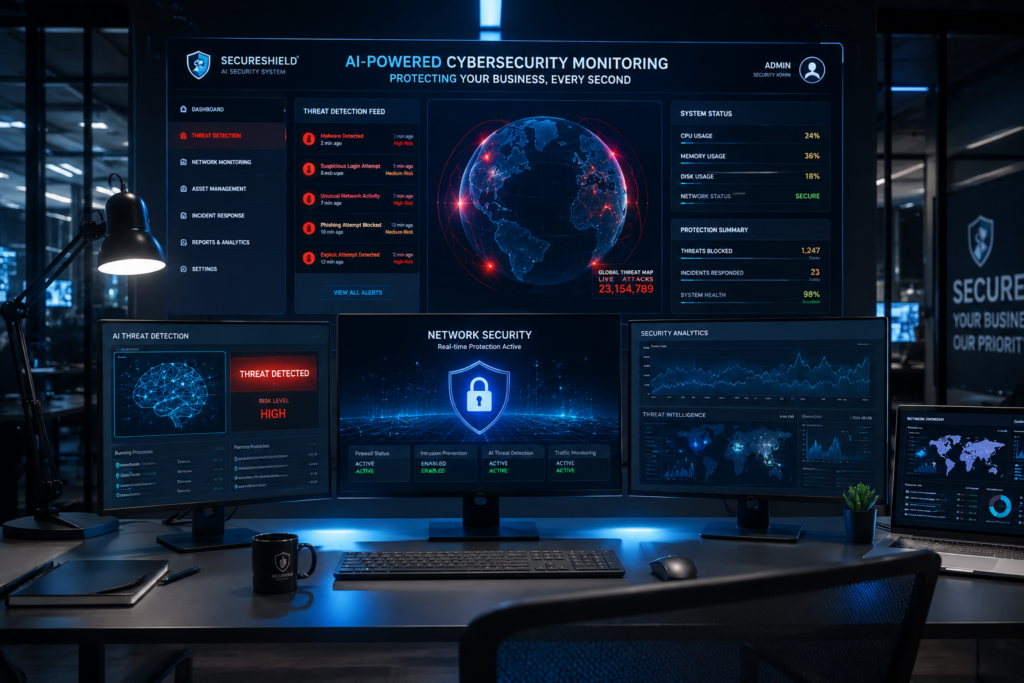
Small Business Cybersecurity Statistics
What These Trends Mean
The statistics point to one clear conclusion:
Cyber threats for small businesses continue to increase in both frequency and sophistication.
Several patterns stand out:
- Attackers increasingly automate attacks.
- Ransomware groups target smaller organizations.
- Email remains the leading attack vector.
- Cloud environments require stronger security controls.
- MFA adoption continues to improve security outcomes.
Throughout my consulting career, the organizations that invested proactively in cybersecurity consistently recovered faster and suffered fewer disruptions than those waiting until after an incident occurred.
Frequently Asked Questions
What is cybersecurity for small business?
Cybersecurity for small business refers to the technologies, policies, training programs, and security controls used to protect business systems, customer information, websites, cloud platforms, networks, and employees from cyberattacks.
Why is small business cybersecurity important?
Small business cybersecurity protects sensitive information, prevents financial losses, preserves customer trust, reduces operational disruption, and helps organizations meet compliance requirements.
What are the most common cyber threats for small businesses?
The most common cyber threats for small businesses include:
- Phishing attacks
- Ransomware
- Malware infections
- Business email compromise
- Weak password attacks
- Website compromises
- Insider threats
- Cloud security misconfigurations
What is a small business cyber security checklist?
A small business cyber security checklist is a structured set of security controls designed to reduce cyber risk.
Typical checklist items include:
- MFA implementation
- Password management
- Employee training
- Endpoint protection
- Data backups
- Website security
- Email protection
- Incident response planning
How can small businesses protect themselves from ransomware?
Organizations can reduce ransomware risk by:
- Maintaining offline backups
- Training employees
- Deploying endpoint protection
- Applying security updates
- Using MFA
- Monitoring networks continuously
How often should employees receive cybersecurity training?
Employees should receive cybersecurity training at least quarterly, with additional awareness reminders and phishing simulations throughout the year.
Is cybersecurity expensive for small businesses?
Not necessarily.
Many effective security measures, including MFA, password managers, employee training, software updates, and backup solutions, offer strong protection at relatively low cost.
The financial impact of a successful attack often exceeds years of preventive cybersecurity investment.
Can small businesses recover after a cyberattack?
Yes, but recovery depends heavily on preparation.
Businesses with:
- Reliable backups
- Incident response plans
- Security monitoring
- Employee awareness training
typically recover significantly faster than organizations without these safeguards.

Conclusion
Cybersecurity for small business is no longer optional. Every organization, regardless of size, faces growing cyber risks from ransomware, phishing attacks, malware, business email compromise, website attacks, and cloud-based threats.
The most effective small business cybersecurity programs focus on fundamentals:
- Multi-factor authentication
- Employee security awareness
- Strong password management
- Regular software updates
- Reliable backups
- Continuous monitoring
- Incident response planning
A practical small business cyber security checklist provides a roadmap for reducing risk and improving resilience.
Looking ahead, AI-powered threat detection, Zero Trust architecture, cybersecurity automation, managed security services, and passwordless authentication will continue transforming how businesses defend themselves against modern threats.
After 25 years of helping organizations recover from breaches, ransomware incidents, website compromises, and email fraud, I can confidently say this:
The businesses that succeed are not necessarily the ones spending the most on cybersecurity. They are the ones that take security seriously before an incident occurs.
Start with the basics. Build a security-first culture. Train your employees. Protect your websites and cloud systems. Implement proven cyber security tips for small businesses. Follow a structured small business cyber security checklist.
Most importantly, invest in cybersecurity today rather than waiting for a cyberattack to force action tomorrow.
Author

razakh6402@gmail.com
Related Posts
Browser Security Extensions: Top Chrome Security Extensions & Privacy Browser Extensions You Need in 2026
- 0
- 2,358 words
best budgeting appsEvery year, browsers become smarter, websites become faster, and online services become more convenient. Unfortunately, cybercriminals evolve just as quickly....
Read out all
Passkeys: How Passwordless Authentication Is Replacing Passwords in 2026
- 0
- 2,452 words
If you’ve ever forgotten a password, reset the same account multiple times, or worried that your login credentials were exposed in a...
Read out all
Cybersecurity Checklist: Essential Small Business Cybersecurity Guide (2026)
- 0
- 2,462 words
Cyberattacks are no longer a problem reserved for large enterprises. Over the last 15 years, I’ve worked with startups, retail stores, healthcare...
Secure Cloud Storage: Best Secure Cloud Storage Services for Business & Personal Use (2026 Guide)
- 0
- 2,443 words
Whether you’re backing up family photos, sharing confidential client documents, or managing sensitive business files, choosing the right secure cloud storage service...

AI Scams: How to Protect Yourself from AI-Powered Scams in 2026 (Expert Guide)
- 0
- 1,918 word
Artificial intelligence has transformed the way we work, communicate, and manage our finances. Unfortunately, cybercriminals have embraced the same technology to create...
Read out all
Future of Cybersecurity: Top Cybersecurity Trends 2026, AI Innovations, and Predictions for the Next Decade
- 1
- 2,173 words
Twenty-five years ago, cybersecurity focused primarily on protecting desktop computers, on-premises servers, and corporate networks. Firewalls, antivirus software, and perimeter defenses formed...
2 comments